GoodNotes怎样开启试用icloud
1、首先打开GoodNotes,进入页面点击右上角的设置图标
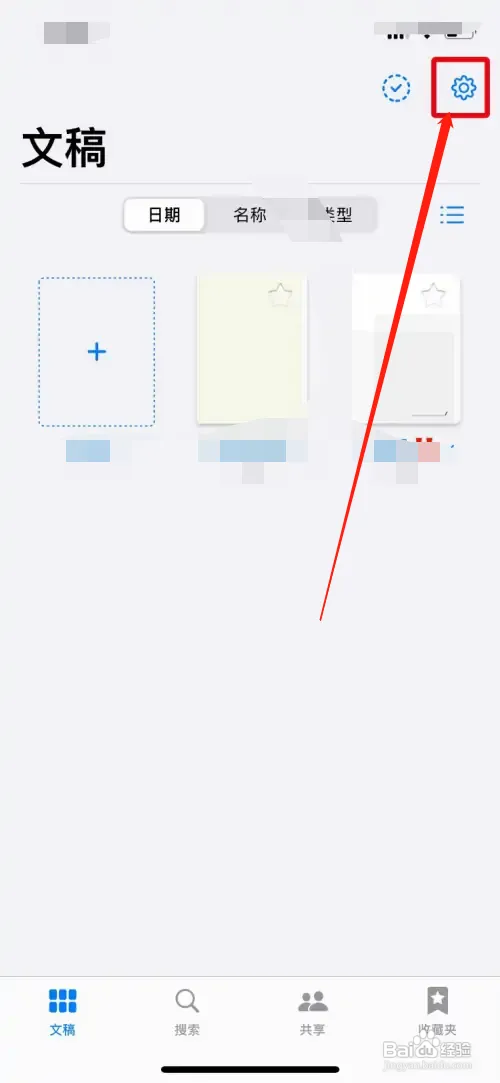
2、然后在页面点击设置选项,如下图所示

3、接着在设置页面,点击iCloud设置
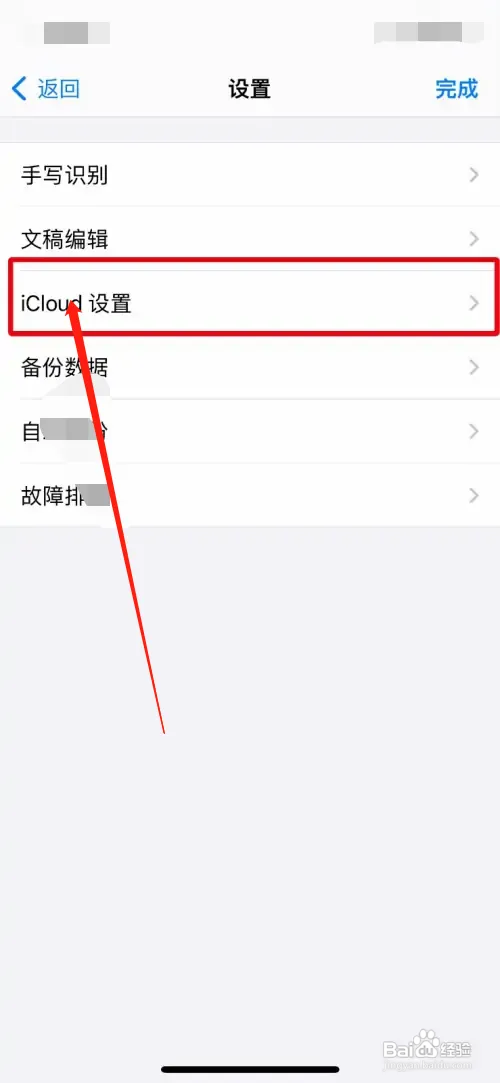
4、在页面点击使用iCloud右侧的按钮开启就可以了

阅读量:90
阅读量:113
阅读量:151
阅读量:31
阅读量:69
1、首先打开GoodNotes,进入页面点击右上角的设置图标
2、然后在页面点击设置选项,如下图所示
3、接着在设置页面,点击iCloud设置
4、在页面点击使用iCloud右侧的按钮开启就可以了