workbench怎么设置在连接屏幕上显示欢迎消息
1、首先,打开一个workbench的界面中
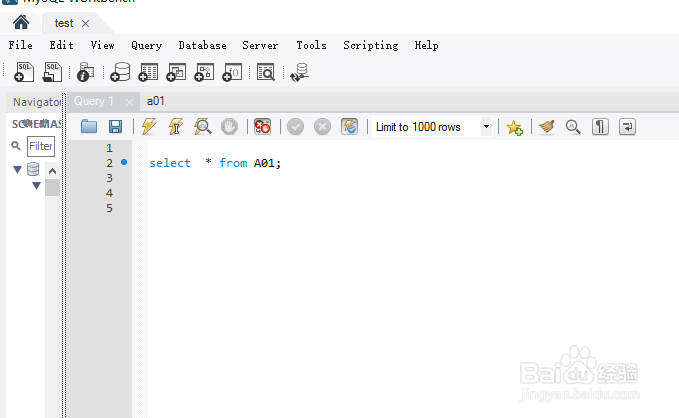
2、点击菜单中 edit 菜单
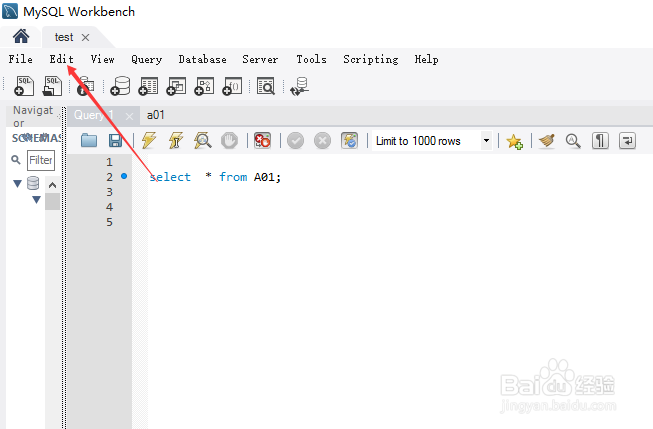
3、点击了edit 菜单之后,弹出了下拉菜单选中为 preferances 选项

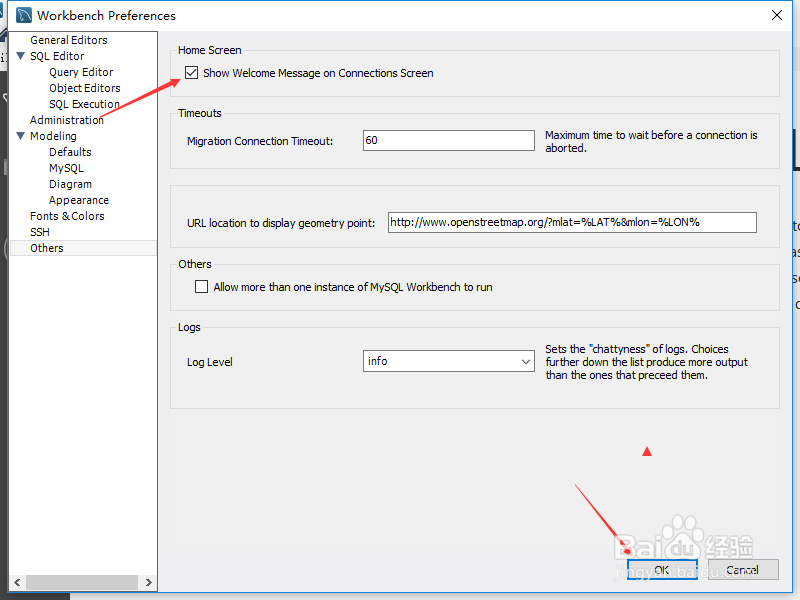
4、进入到 preferances 界面中,点击左侧中的 others 选项
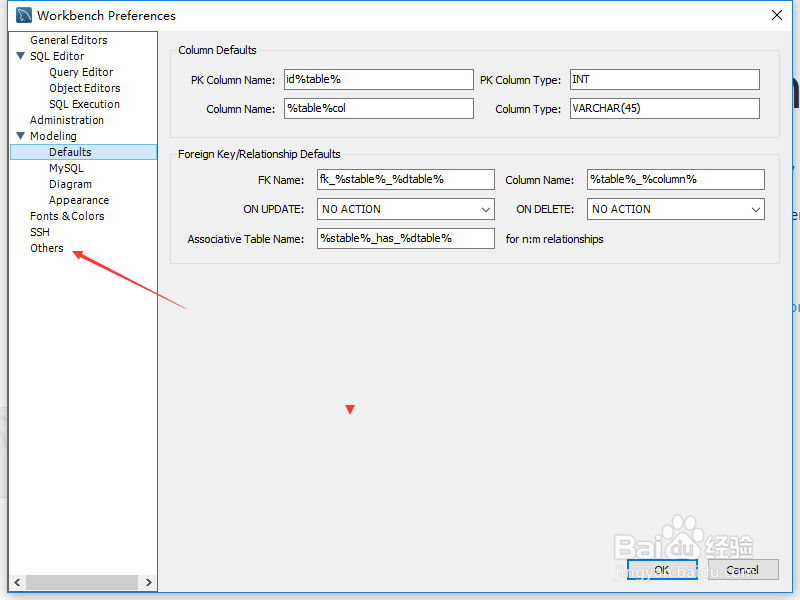
5、进入到了others界面中,勾选上 show wekcome message on connections screnn 选项
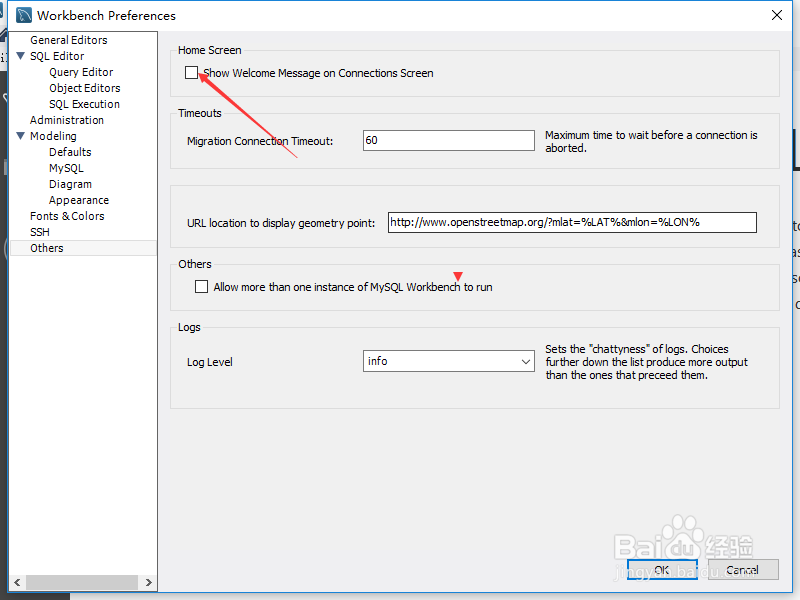
6、勾选上 show wekcome message on connections screnn 选项之后,点击 ok
1、点击菜单中 edit 菜单
选中为 preferances 选项
点击左侧中的 others 选项
勾选上 show wekcome message on connections screnn 选项
阅读量:85
阅读量:75
阅读量:179
阅读量:26
阅读量:36