指南经验网
首页
美食营养
生活百科
知识问答
生活知识
返回
指南经验网
首页
美食营养
游戏数码
手工爱好
生活知识
生活百科
健康养生
运动户外
职场理财
情感交际
母婴教育
时尚美容
知识问答
更多知识
搜索
iphone怎么打开内容和隐私访问限制
2026-04-22 19:23:54
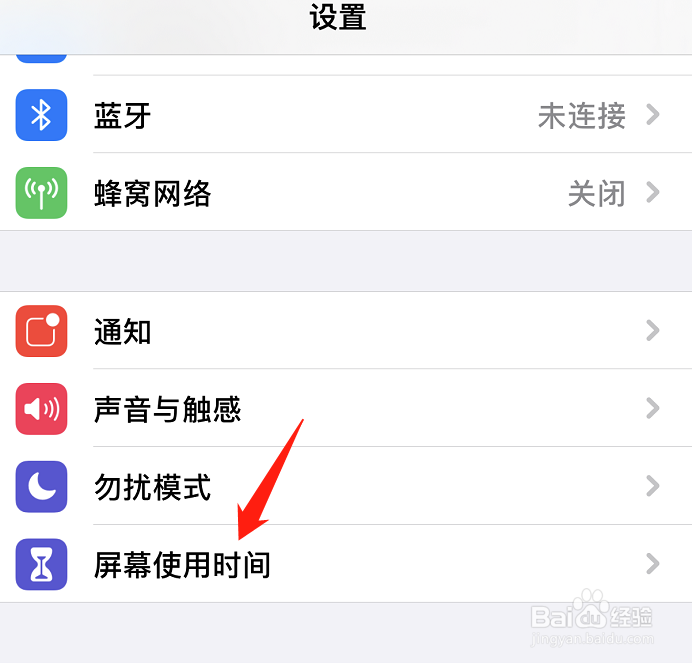
1、第一步,进入设置页面之后,选择屏幕使用时间选项。
2、第二步,选择内容和隐私访问限制选项。
3、第三步,打开内容和隐私访问限制后方的开关即可。
相关推荐
支付宝如何设置面容ID解锁?
阅读量:144
iPhone13promax微信密码锁怎么设置
阅读量:120
苹果手机怎么设置微信不让别人看到信息
阅读量:136
苹果手机微信设置隐私密码怎么设置
阅读量:33
苹果13如何给微信上锁
阅读量:22
猜你喜欢
行李箱密码忘了怎么办
黄金玉米粒的做法
蠡怎么读
燕麦片怎么吃
提纲怎么写
生育津贴怎么算
鱼怎么做好吃
清汤火锅做法
怎么包馄饨
日语谢谢怎么说
猜你喜欢
诉状怎么写
红烧肘子的做法
微博怎么改名字
南瓜饼怎么做好吃又简单
为什么手机网速很慢
海带做法大全
小便尿血是怎么回事
鲔怎么读
柏怎么读
排骨炖萝卜的做法