Intellij IDEA如何创建web项目
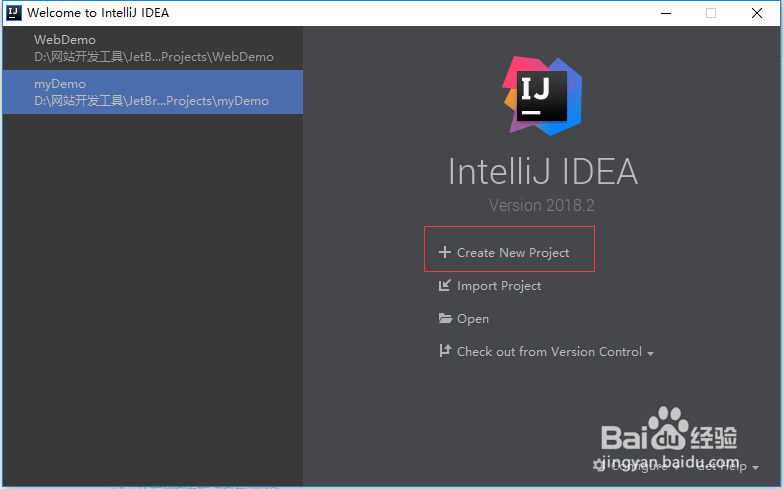
1、首先,打开idea,点击“Create New Project”,来新建一个项目。
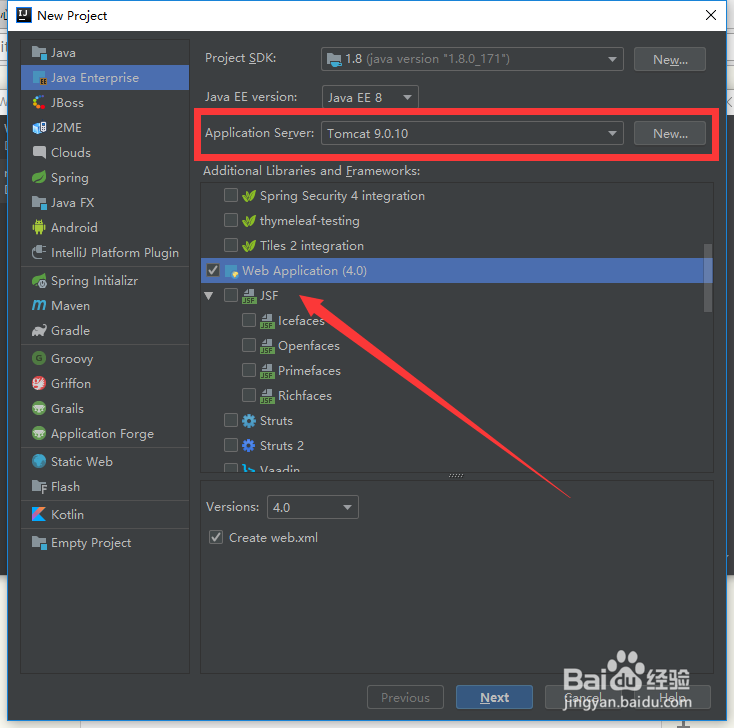
2、先点击左边“Java Enterprise”,然后在右边“Application Server”处点击“New”将tomcat服务器导入,下方勾选“Web Application”,点击“Next”。
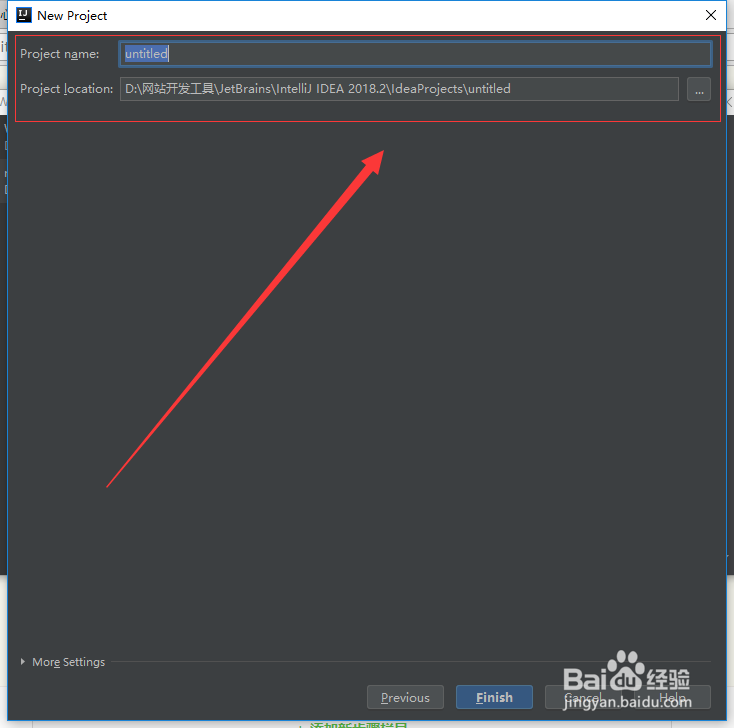
3、接着设置项娃信目的Project name(名称)和Project location(项目的位置),无误后点击“Finish”。
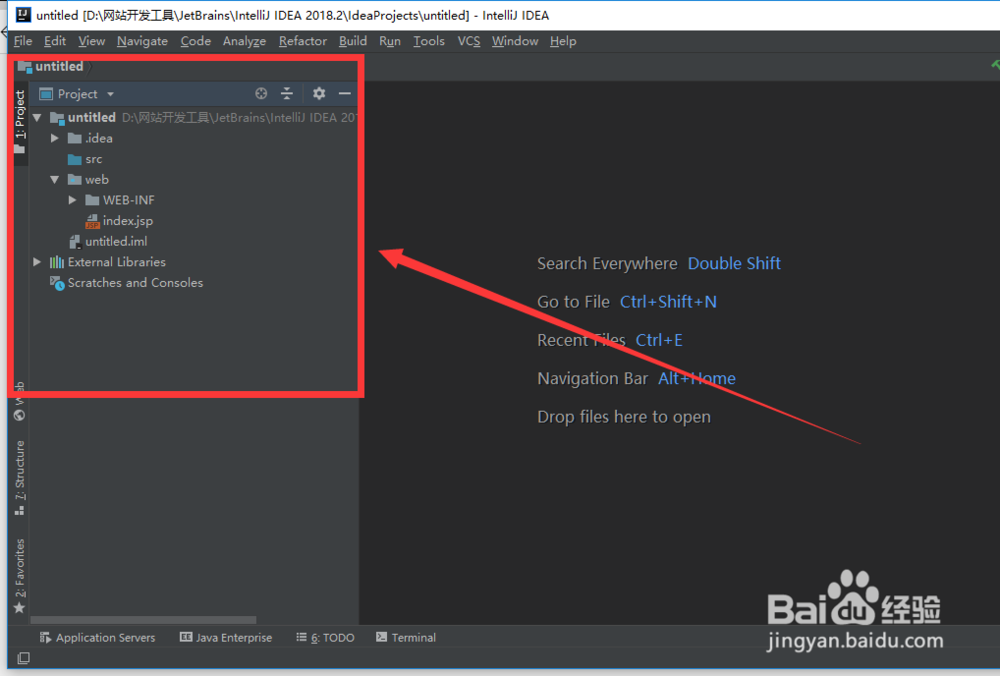
4、如图是所建web项目的目录结构。
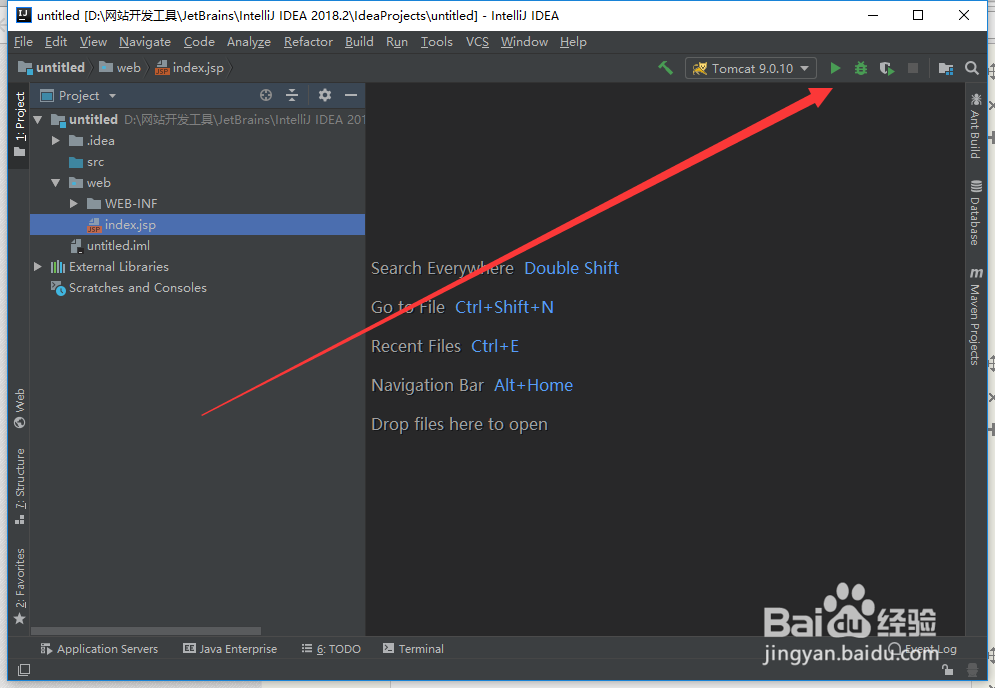
5、点击如图所示三角符号运行web项目。
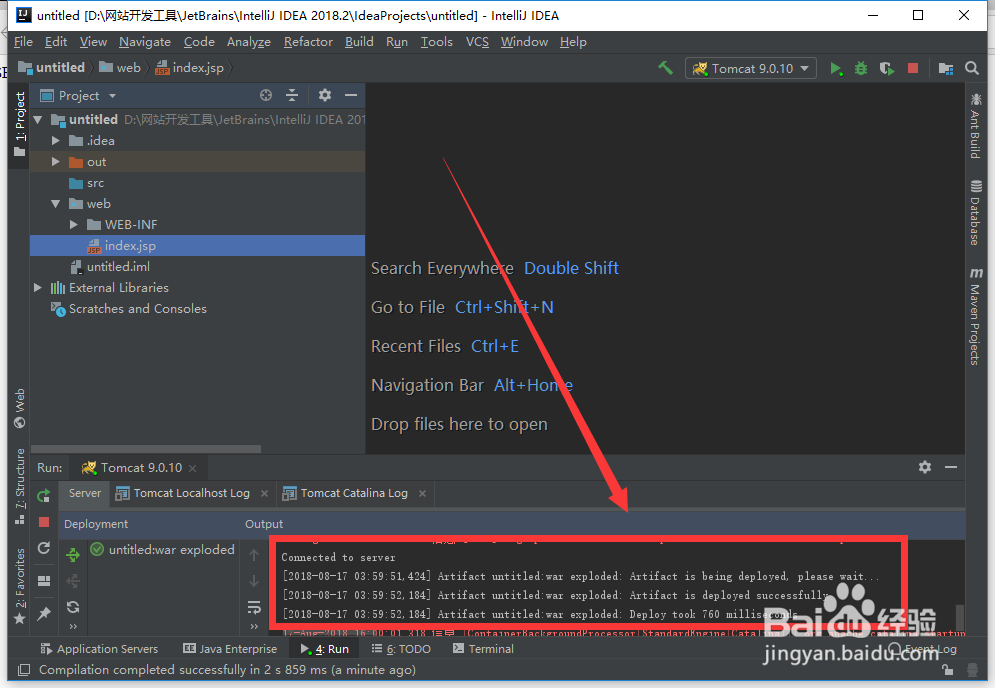
6、等待数秒后,idea下方output框中会提示如图所示信摸川虚息,说明菌绵服务器启动成功。
至此,创建web项目成功。
阅读量:83
阅读量:168
阅读量:187
阅读量:176
阅读量:137