word2007文档如何设置密码
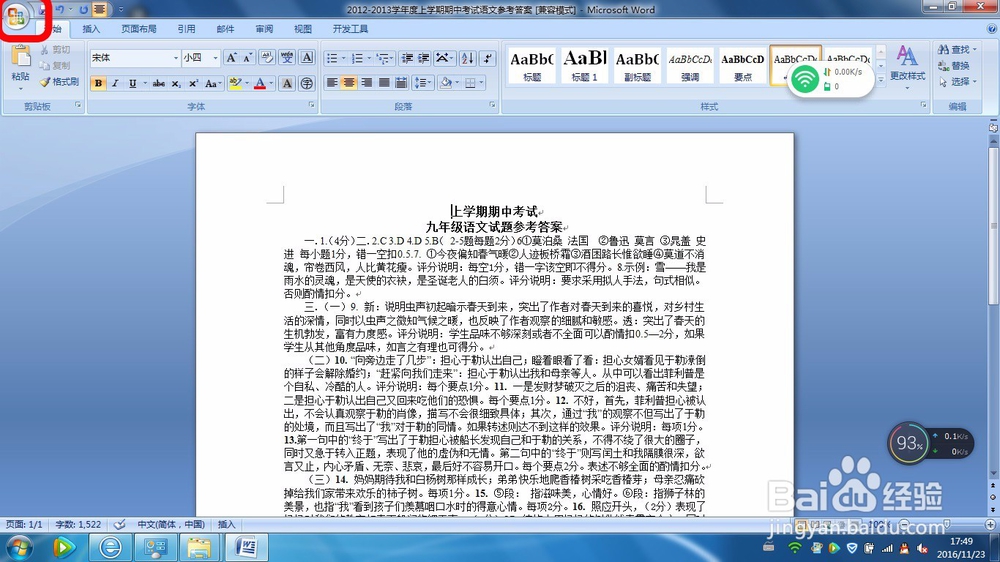
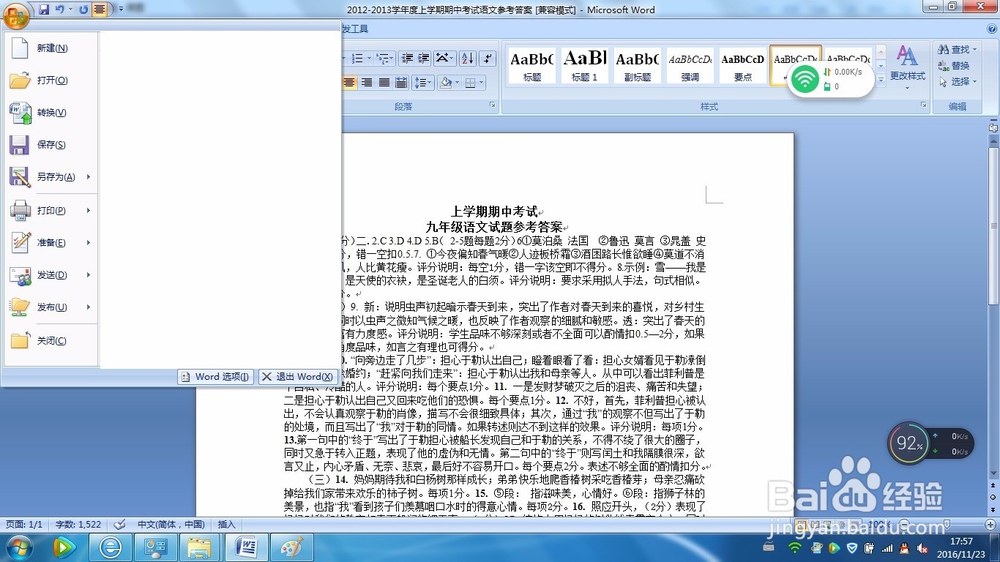
1、打开word文档,点击office按钮。
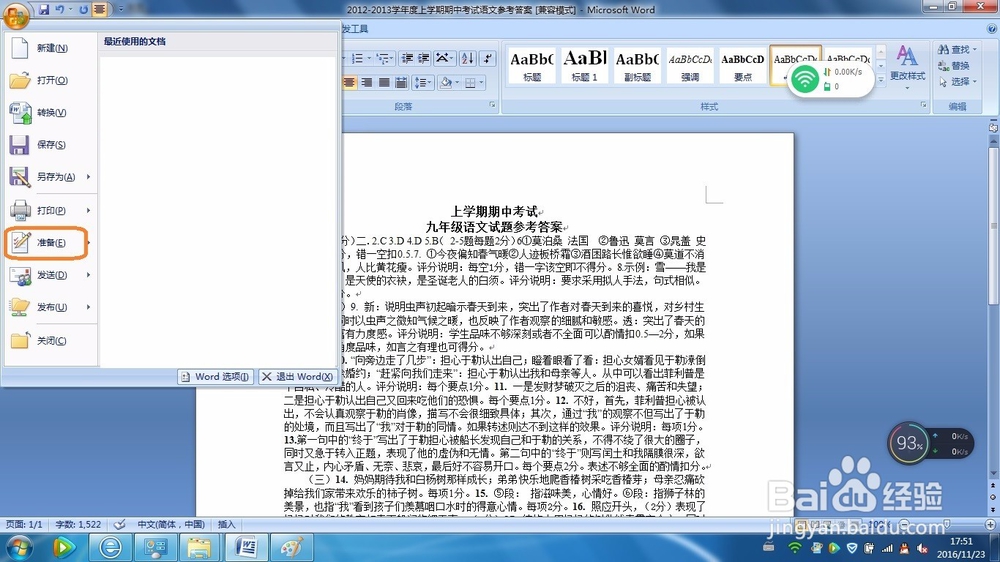
2、在下面的菜单中点击“准备”。
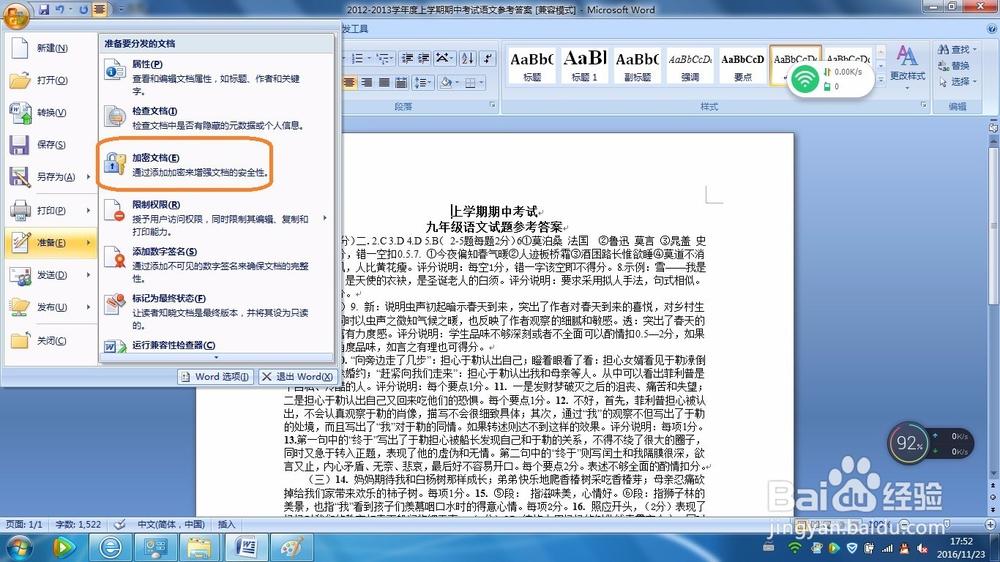
3、点击“加密文档”。
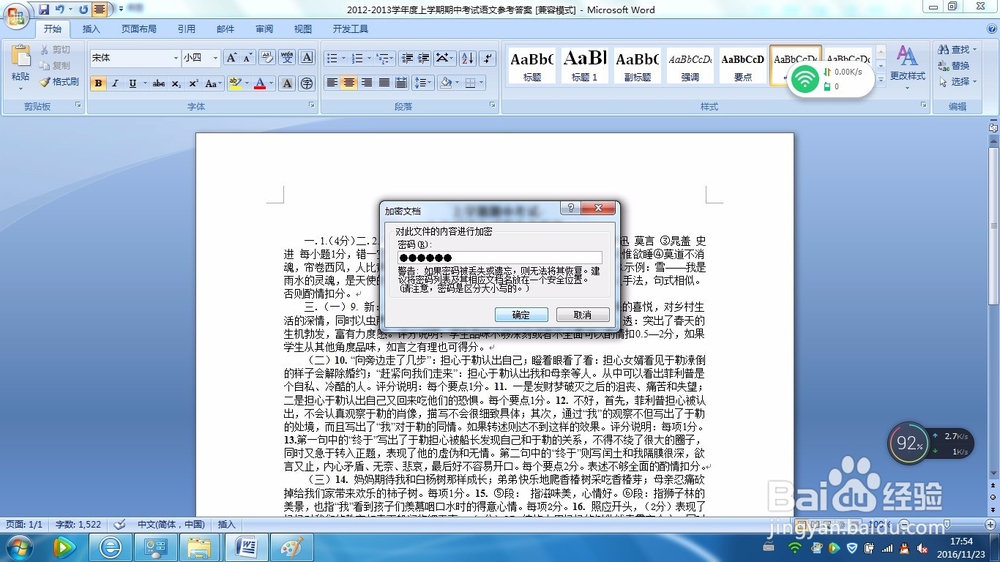
4、输入密码。
5、重复输入密码。
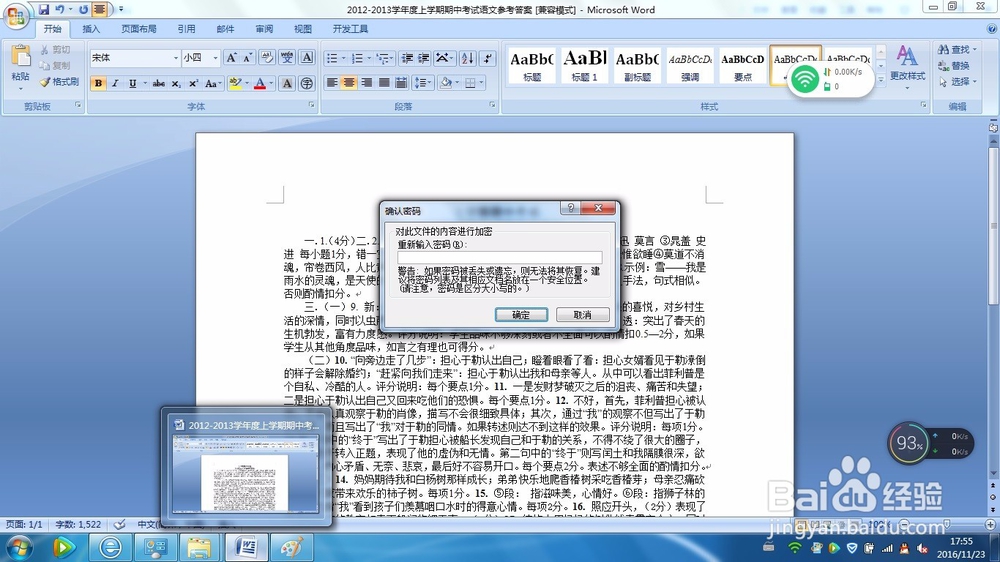
6、点击offce按钮,点击“另存为”,即可将文件保存为加密文档
阅读量:177
阅读量:27
阅读量:158
阅读量:26
阅读量:167
1、打开word文档,点击office按钮。
2、在下面的菜单中点击“准备”。
3、点击“加密文档”。
4、输入密码。
5、重复输入密码。
6、点击offce按钮,点击“另存为”,即可将文件保存为加密文档