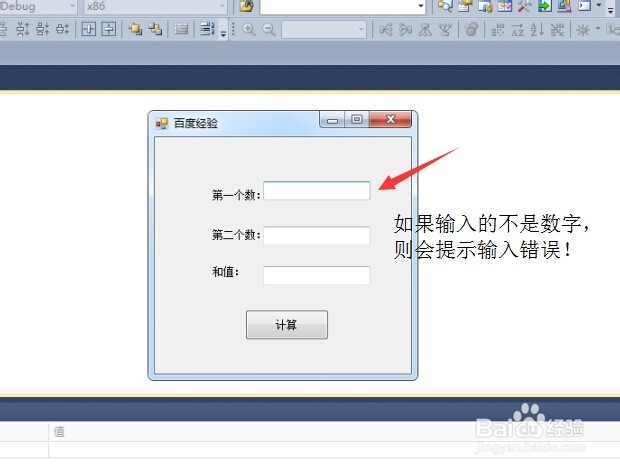
C#winform怎样判断输入的数据格式?
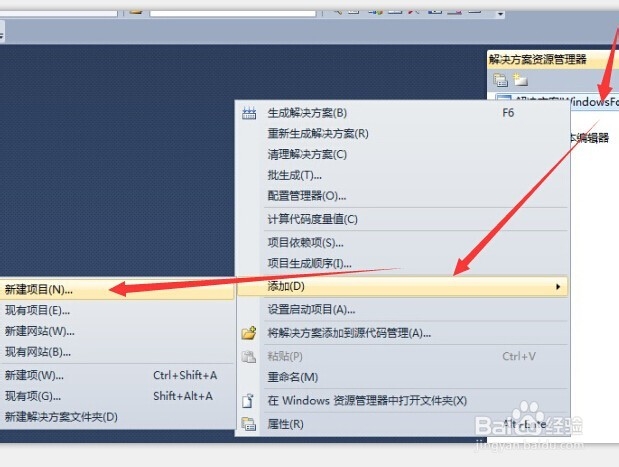
1、打开Visual Studio 2010,新建“解决方案”--添加“项目”
2、窗体布局:
1)3个lable控件;
2)3个textbox控件;
3)一个button控件;

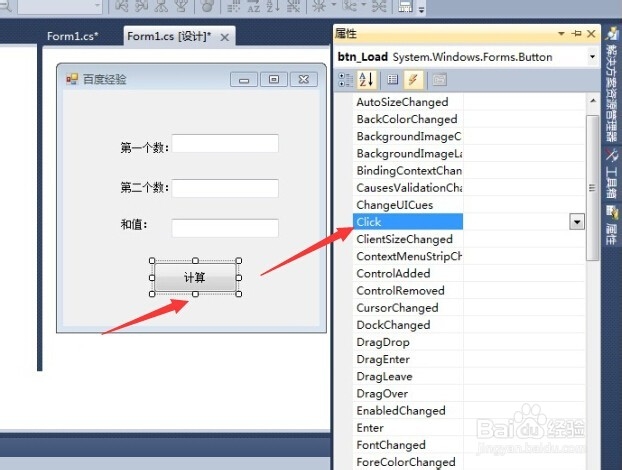
3、选中button按钮--属性--事件click(双击)
4、在弹出的代码编辑框里输入代码:
private void btn_count_Click(object sender, EventArgs e)
{
int numberOne, numberTwo;
if (!int.TryParse(txt_number1.Text, out numberOne))
{
MessageBox.Show("第一个数输入有误,请重新输入!");
txt_number1.Focus();
txt_number1.SelectAll();
return;
}
if (!int.TryParse(txt_number2.Text, out numberTwo))
{
MessageBox.Show("第二个数输入有误,请重新输入!");
txt_number2.Focus();
txt_number2.SelectAll();
return;
}
this.txt_sum.Text = (numberOne + numberTwo).ToString();
}

5、最后调试看看,一切ok。