windows无法完成格式化sd卡
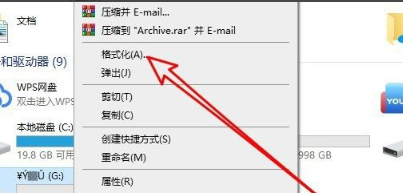
1、进入“格式化”菜单项
右键点击SD卡的盘符,在弹出菜单中选择“格式化”菜单项。
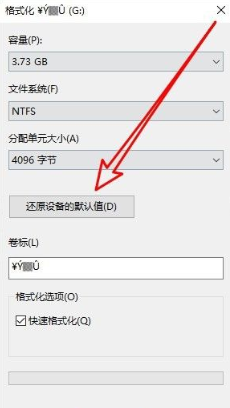
2、还原设备的默认值
在打开的格式化窗口中点击“还原设备的默认值”按钮。
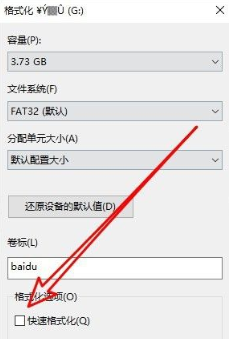
3、完成格式化
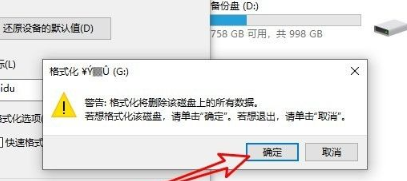
取消“快速格式化”前面的勾选后点击确定按钮。在弹出窗口中点击“确定”按钮即可完成格式化sd卡。
阅读量:154
阅读量:45
阅读量:40
阅读量:101
阅读量:27
1、进入“格式化”菜单项
右键点击SD卡的盘符,在弹出菜单中选择“格式化”菜单项。
2、还原设备的默认值
在打开的格式化窗口中点击“还原设备的默认值”按钮。
3、完成格式化
取消“快速格式化”前面的勾选后点击确定按钮。在弹出窗口中点击“确定”按钮即可完成格式化sd卡。