win11怎么启动Credential Manager服务
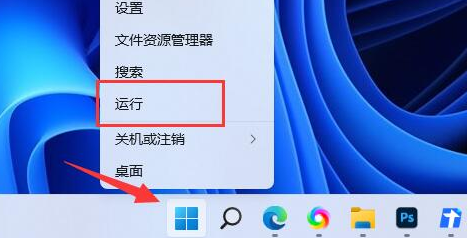
1、右键开始菜单,打开“运行”
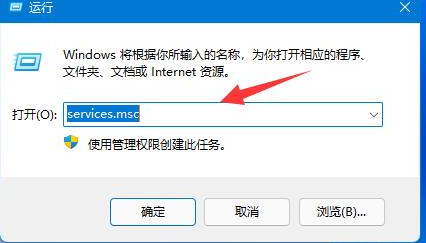
2、在其中输入“services.msc”回车打开服务列表。
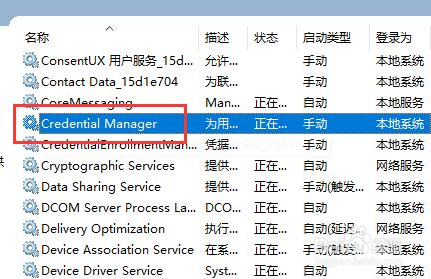
3、在服务中找到并双击打开“Credential Manager”
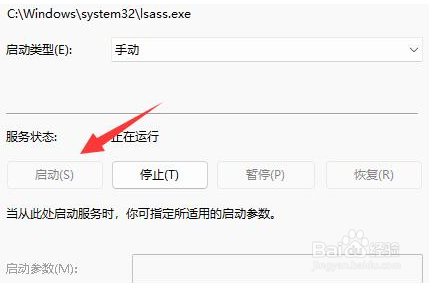
4、最后点击其中的“启动”就可以。
阅读量:54
阅读量:179
阅读量:62
阅读量:158
阅读量:98
1、右键开始菜单,打开“运行”
2、在其中输入“services.msc”回车打开服务列表。
3、在服务中找到并双击打开“Credential Manager”
4、最后点击其中的“启动”就可以。