华为watch3pro久坐提醒功能如何开启
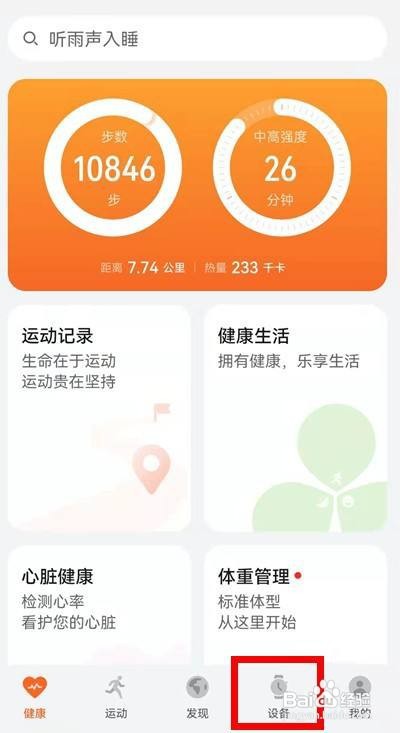
1、打开手机——安装并开启华为【运动健康】APP——点击底部的【设备】——进入【设备】界面——点击绑定的华为watch3Pro

2、点击【健康监测】功能

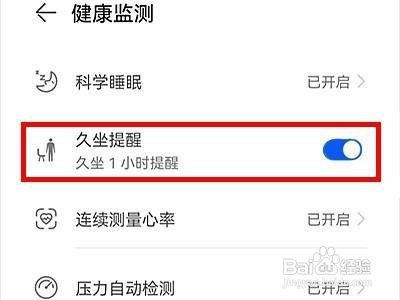
3、进入【健康监测】界面——点击开启【久坐提醒】右侧的开关按钮即可。
阅读量:101
阅读量:178
阅读量:35
阅读量:185
阅读量:120
1、打开手机——安装并开启华为【运动健康】APP——点击底部的【设备】——进入【设备】界面——点击绑定的华为watch3Pro
2、点击【健康监测】功能
3、进入【健康监测】界面——点击开启【久坐提醒】右侧的开关按钮即可。