Win11怎么关闭Powershell亚克力效果
1、运行powershell后,点右上角下拉按钮,单击选择【设置】。

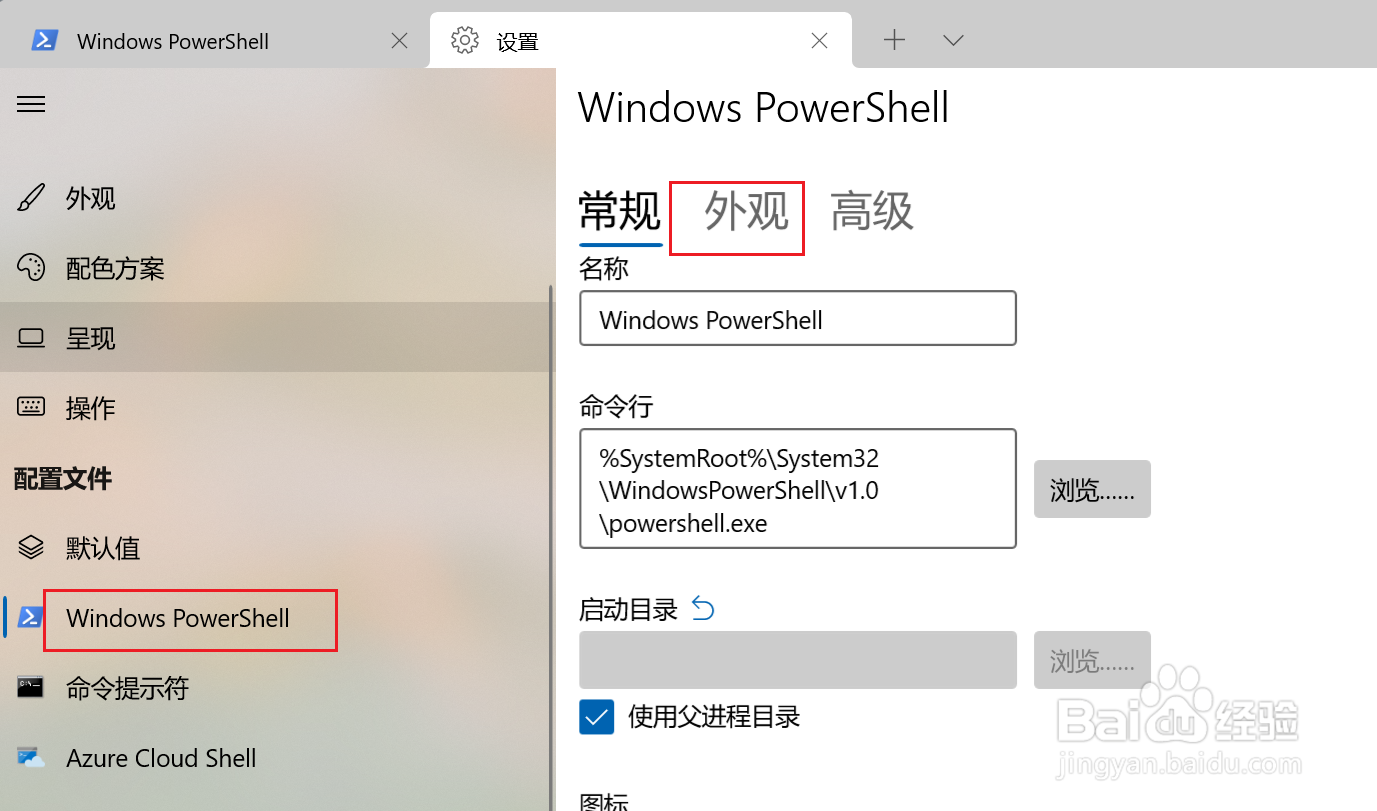
2、在【配置文件】中左侧点【PowerShell】,右侧点【外观】选项卡。
3、找到【启用亚克力效果】选项,将开关按钮关闭。

阅读量:113
阅读量:86
阅读量:106
阅读量:191
阅读量:105
1、运行powershell后,点右上角下拉按钮,单击选择【设置】。
2、在【配置文件】中左侧点【PowerShell】,右侧点【外观】选项卡。
3、找到【启用亚克力效果】选项,将开关按钮关闭。