指南经验网
首页
美食营养
生活百科
知识问答
生活知识
返回
指南经验网
首页
美食营养
游戏数码
手工爱好
生活知识
生活百科
健康养生
运动户外
职场理财
情感交际
母婴教育
时尚美容
知识问答
更多知识
搜索
mac电脑怎么设置使用shift键来开关粘滞键功能
2026-04-21 22:06:26
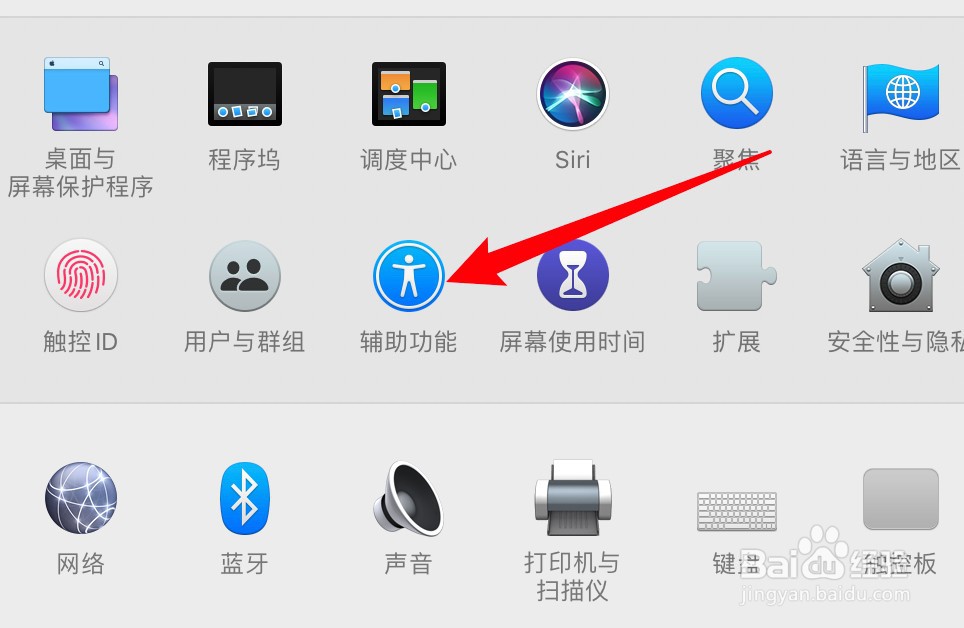
1、打开系统偏好设置,点击辅助功能。
2、点击左边的键盘选项。
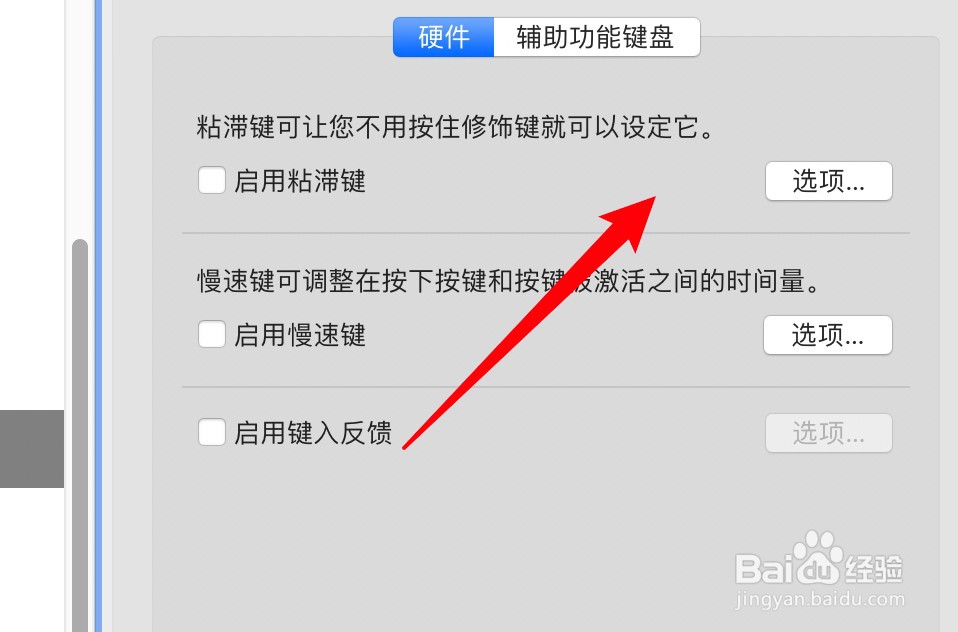
3、点击粘滞键右边的选项按钮。
4、点击选中使用shift键的选项即可。
相关推荐
mac如何关闭应用程序
阅读量:156
macbook怎么看型号
阅读量:42
MacBook系统更新的方法
阅读量:32
mac文件夹在哪
阅读量:128
Macbook怎么关闭后台程序
阅读量:109
猜你喜欢
拙怎么读
纸灯笼的做法
带状疱疹怎么治疗
大马哈鱼的做法
垄怎么读
芭乐怎么吃
八爪鱼的做法
鸭汤的做法大全
醋泡姜的做法
清蒸鱼的做法
猜你喜欢
wifi密码怎么改
大葱的做法
窠怎么读
鸡肉的做法大全家常菜
qq怎么注销账号
菜丸子的家常做法
肚子左边疼是怎么回事
茄子的做法
猪蹄子的做法
苦瓜汤的做法