IDEA如何设置Git提交信息的类型
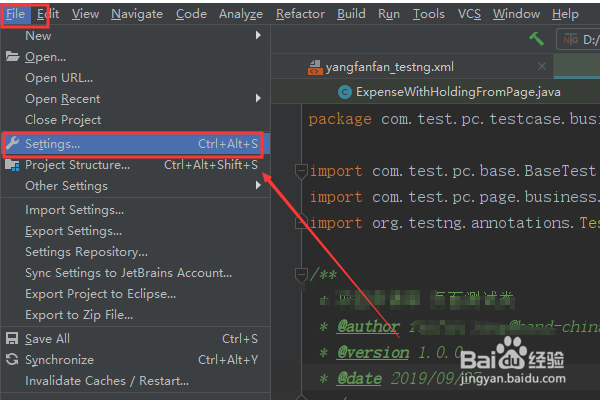
1、点击【File】->【Settings】。
2、点击【Plugins】,搜索【Git commit message】,并下载图中两个插件。然后重启IDEA生效插件。

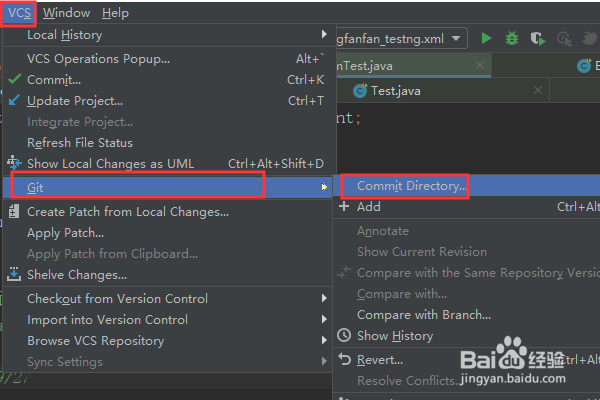
3、点击【VCS】->【Git】->【Commit】。
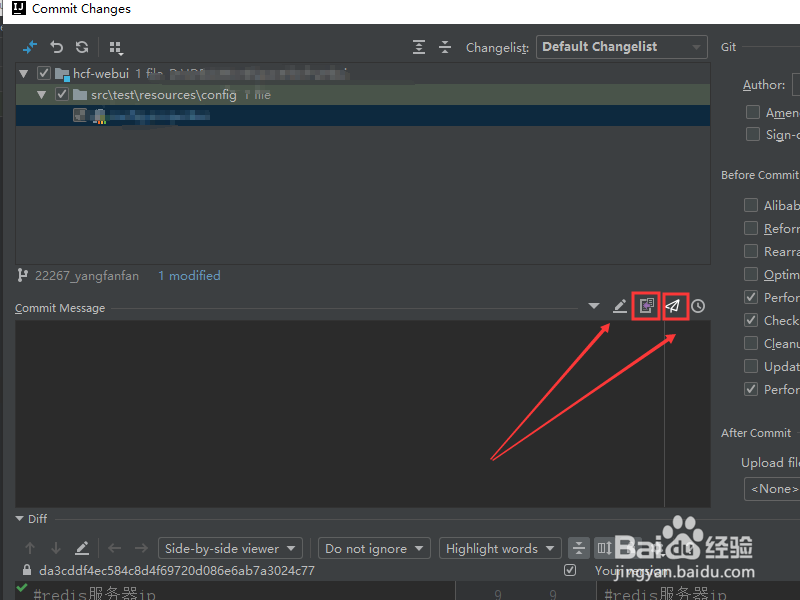
4、在填写提交信息的位置,点击【下面的图标】。
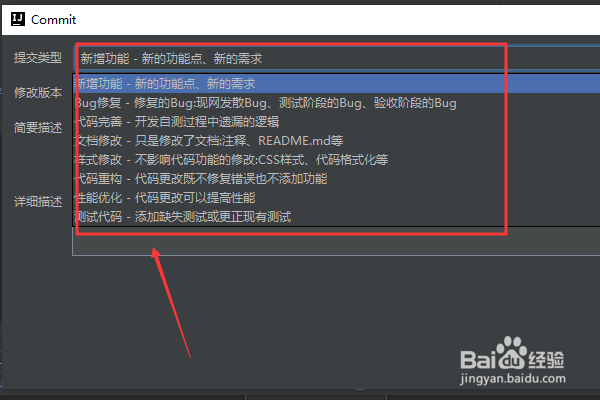
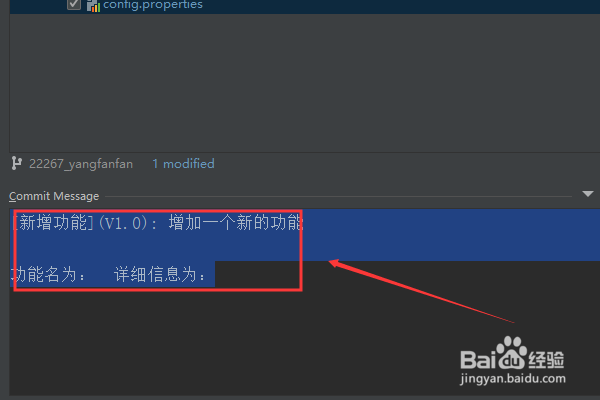
5、选择提交类型并填写相关的数据。
6、最后就生成相应的提交信息。
1、1.点击【File】->【Settings】。
2.点击【Plugins】,搜索【Git commit message】
3.点击【VCS】->【Git】->【Commit】。
4.选择提交类型并填写相关的数据。
阅读量:166
阅读量:149
阅读量:98
阅读量:65
阅读量:27