指南经验网
首页
美食营养
生活百科
知识问答
生活知识
返回
指南经验网
首页
美食营养
游戏数码
手工爱好
生活知识
生活百科
健康养生
运动户外
职场理财
情感交际
母婴教育
时尚美容
知识问答
更多知识
搜索
微信如何设置邀请好友进群时需群主确认?
2026-04-29 08:23:29
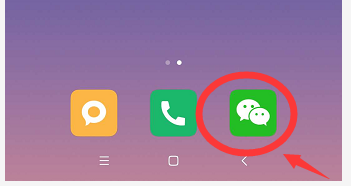
1、手机上打开“微信”.
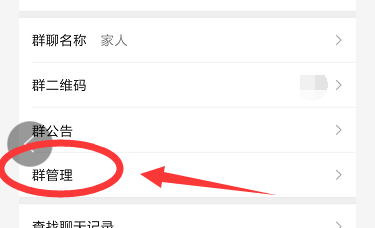
2、选择你建立的群,设置中点击“群管理”.
3、如图,“群聊邀请确认”是灰白色.
4、将该选项点击为绿色.
5、这样,经群主或者管理员同意后,方才能邀请好友进群.
相关推荐
抖音火山版APP在哪里开通资金安全保障
阅读量:166
迎春花开了,下一句是什么
阅读量:40
qq怎么建立情侣关系
阅读量:140
全民K歌怎么举报视频歌单
阅读量:40
腾讯QQ怎么设置别人不能拉我进入群聊
阅读量:86
猜你喜欢
如何制作mv视频
如何治疗痛经
美纳途拉杆箱怎么样
山木培训怎么样
阿拉斯加犬怎么养
暑假生活
长安睿骋怎么样
山东管理学院怎么样
如何制作辣椒酱
法图麦是什么意思
猜你喜欢
贝尔包包怎么样
如何调理内分泌失调
cf闪退怎么解决
冰箱如何除臭
招租信息怎么写
打印机如何共享
怎么走太空步
生活杉德网
lamer是什么牌子
卡刷包怎么用