Android Studio 3.2 怎么打开 File Explorer
1、前提:要先Run App(见图1)
否则:打开的File Explorer为空(见图2)


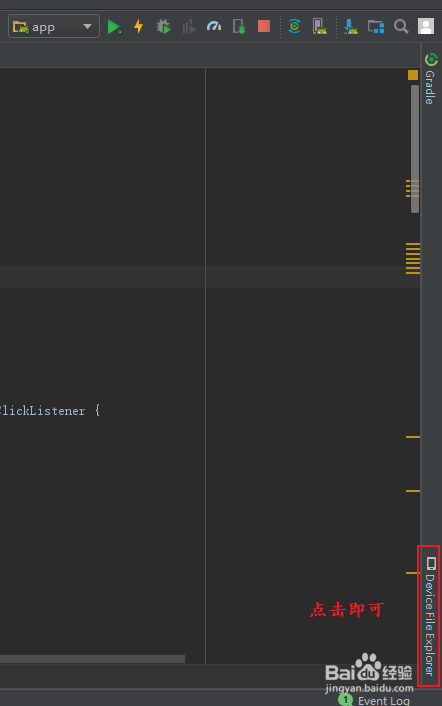
2、方法一:
点击屏幕右侧的Device File Explorer.
3、方法二:
点击工具栏中的View,再选点击下拉菜单中的Tool Windows,再点击右侧列表中的Device File Explorer.


阅读量:126
阅读量:40
阅读量:152
阅读量:38
阅读量:84
1、前提:要先Run App(见图1)
否则:打开的File Explorer为空(见图2)
2、方法一:
点击屏幕右侧的Device File Explorer.
3、方法二:
点击工具栏中的View,再选点击下拉菜单中的Tool Windows,再点击右侧列表中的Device File Explorer.