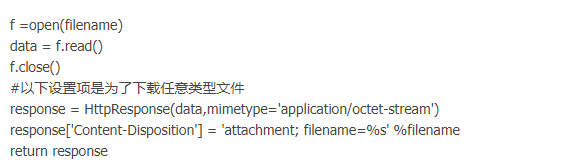
django如何从服务端下载文件到本地
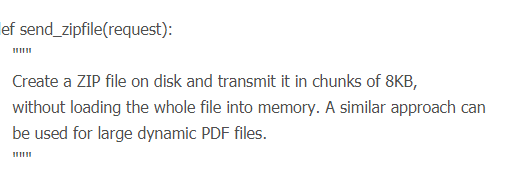
1、然后是在views.py中写好相应的response,注意这里需要反馈一个StreamingHttpResponse,而不能直接用HttpResponse
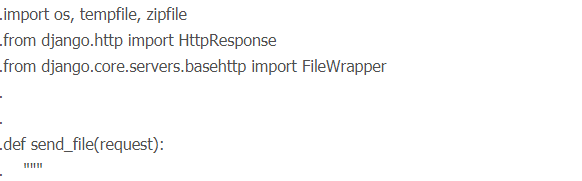
2、from django.http import HttpResponse, StreamingHttpResponse
from django.core.servers.basehttp import FileWrapper
import mimetypes
import settings
import os
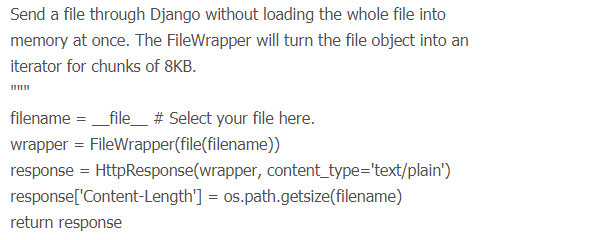
3、def download(request):
filepath = os.path.join(settings.MEDIA_ROOT, "new.apk");
print (filepath)
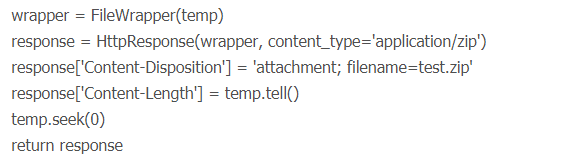
4、 wrapper = FileWrapper(open(filepath, 'rb'))
content_type = mimetypes.guess_type(filepath)[0]
response = StreamingHttpResponse(wrapper, 'content_type')
response['Content-Disposition'] = 'attachment; filename="new.apk"'
return response

5、接下来是在你的settings.py中设定待下载文件目录:
STATIC_URL = '/static/'
6、HERE = os.path.dirname(__file__)
MEDIA_ROOT = HERE+STATIC_URL
最后在settings.py同一目录下建一个叫static的文件夹,在里面放上你的待下载文件。