PowerPoint2013如何插入表格
1、切换至要插入表格的幻灯片。

2、单击“插入”选项卡中的“表格”组中的“表格”菜单。
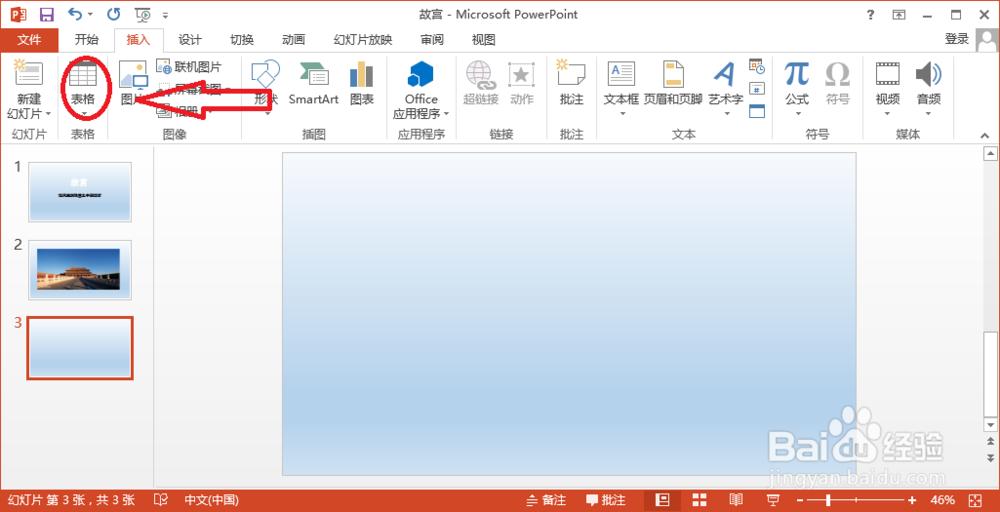
3、拖动鼠标插入最大10×8的表格。

4、或者单击“插入表格”选项。

5、在弹出的“插入表格”对话框中设置表格的行数和列数,单击“确定”按钮。

阅读量:99
阅读量:173
阅读量:171
阅读量:71
阅读量:58
1、切换至要插入表格的幻灯片。
2、单击“插入”选项卡中的“表格”组中的“表格”菜单。
3、拖动鼠标插入最大10×8的表格。
4、或者单击“插入表格”选项。
5、在弹出的“插入表格”对话框中设置表格的行数和列数,单击“确定”按钮。