苹果11pro怎么截屏
1、方法一:解锁手机,来到想要截屏的界面。
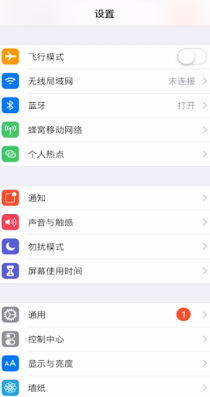
2、同时按下电源键和音量+键可截屏。
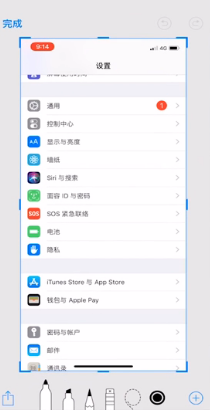
3、方法二:进入设置。

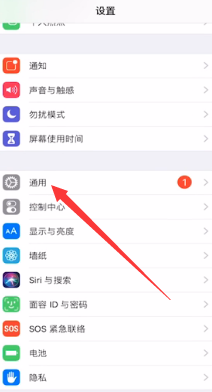
4、下滑找到通用。
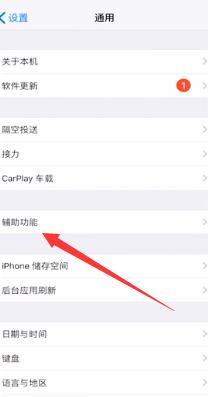
5、打开辅助功能。
6、下滑找到辅助触控,开启辅助触控。

7、点击自定顶层菜单。
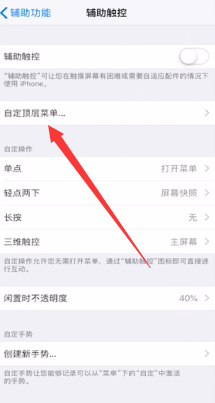
8、点击+号添加屏幕快照功能。
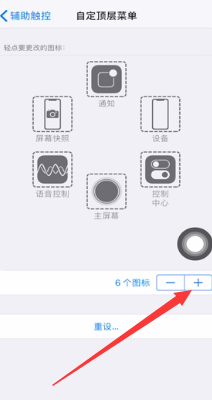
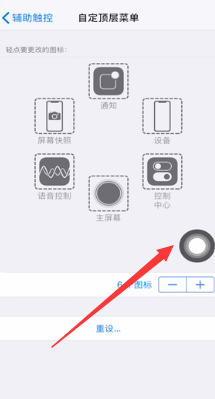
9、回到需要截屏的界面点击小白点。
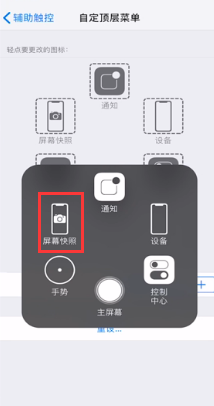
10、点击屏幕快照即可。
11、总结如下。

阅读量:148
阅读量:172
阅读量:98
阅读量:140
阅读量:94
1、方法一:解锁手机,来到想要截屏的界面。
2、同时按下电源键和音量+键可截屏。
3、方法二:进入设置。
4、下滑找到通用。
5、打开辅助功能。
6、下滑找到辅助触控,开启辅助触控。
7、点击自定顶层菜单。
8、点击+号添加屏幕快照功能。
9、回到需要截屏的界面点击小白点。
10、点击屏幕快照即可。
11、总结如下。