设置windows10的默认浏览器为IE
1、在"操作中心 (按钮)"上左键单击。
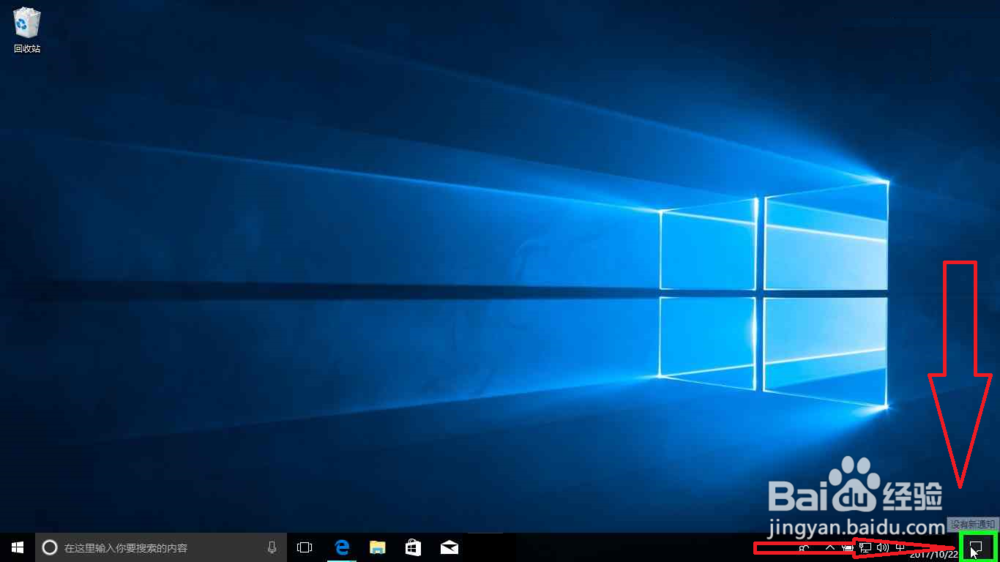
2、在"所有设置 (按钮)"上左键单击(在"操作中心"中)。
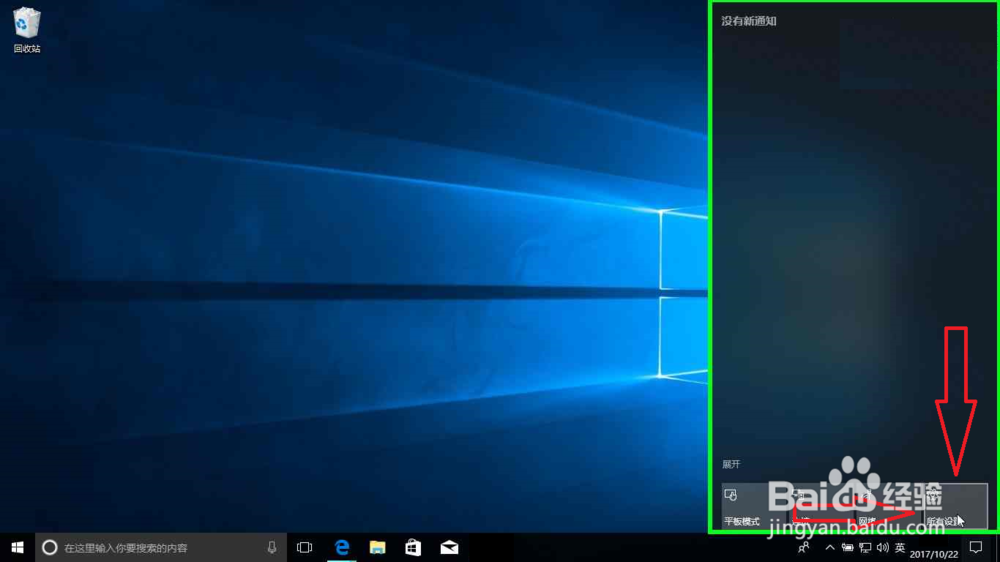
3、在"应用 (列表项目)"上左键单击(在"设置"中)。

4、在"默认应用 (文本)"上左键单击(在"设置"中)。

5、在"设置 (窗口)"上鼠标滚轮向下滚动(在"设置"中)。

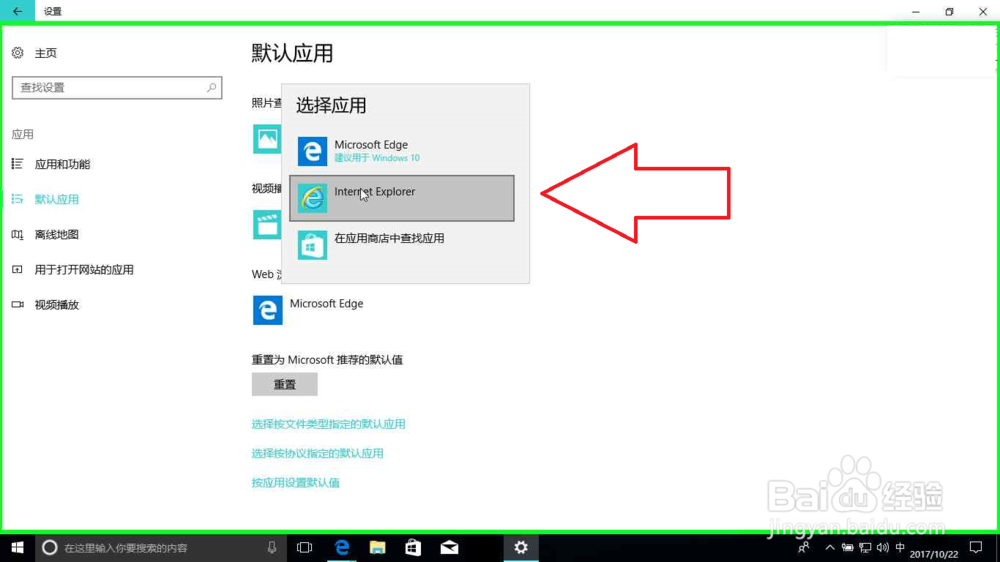
6、在"Microsoft Edge (文本)"上左键单击(在"设置"中)。

7、在"Internet Explorer (文本)"上左键单击(在"设置"中)。
阅读量:111
阅读量:172
阅读量:80
阅读量:185
阅读量:79