Windows 10如何卸载相机应用程序
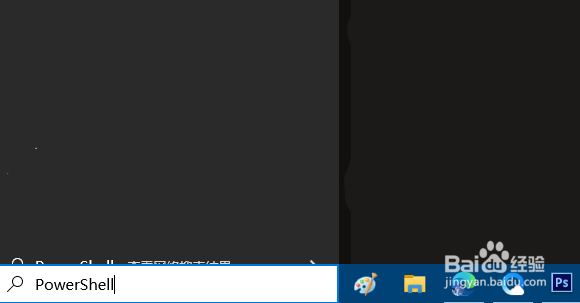
1、点击任务栏搜索框或搜索图标,输入“PowerShell”。
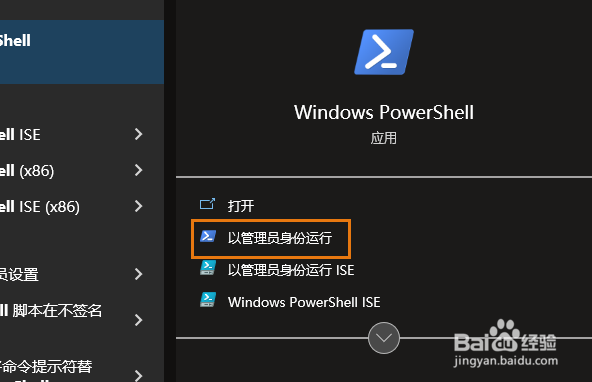
2、点击右侧的“以管理员身份运行”。
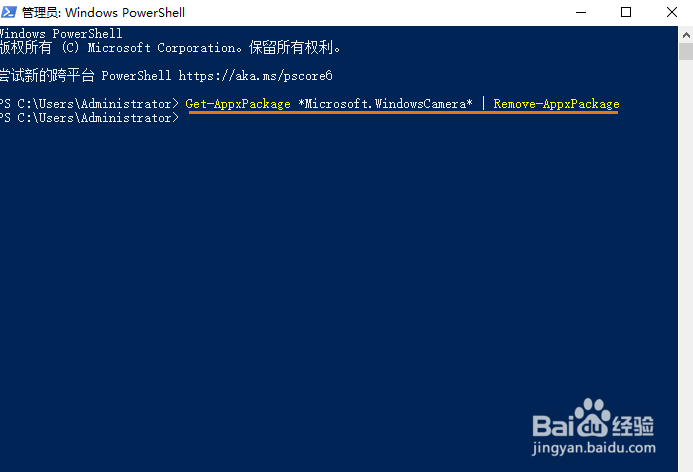
3、输入以下命令:
Get-AppxPackage *Microsoft.WindowsCamera* | Remove-AppxPackage,按 Enter键。
这将卸载相机应用程序。
阅读量:103
阅读量:106
阅读量:41
阅读量:123
阅读量:42
1、点击任务栏搜索框或搜索图标,输入“PowerShell”。
2、点击右侧的“以管理员身份运行”。
3、输入以下命令:
这将卸载相机应用程序。