Pendo怎么设置日程提前提醒时间
1、打开首页
点击图标,打开Pendo首页。
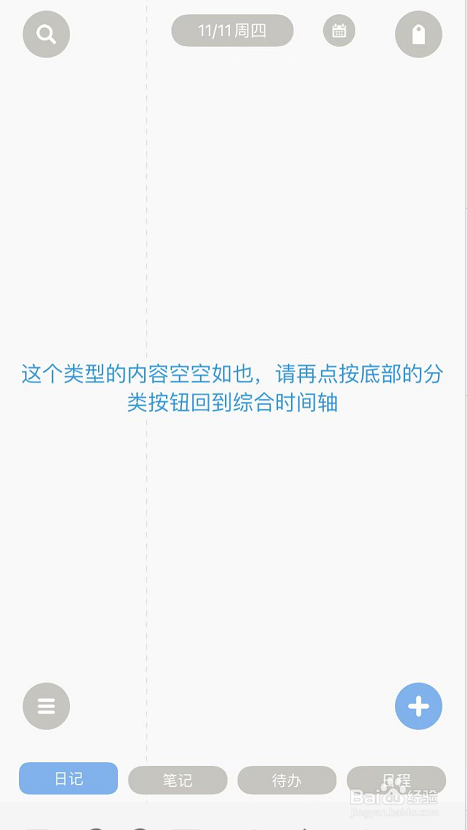
2、进入菜单
打开左下角的图标,进入软件菜单。

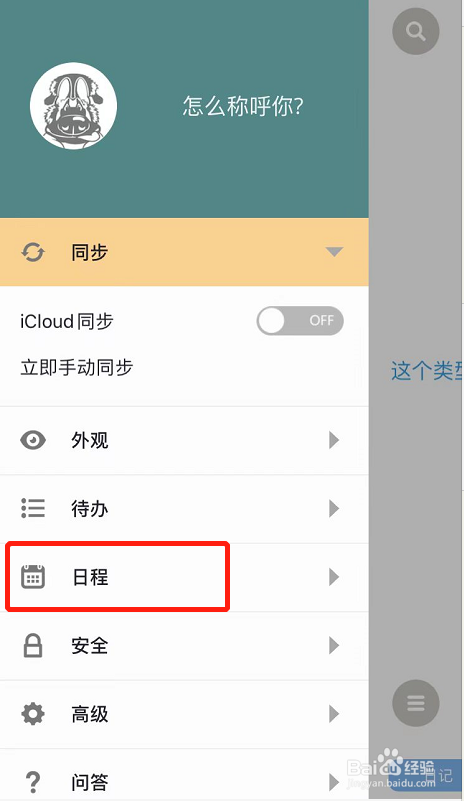
3、点击日程
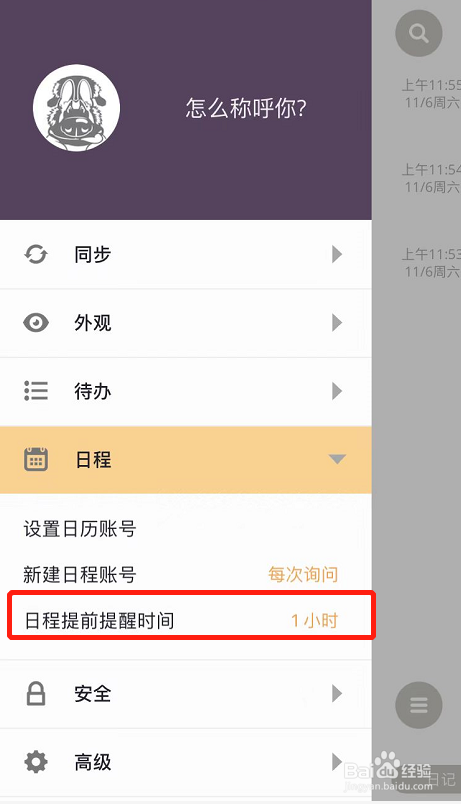
点击日程选项,选择日程提前提醒时间选项。
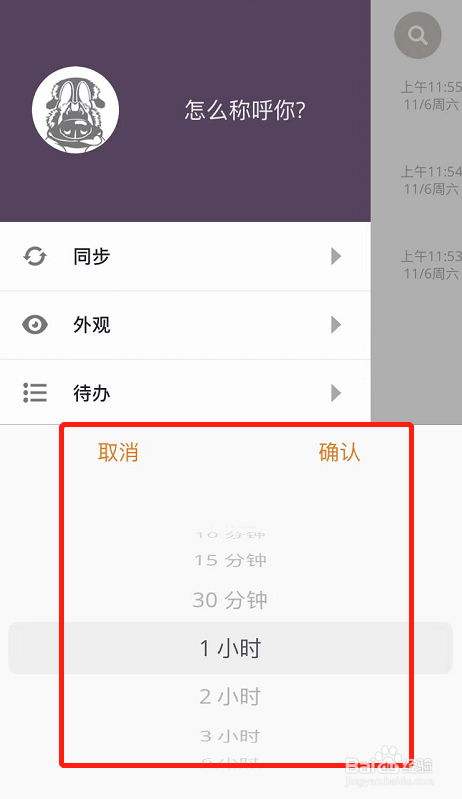
4、设置时间
在弹窗中,根据需要选择提前提醒的时间即可。
阅读量:170
阅读量:145
阅读量:49
阅读量:151
阅读量:48
1、打开首页
点击图标,打开Pendo首页。
2、进入菜单
打开左下角的图标,进入软件菜单。
3、点击日程
点击日程选项,选择日程提前提醒时间选项。
4、设置时间
在弹窗中,根据需要选择提前提醒的时间即可。