excel 插入PowerPoint
1、插入选项卡,在文本中单击插入对象按钮
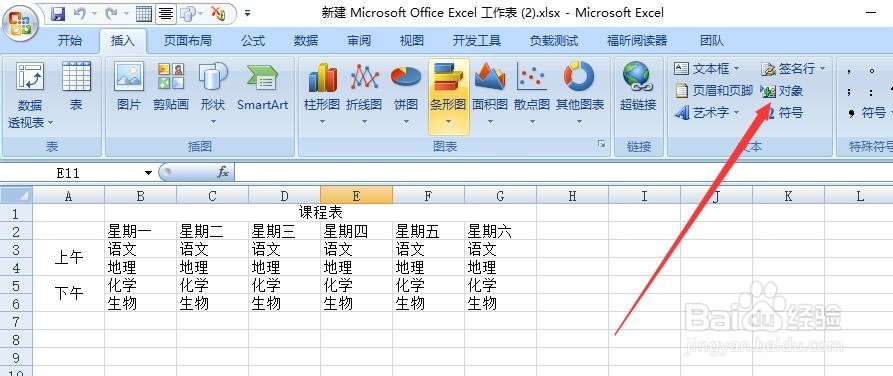
2、切换到由文件创建选项卡,单击文件名文本框右侧的浏览按钮
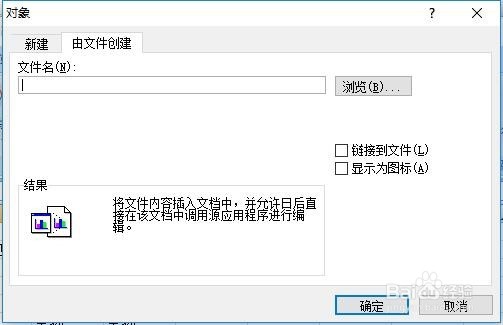
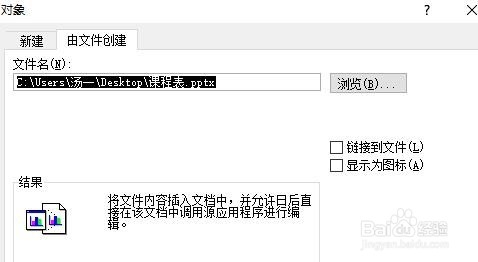
3、随即打开浏览对话框,在查找范围中找到需要的PPt ,单击插入

4、返回对象对话框,可以看到保存路径就,单击确定
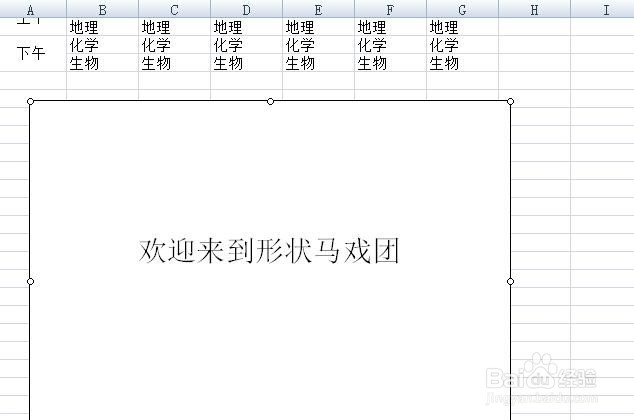
5、返回工作区,PPT以链接的形式插入到工作表中
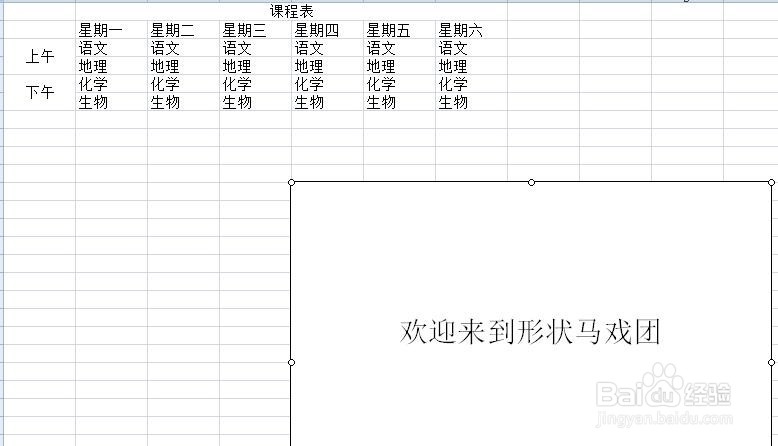
6、对PPT进行大小和位置调整
阅读量:102
阅读量:154
阅读量:39
阅读量:167
阅读量:158
1、插入选项卡,在文本中单击插入对象按钮
2、切换到由文件创建选项卡,单击文件名文本框右侧的浏览按钮
3、随即打开浏览对话框,在查找范围中找到需要的PPt ,单击插入
4、返回对象对话框,可以看到保存路径就,单击确定
5、返回工作区,PPT以链接的形式插入到工作表中
6、对PPT进行大小和位置调整