eclipse jad 反编译 插件安装
1、将 (net.sf.jadclipse_3.3.0.jar)文件放入 ..\eclipse\dropins目录下
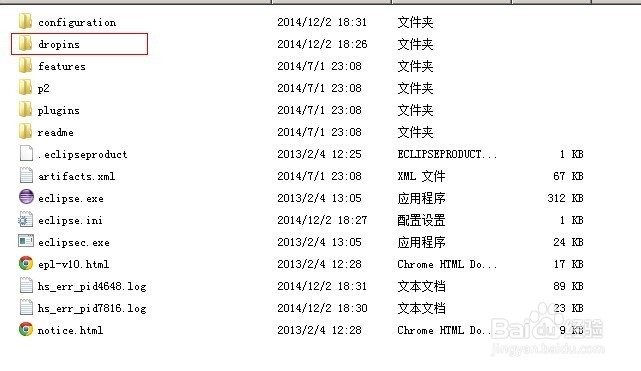
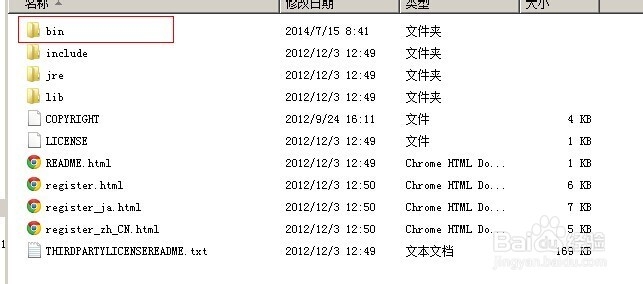
2、将 (jad.exe)文件放入 ..\jdk\bin目录下 (其他class path 路径也行)
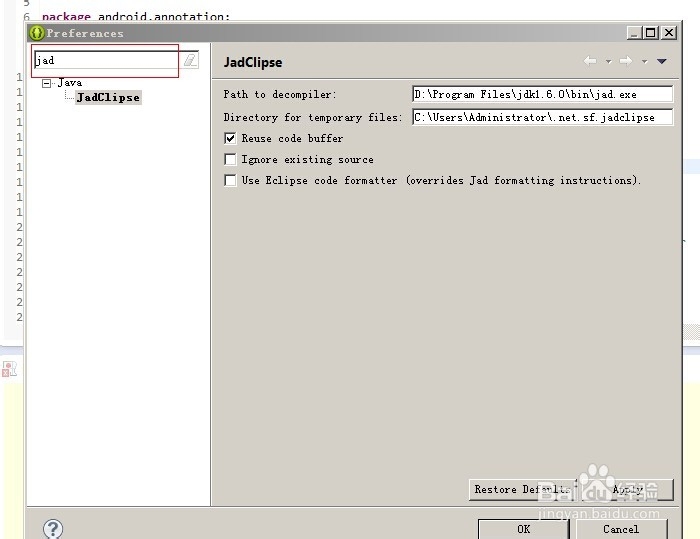
3、重启eclipse --> Window -->Preferences-->搜索 jad
搜索的到说明安装成功
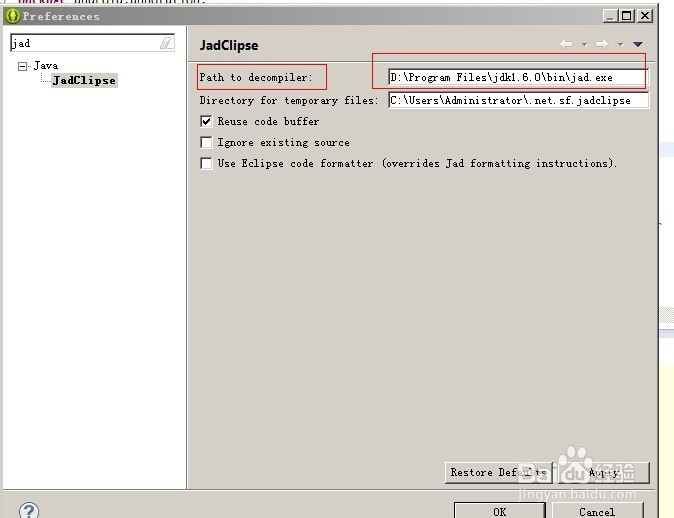
4、配置jadClipse Path to decompiler: 为你jad.exe 文件的位置
记得点 apply
5、1. Window -->Preferences-->搜索 file Associatio
2.修改 *.class 的默认打开方式
3.修改 *.class without source
*.class without source 版本不同 有些是没有的 有选上
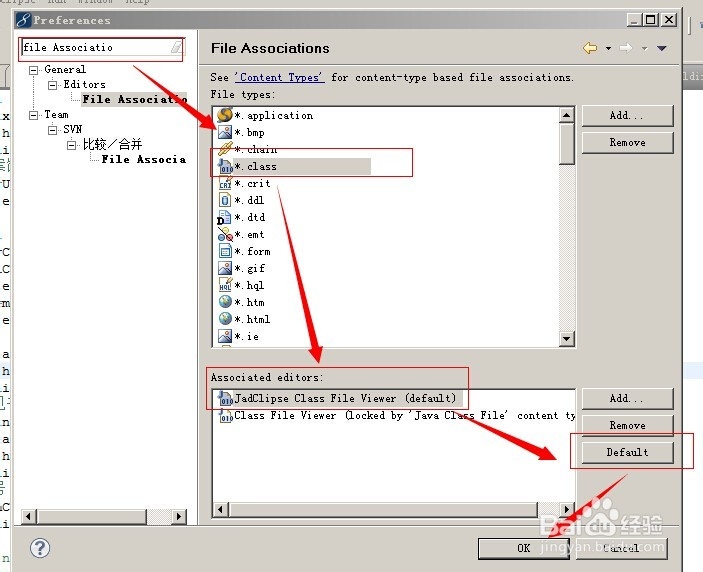
6、重启eclipse
附带 net.sf.jadclipse_3.3.0.jar jad.exe
网盘地址:http://pan.baidu.com/s/1qWPqIny
阅读量:70
阅读量:91
阅读量:67
阅读量:125
阅读量:111