电脑怎么提高运行速度和网络流畅度
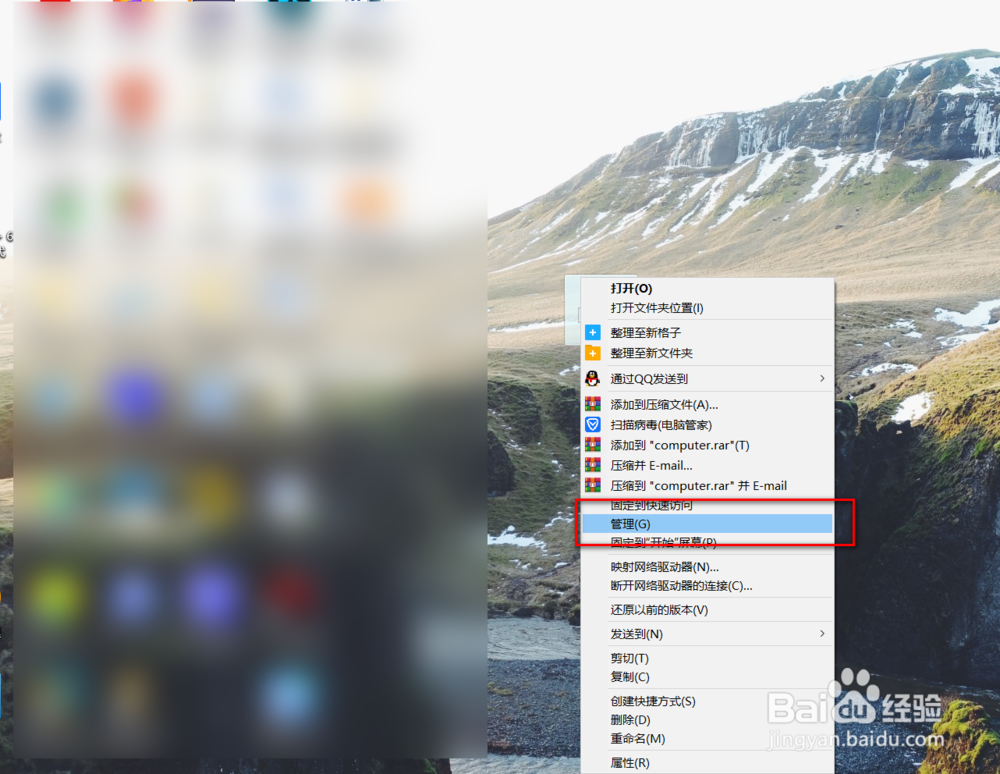
1、鼠标右键单击此电脑打开管理。
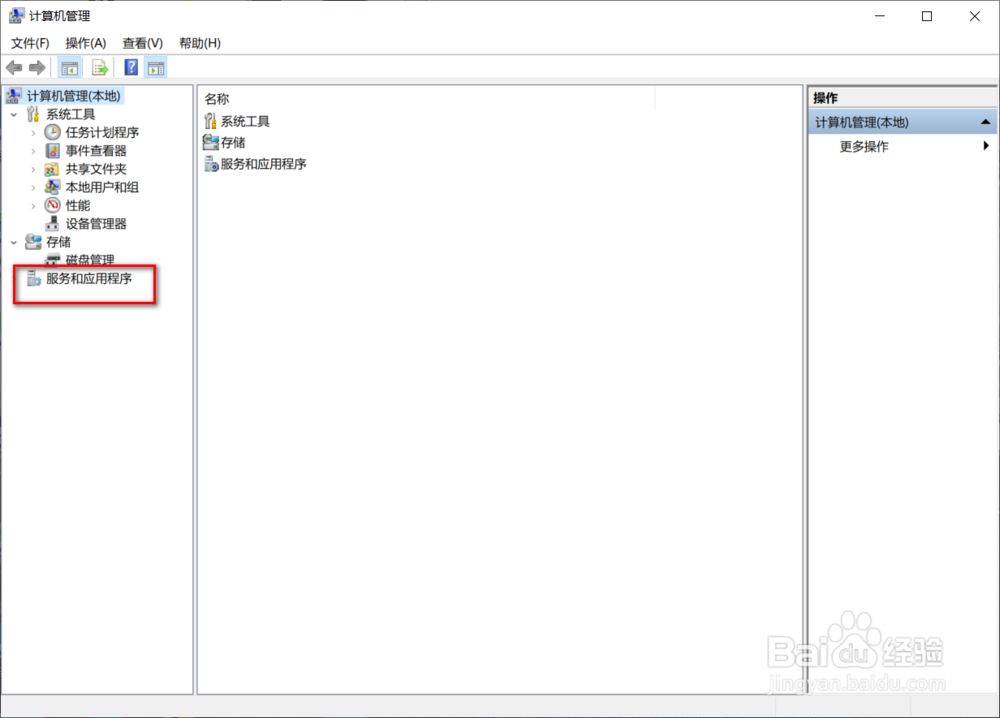
2、选择框选位置打开服务和应用程序。
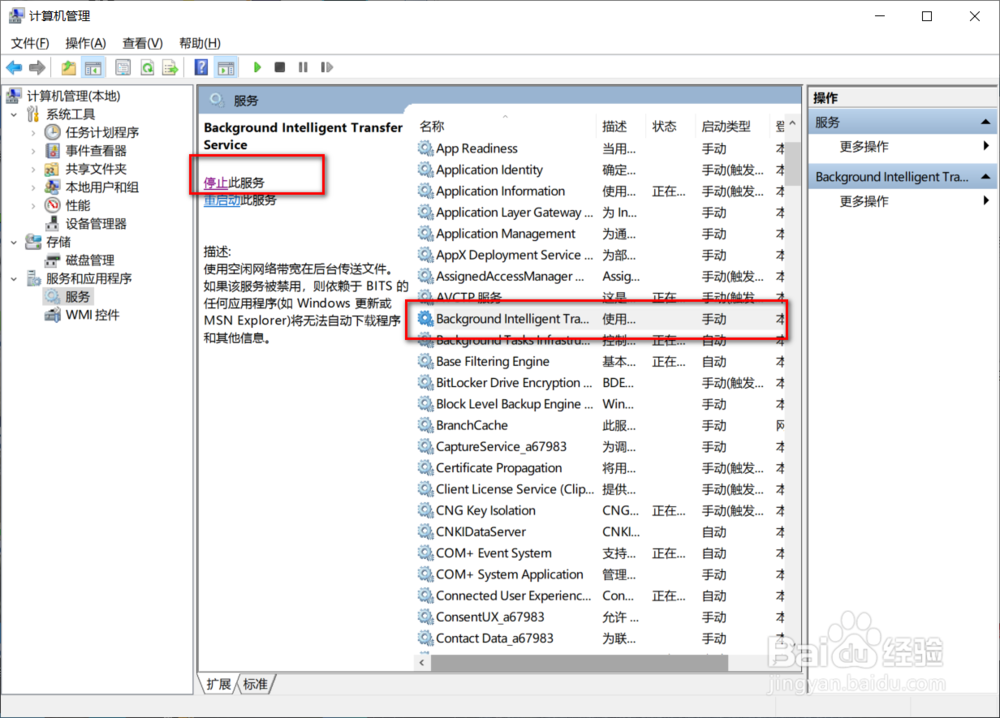
3、找到Background Intelligent Transfer Service,然后点击停止。
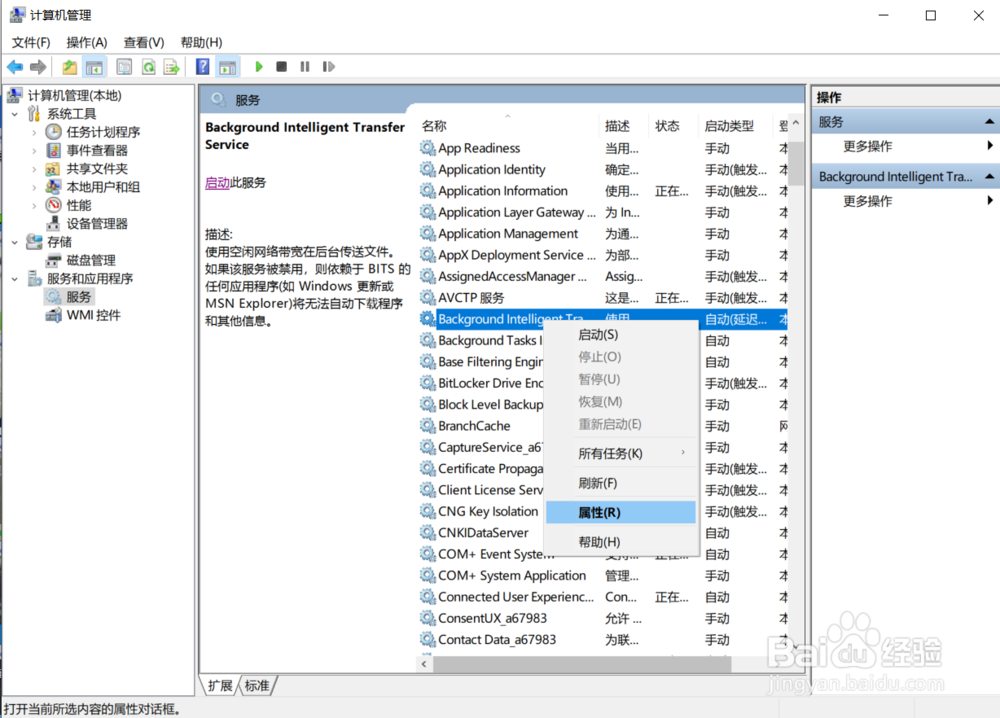
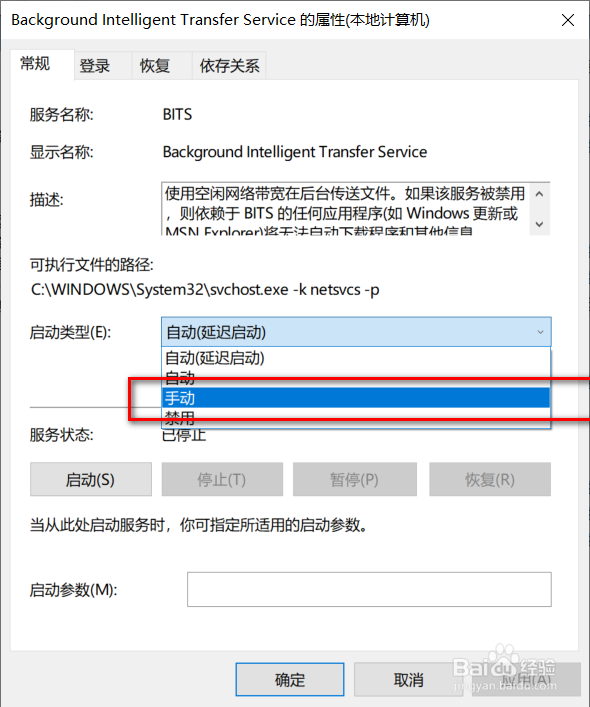
4、右键单击Background Intelligent Transfer Service,打开属性。
5、最后把启动类型选择手动就可以了。
1、鼠标右键单击此电脑打开管理。
2、选择框选位置打开服务和应用程序。
3、找到Background Intelligent Transfer Service,然后点击停止。
4、右键单击Background Intelligent Transfer Service,打开属性。
5、最后把启动类型选择手动就可以了。
阅读量:186
阅读量:134
阅读量:185
阅读量:25
阅读量:182