Ubuntu14.04安装TensorFlow
1、安装pip
直接打开Terminal
键入sudo apt-get install python-pip python-dev
2、到tensorflow官网下载,我下载的版本是
tensorflow-0.8.0-cp27-none-linux_x86_64.whl
3、到所在目录执行命令
sudo pip install --upgrade tensorflow-0.8.0-cp27-none-linux_x86_64.whl
4、等待程序运行完毕
5、验证是否成功
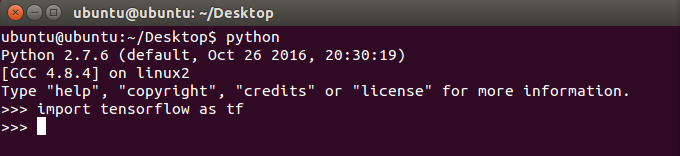
进入python,然后执行import tensorflow as tf,出现下图说明安装成功!!
6、执行一个小例子:执行加法
a= 10
b=20
执行a+b
7、输入代码:
a=tf.constant(10)
b=tf.constant(20)
sess=tf.Session()
print (sess.run(a+b))
8、出现下图结果
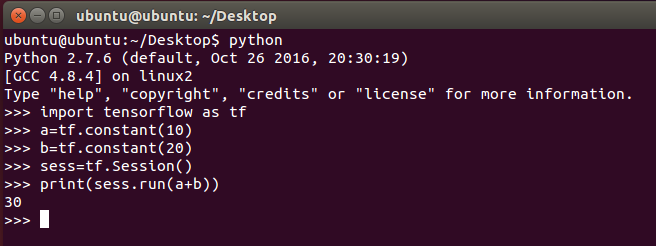
9、则表明安装成功且可以进行计算!!
阅读量:134
阅读量:134
阅读量:48
阅读量:143
阅读量:170