excel 2010如何设置自动列宽
1、首先就是找到excel 2010工具,如下图所示。
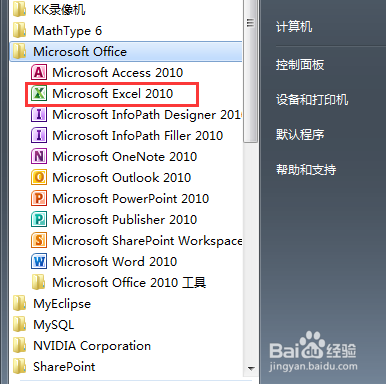
2、然后就是双击打开,如下图所示。

3、接着就是选中一个单元格,如下图所示。
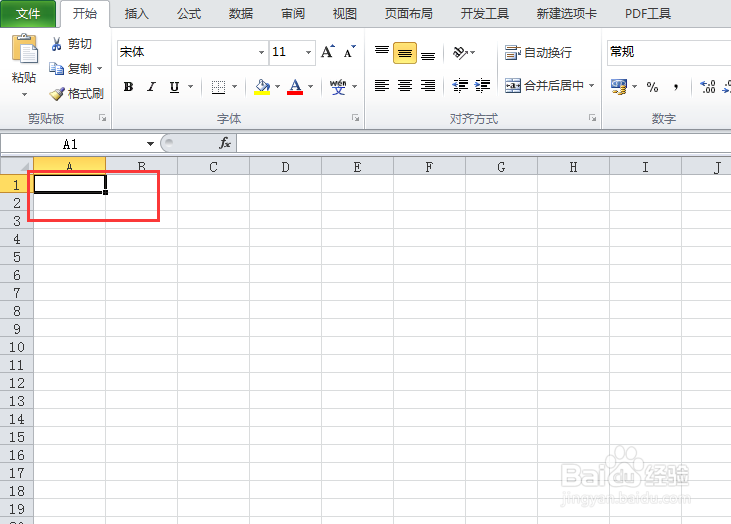
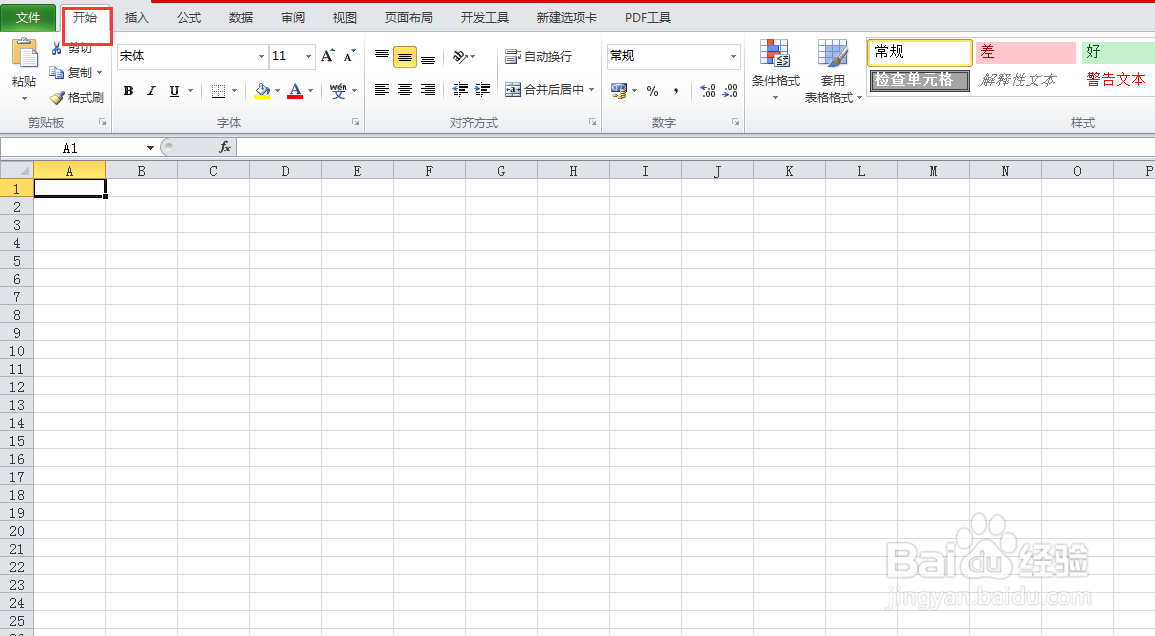
4、然后就是点击菜单栏上的【开始】菜单,如下图所示。
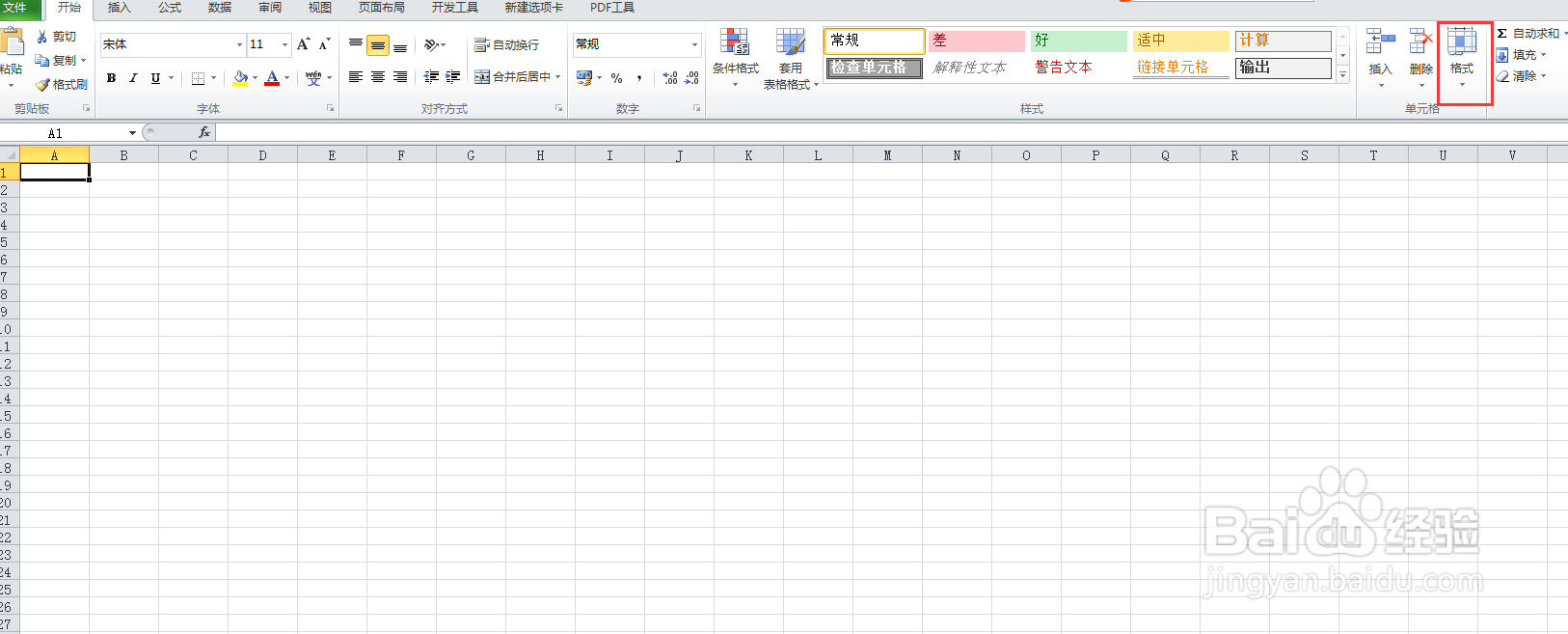
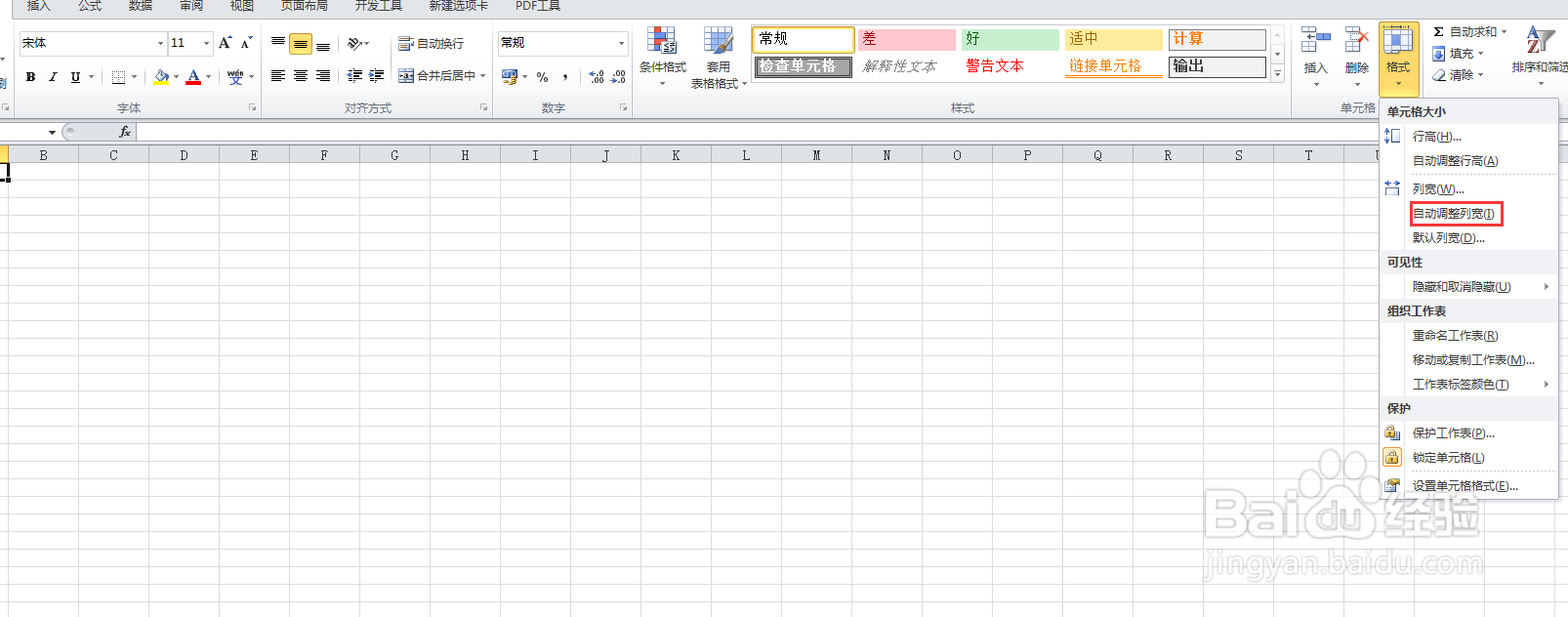
5、接着就是点击【单元格】中的【格式】中的下拉三角,如下图所示。
6、最后点击【自动调整列宽】选项,就可以完成设置,如下图所示。
阅读量:123
阅读量:170
阅读量:50
阅读量:167
阅读量:65
1、首先就是找到excel 2010工具,如下图所示。
2、然后就是双击打开,如下图所示。
3、接着就是选中一个单元格,如下图所示。
4、然后就是点击菜单栏上的【开始】菜单,如下图所示。
5、接着就是点击【单元格】中的【格式】中的下拉三角,如下图所示。
6、最后点击【自动调整列宽】选项,就可以完成设置,如下图所示。