哔哩哔哩如何开启https播放
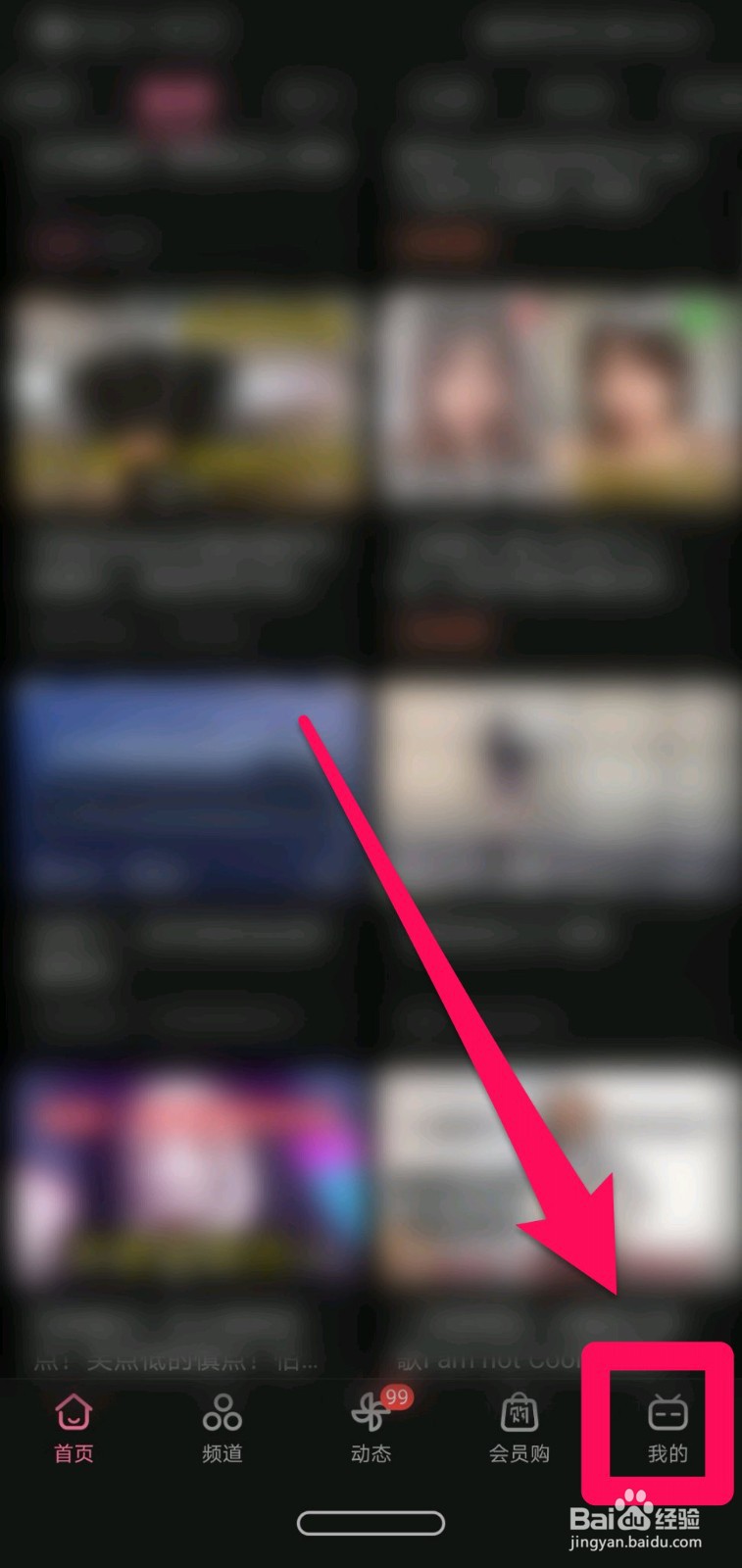
1、step1,点击右下角“我的"。如图所示:
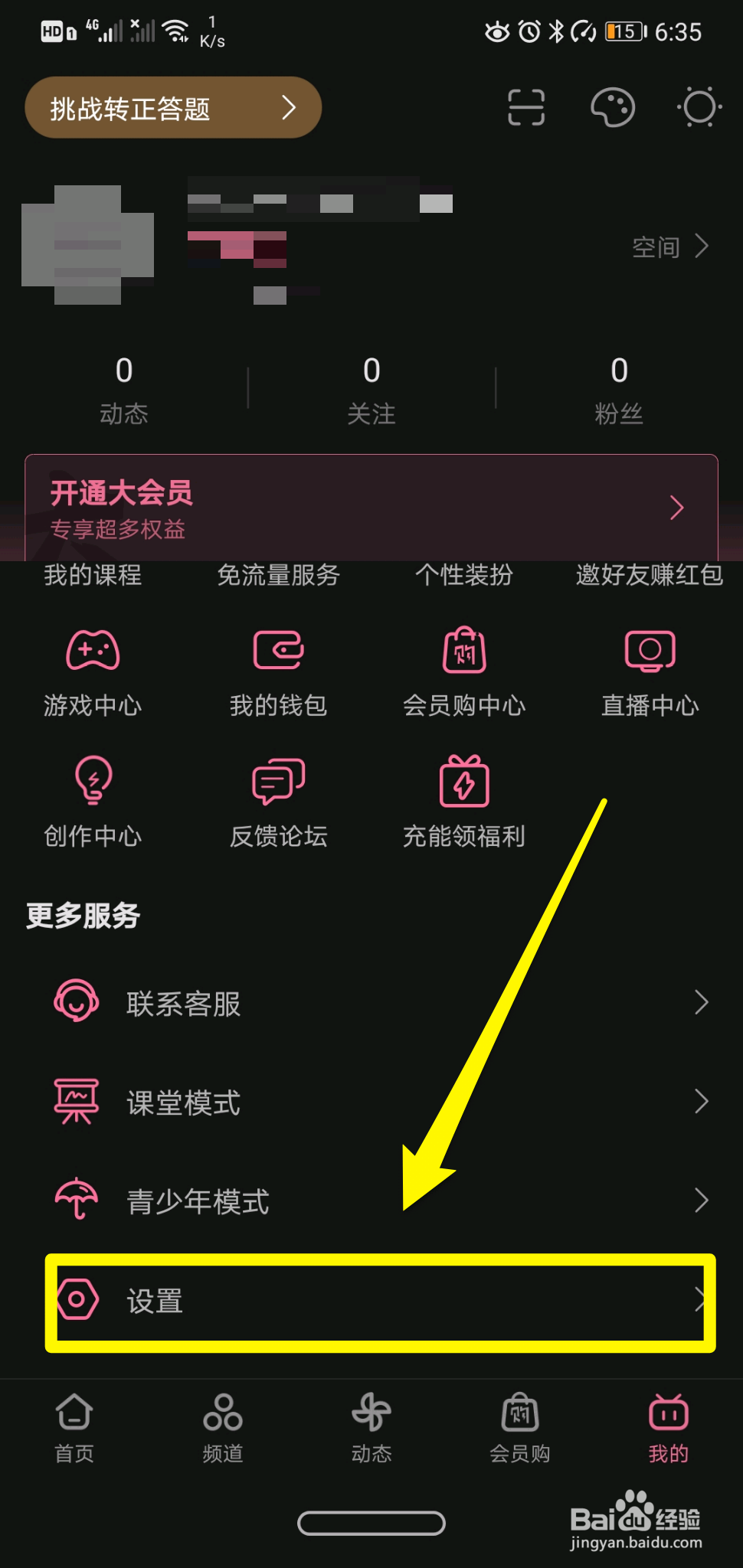
2、step2,点击“设置”。如图所示:
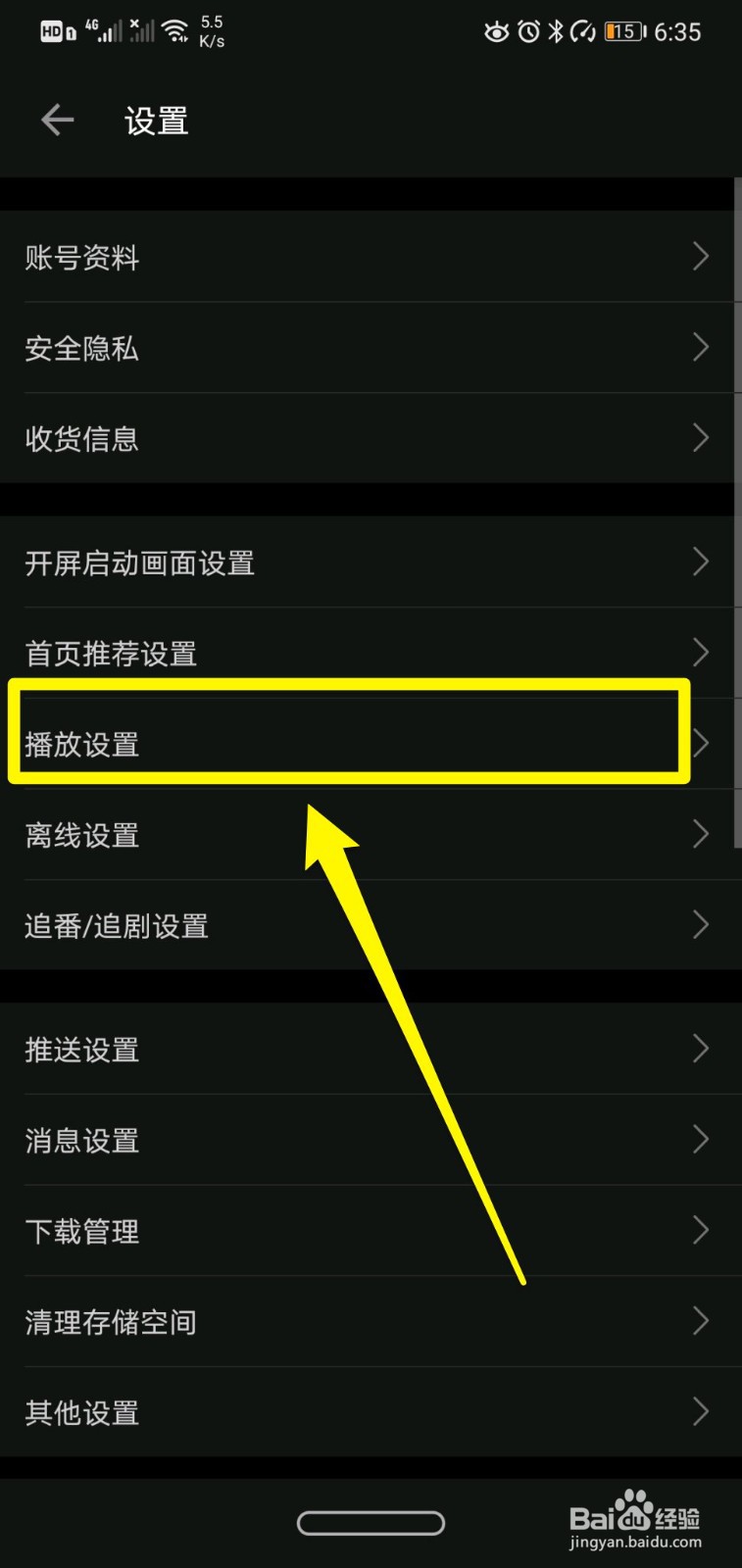
3、step3,点击“播放设置”。如图所示:
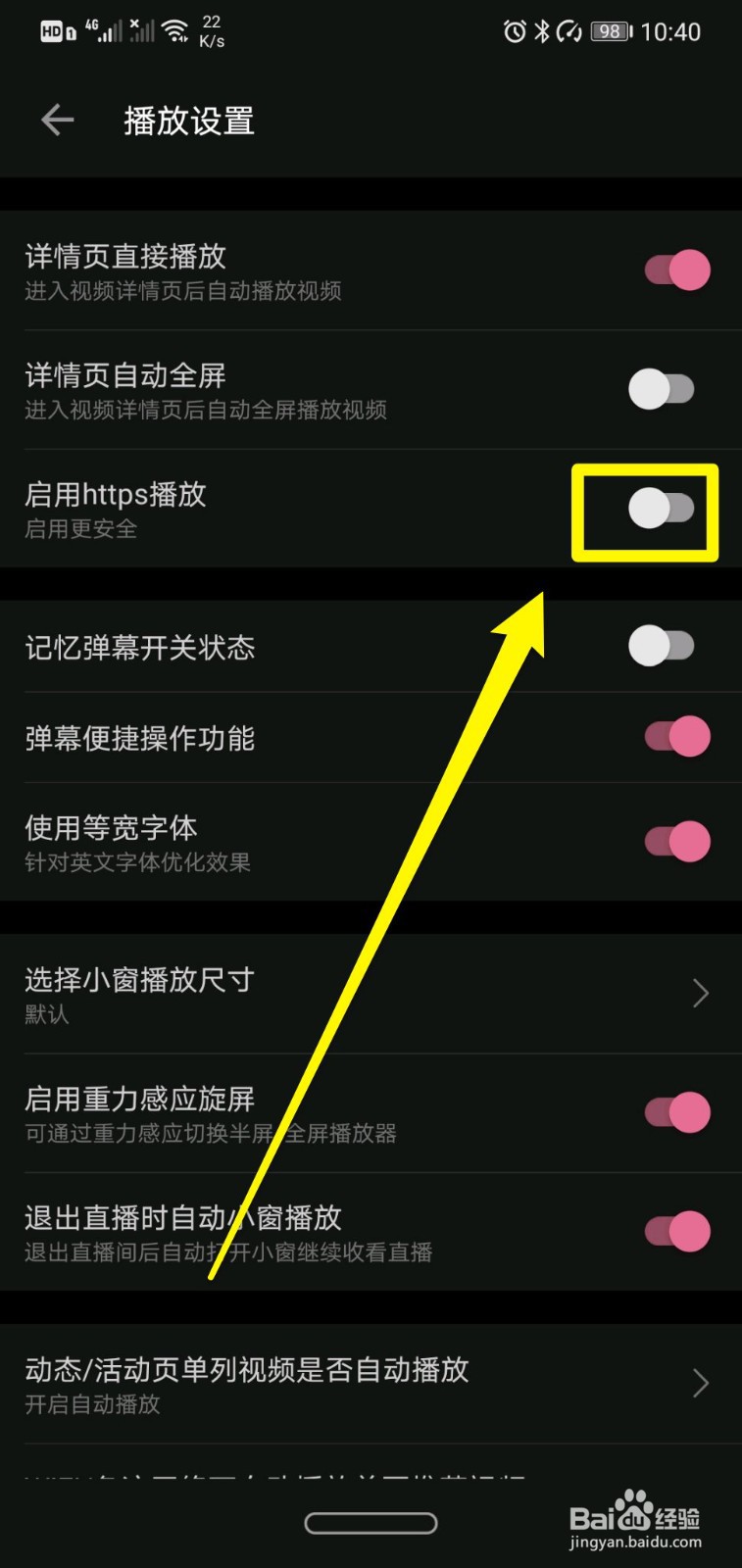
4、step4,点击打开“启用https播放”后方选项即可。如图所示:
阅读量:188
阅读量:183
阅读量:187
阅读量:41
阅读量:63
1、step1,点击右下角“我的"。如图所示:
2、step2,点击“设置”。如图所示:
3、step3,点击“播放设置”。如图所示:
4、step4,点击打开“启用https播放”后方选项即可。如图所示: