指南经验网
首页
美食营养
生活百科
知识问答
生活知识
返回
指南经验网
首页
美食营养
游戏数码
手工爱好
生活知识
生活百科
健康养生
运动户外
职场理财
情感交际
母婴教育
时尚美容
知识问答
更多知识
搜索
朋友圈权限单独设置
2026-04-22 07:21:41
1、
选择设置
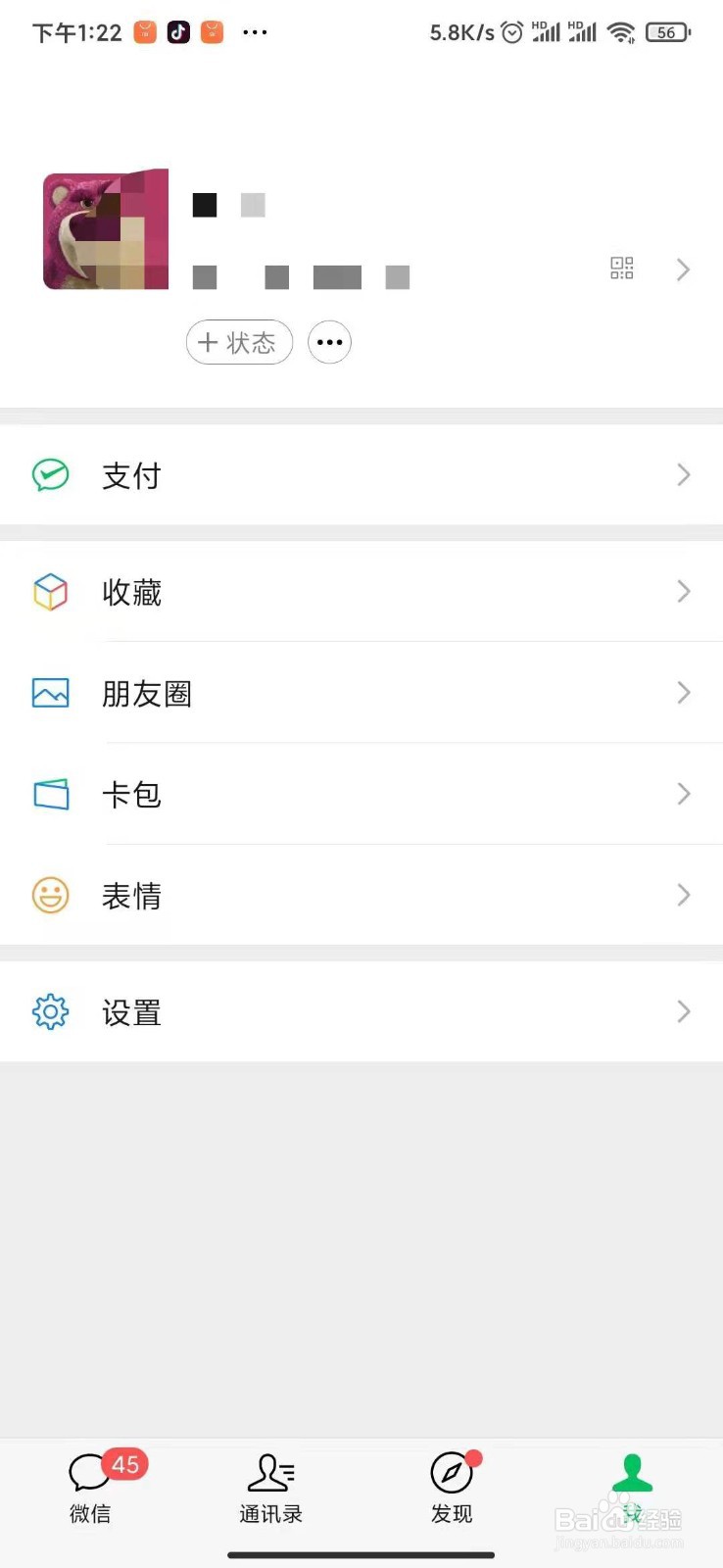
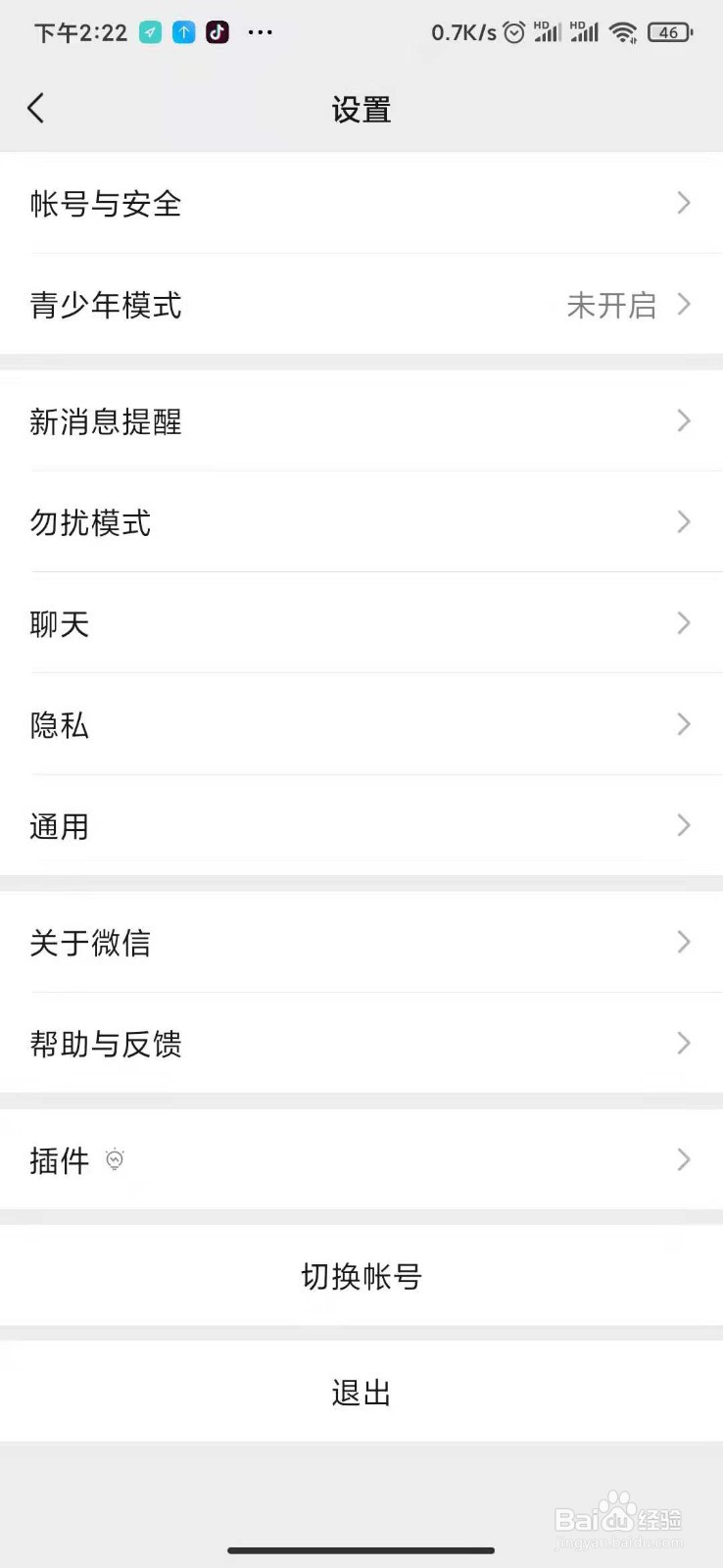
打开微信,点击右下角我的,点击设置
2、
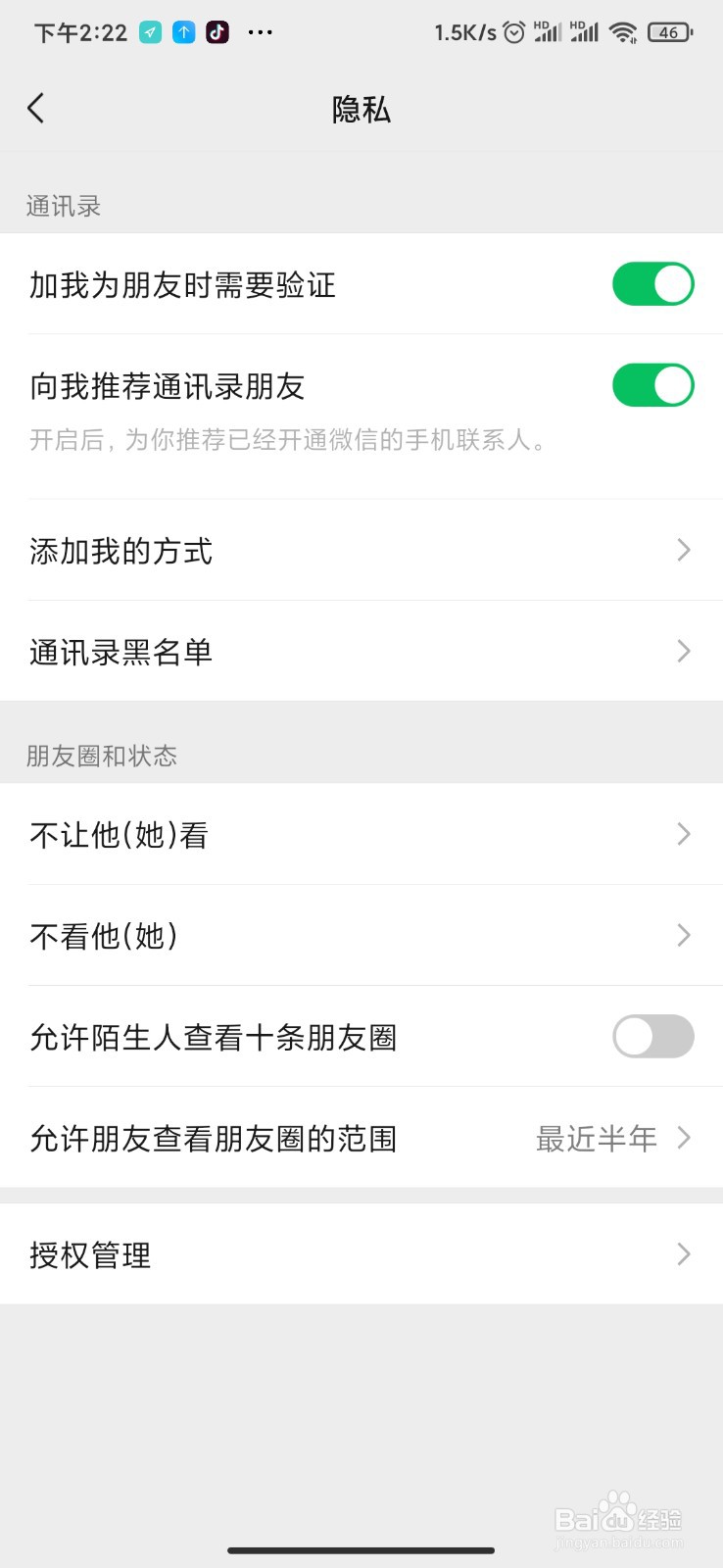
选择隐私
3、
点击不让他(她)看
4、
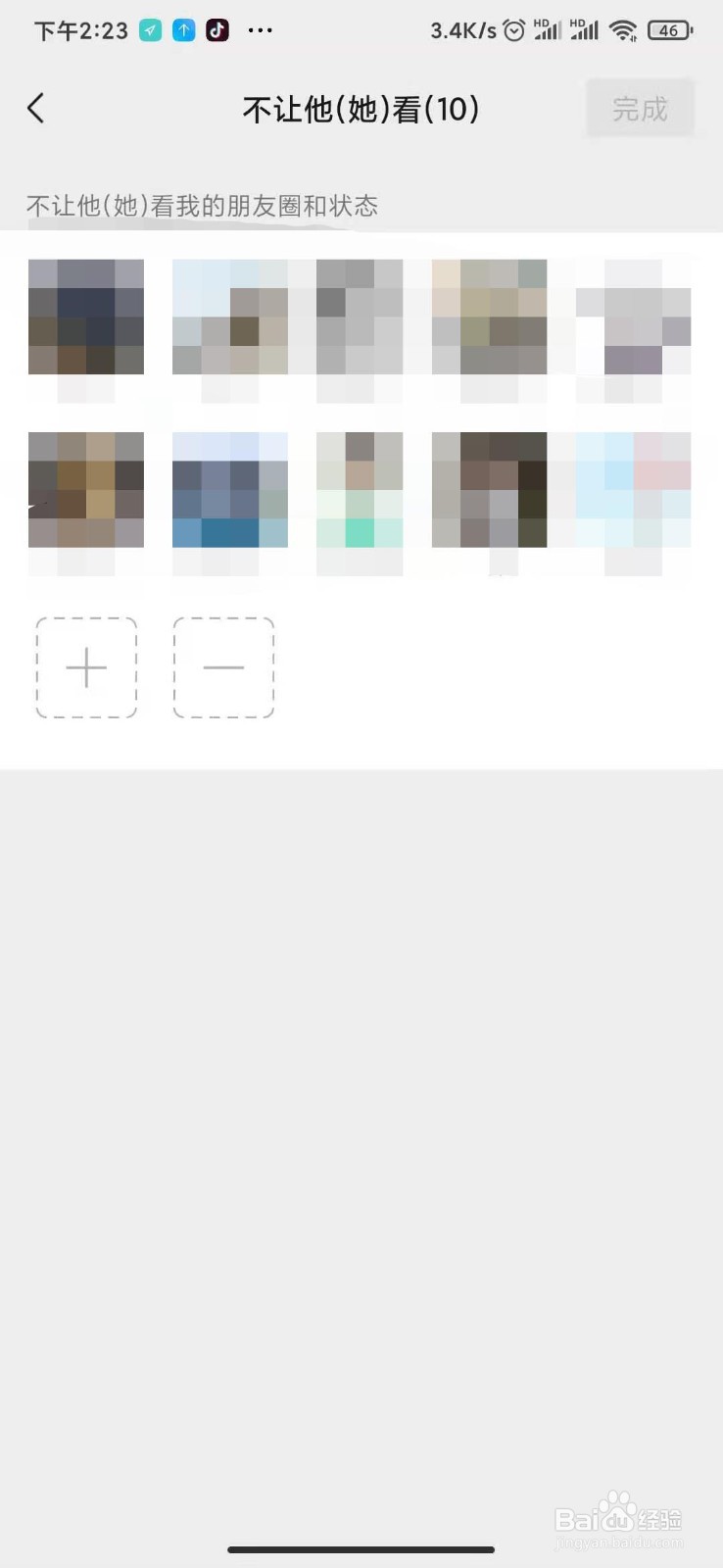
点击加号
添加不想让他看的联系人。
相关推荐
抖音显示在线怎么设置
阅读量:70
为什么女人变心后不会再回头
阅读量:139
比心陪练怎样关闭私信通知提醒功能
阅读量:149
抖音关注如何按时间排序
阅读量:61
全民k歌怎么隐身访问别人主页
阅读量:134
猜你喜欢
国家机构实行什么原则
白糖的功效与作用
response什么意思
什么是存款准备金
防火小知识
阿迪达斯运动服
女性健康知识
什么花适合放在卧室
健康知识竞赛
络石藤的功效与作用
猜你喜欢
牛黄清心丸的功效与作用
et什么意思
阿里巴巴是干什么的
闺蜜结婚送什么
眉豆的功效与作用
法的作用
孕婴知识
老公生日送什么礼物好
漱口水的作用
橄榄油有什么用