如何在PowerPoint中插入三维饼图?
1、打开PowerPoint软件。

2、点击“插入”选项卡。

3、点击“图表”选项卡。

4、点击“饼图”。
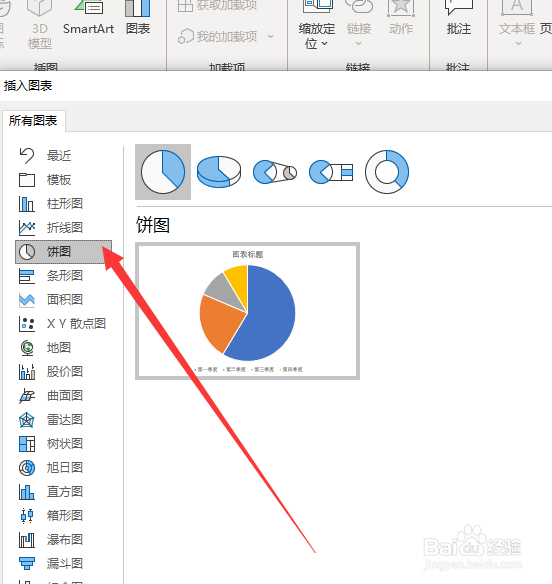
5、点击“三维饼图”。

6、点击“确定”。

7、在图表单元格即可编辑数据。

8、三维饼图插入完成。

阅读量:140
阅读量:81
阅读量:138
阅读量:112
阅读量:173
1、打开PowerPoint软件。
2、点击“插入”选项卡。
3、点击“图表”选项卡。
4、点击“饼图”。
5、点击“三维饼图”。
6、点击“确定”。
7、在图表单元格即可编辑数据。
8、三维饼图插入完成。