RAKsmart:内网IPMI优势及挂载镜像操作方法
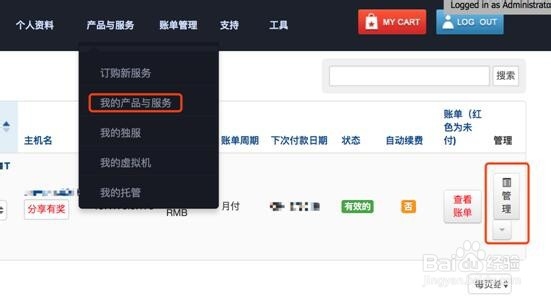
1、1.登陆到后台,通过“产品与服务-我的产品与服务”找到需要操作的服务器-点击“管理”;
2、2.进入页面后,最下方点击“IPMI”;

3、3.输入账号、密码登陆(如弹出对话框提示是否需要升级,选择“否”),并运行。


4、4.在java窗口下,选择“Virtual Storage”。

5、5.进入镜像挂载,CDROM&ISO-ISO File。
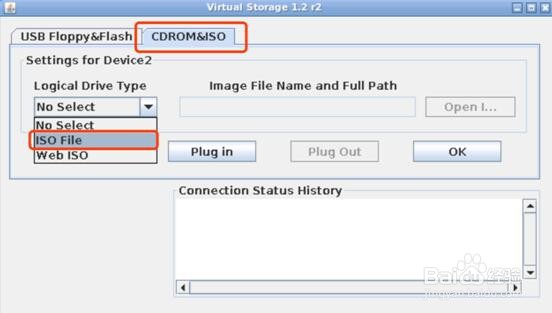
6、6.选取所要安装的镜像,点击“plug in”后,按“ok”。

阅读量:98
阅读量:115
阅读量:131
阅读量:130
阅读量:178