如何切换运行空间:MyEclipse
1、打开MyEclipse应用窗口,看图
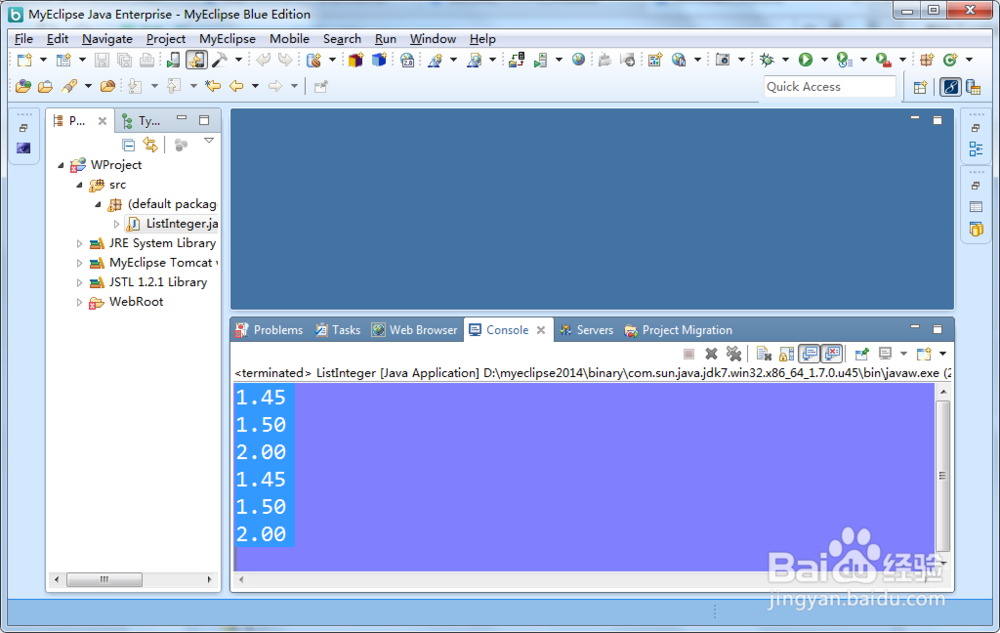
2、按下file,打开file列表页面,看图
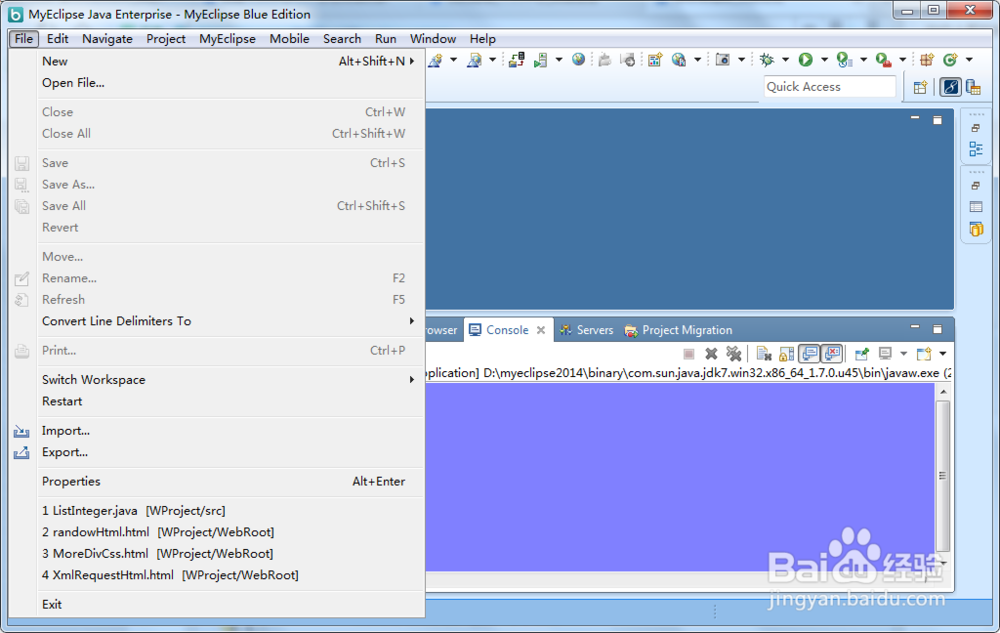
3、选择switch workspace弹出列表,看图
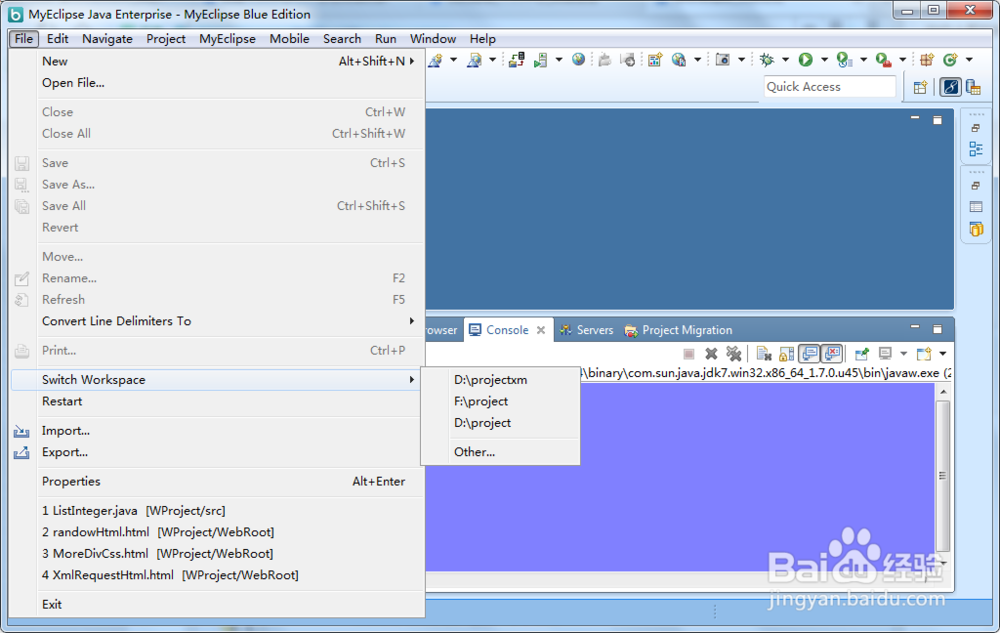
4、按下other,打开workspace luancher页面,看图
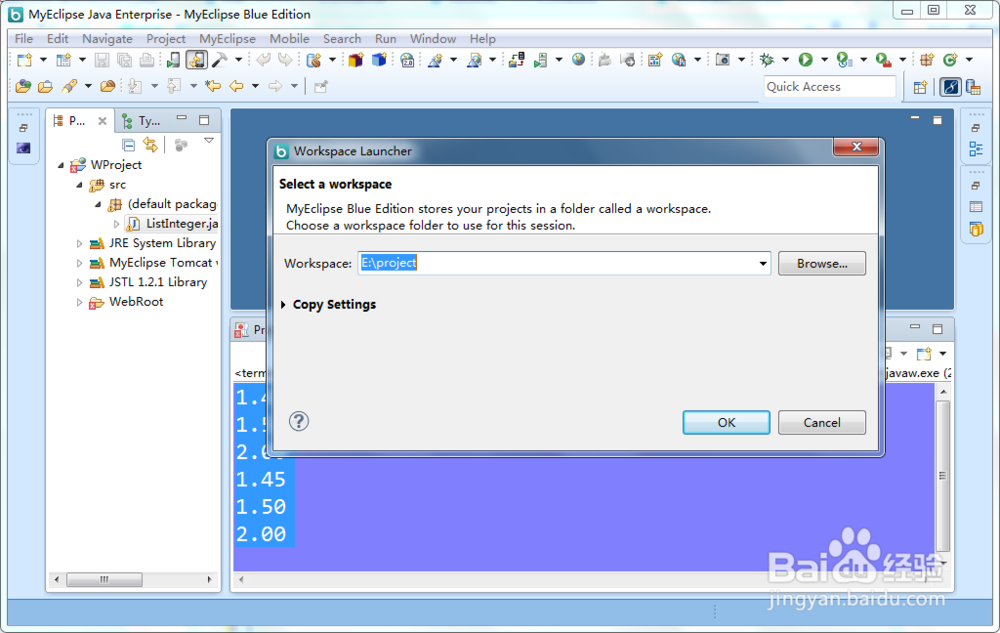
5、按下brower,选择你要切换的运行空间,看图
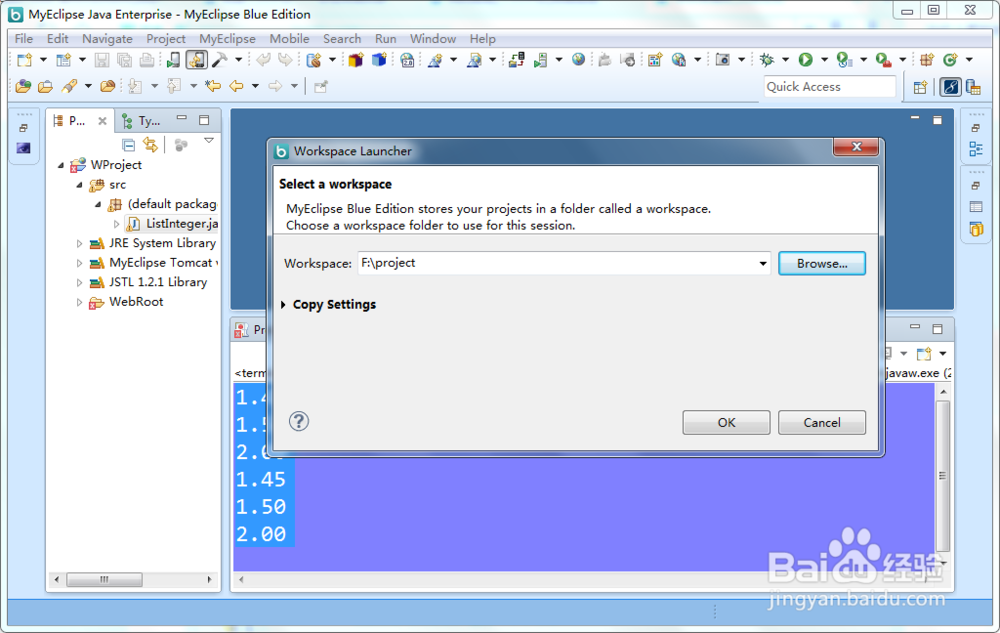
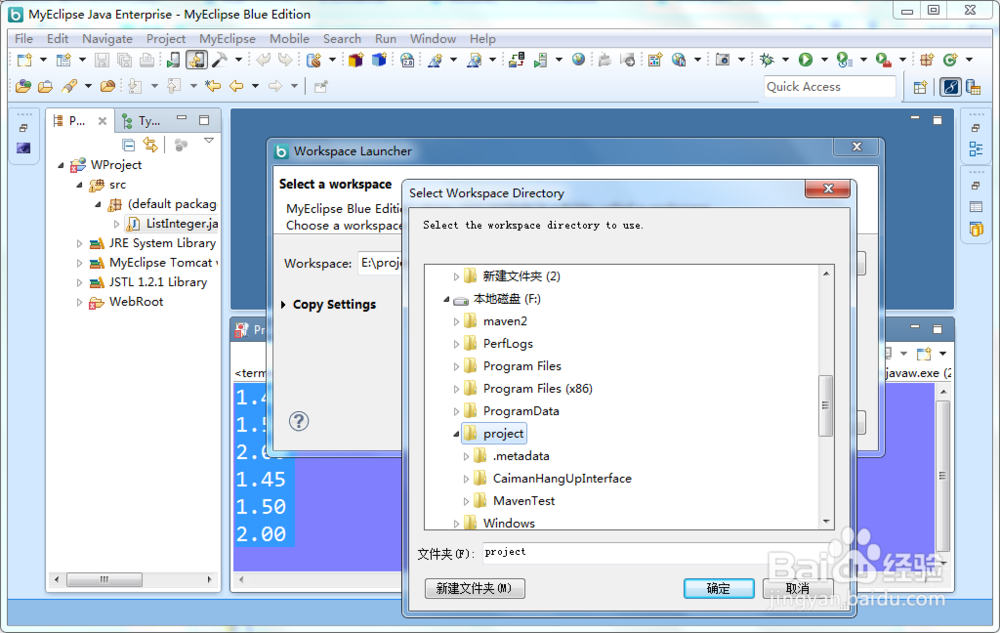
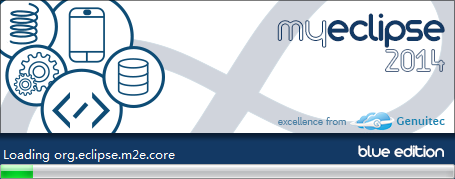
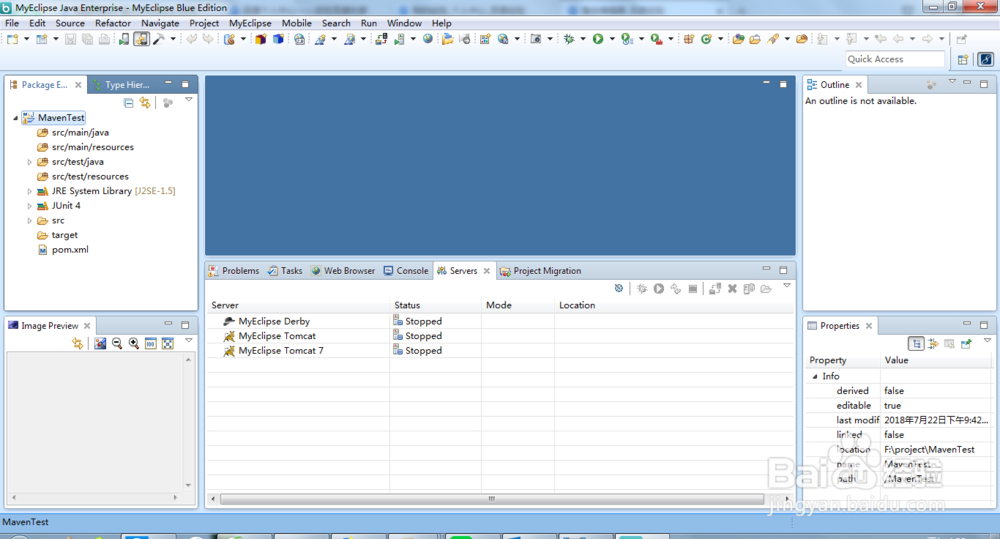
6、按下OK按钮就会重启MyEclipse使用新的运行空间,看图
阅读量:196
阅读量:108
阅读量:190
阅读量:179
阅读量:40
1、打开MyEclipse应用窗口,看图
2、按下file,打开file列表页面,看图
3、选择switch workspace弹出列表,看图
4、按下other,打开workspace luancher页面,看图
5、按下brower,选择你要切换的运行空间,看图
6、按下OK按钮就会重启MyEclipse使用新的运行空间,看图