jupyter notebook中如何给文件重命名?
1、首先点击jupyter notebook下方的lanuch以启动jupyter notebook。

2、进行常规的文件夹操作,定位到需要操作的文件。
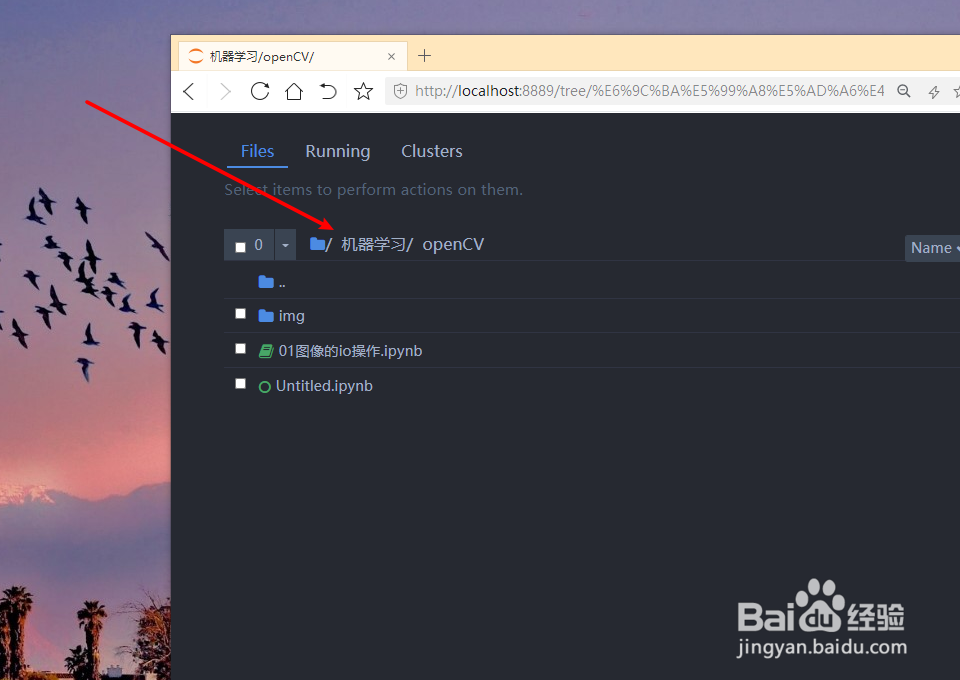
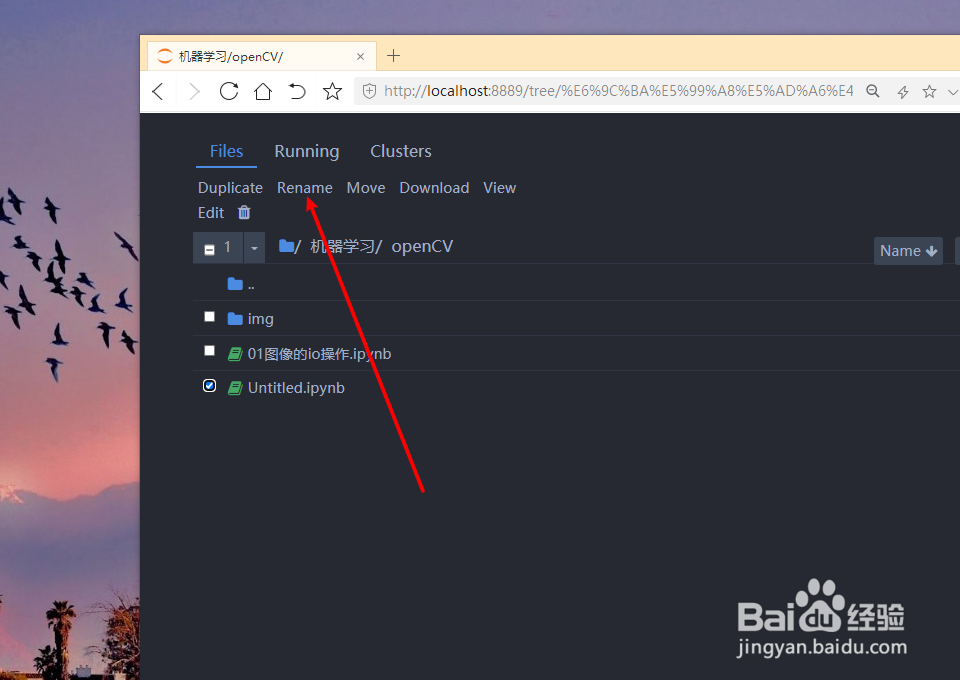
3、点击待操作文件前的方框勾选该文件。
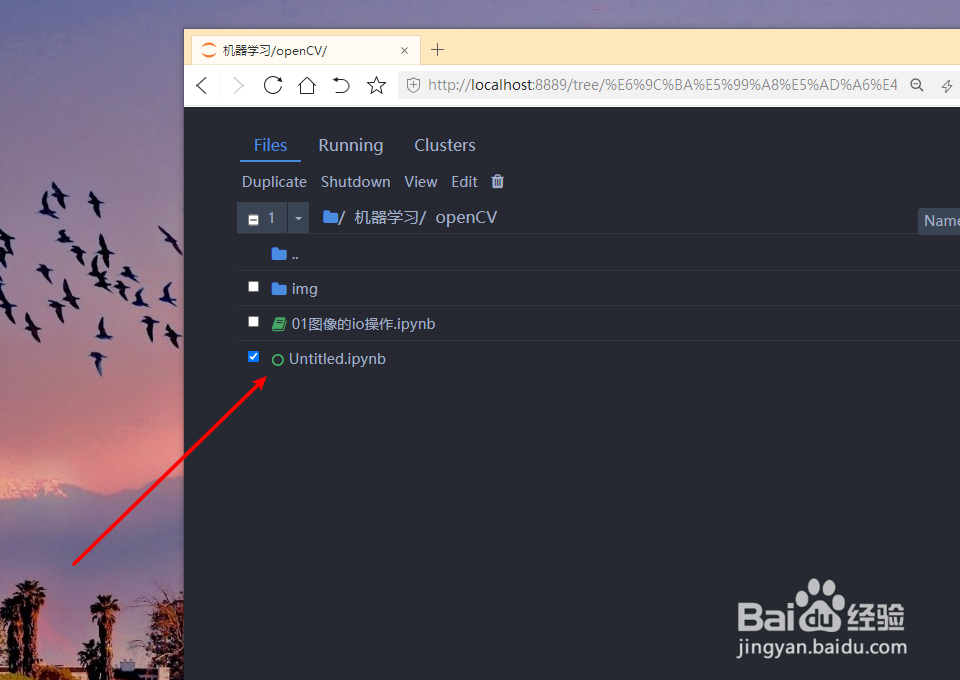
4、选定文件后,点击files下方的shundown按钮。
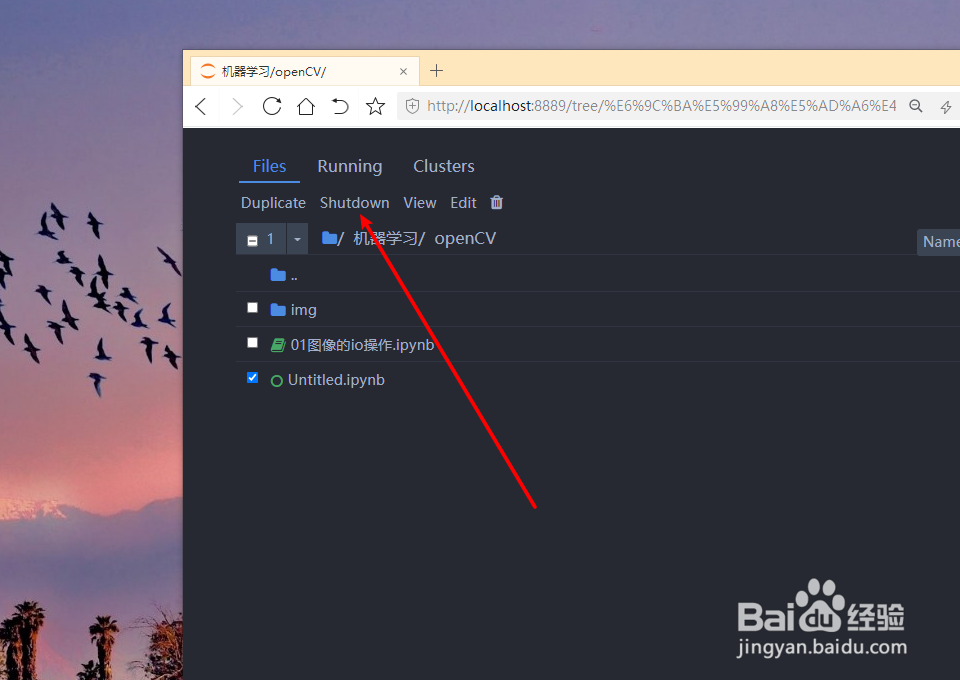
5、再次勾选需要重命名的文件。
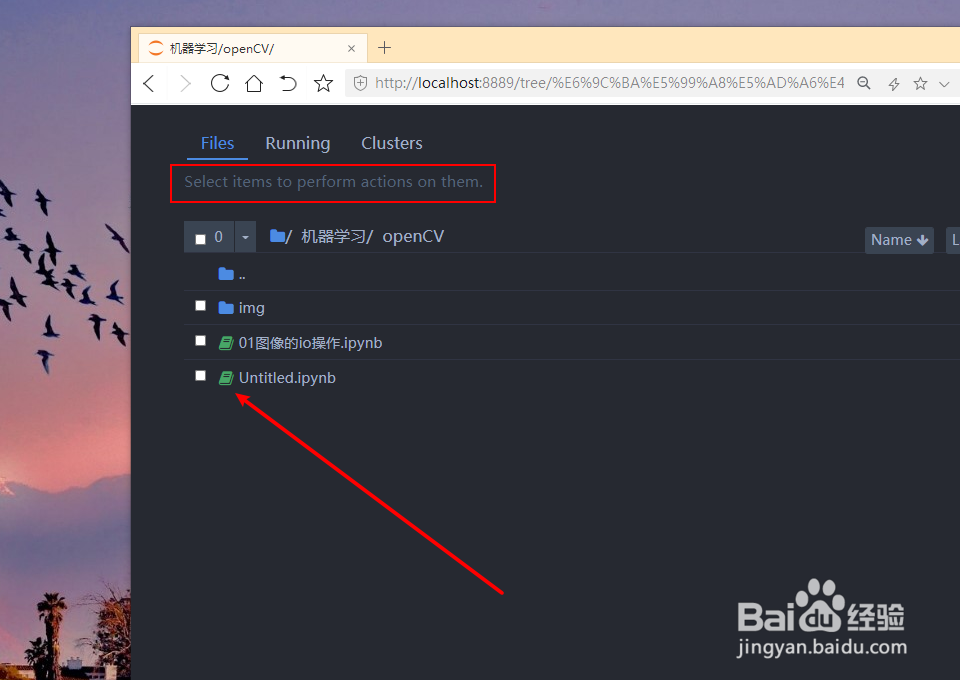
6、此时files下方出现有rename按钮,点击该按钮。
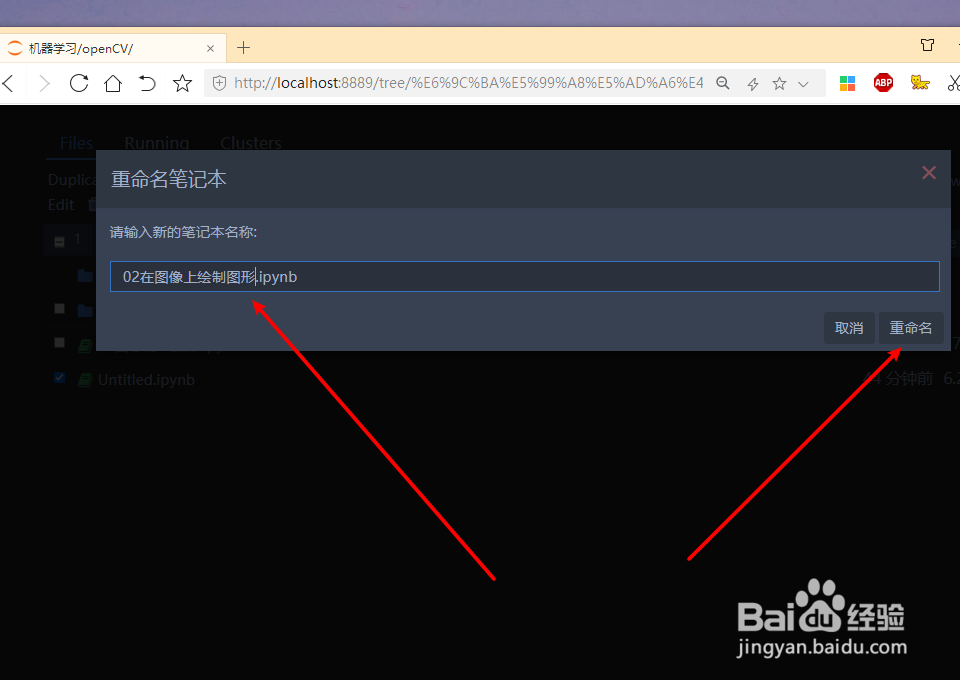
7、弹出重命名对话框,输入修改后的名称,点击重命名按钮即可。
阅读量:183
阅读量:121
阅读量:109
阅读量:48
阅读量:187