怎样解决Microsoft OfficeWord已停止工作
1、运行“regidit”

2、打开注册表编辑器
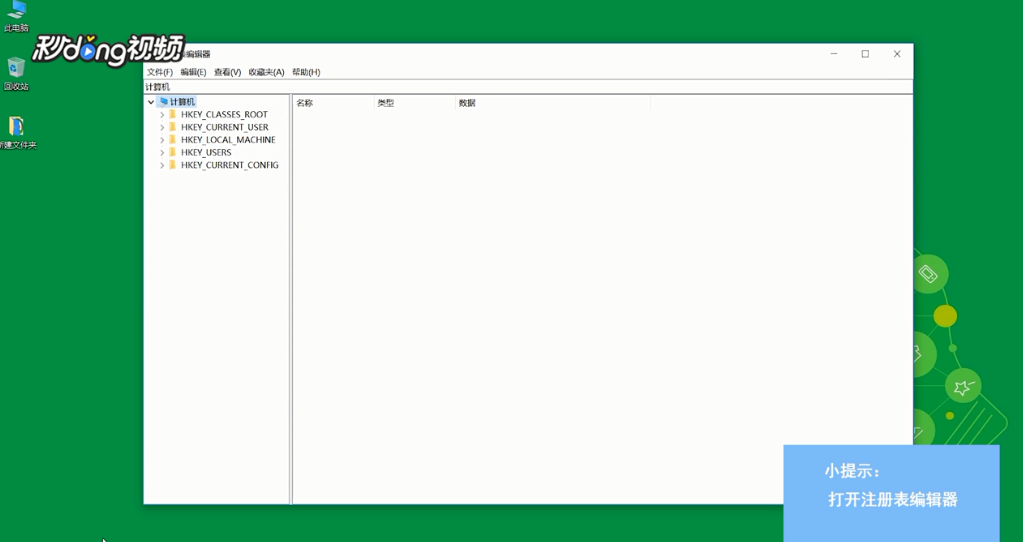
3、选择“HKEY_CURRENT_USER”,选择“Software”
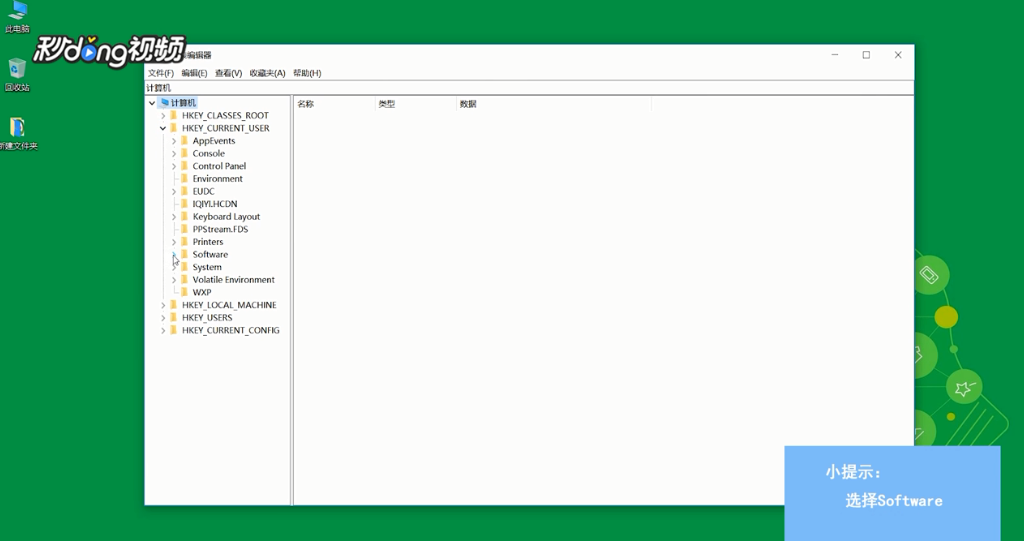
4、选择“Mikcrosoft”
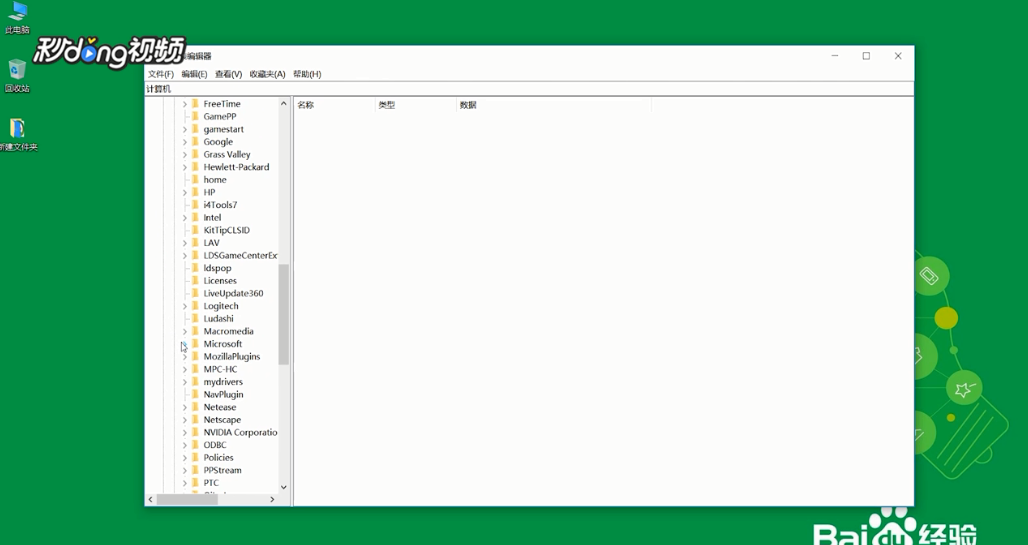
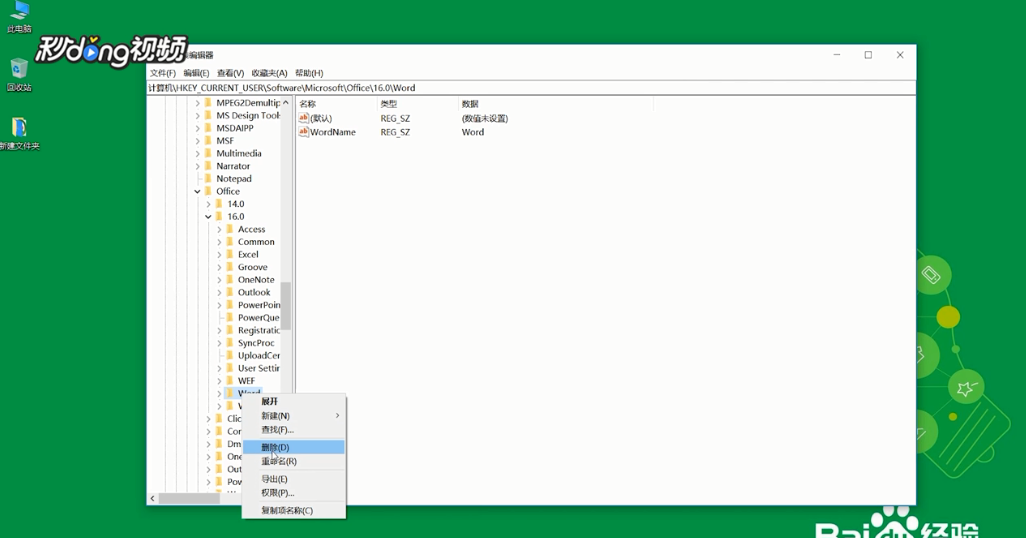
5、选择“office”,选择“16.0”
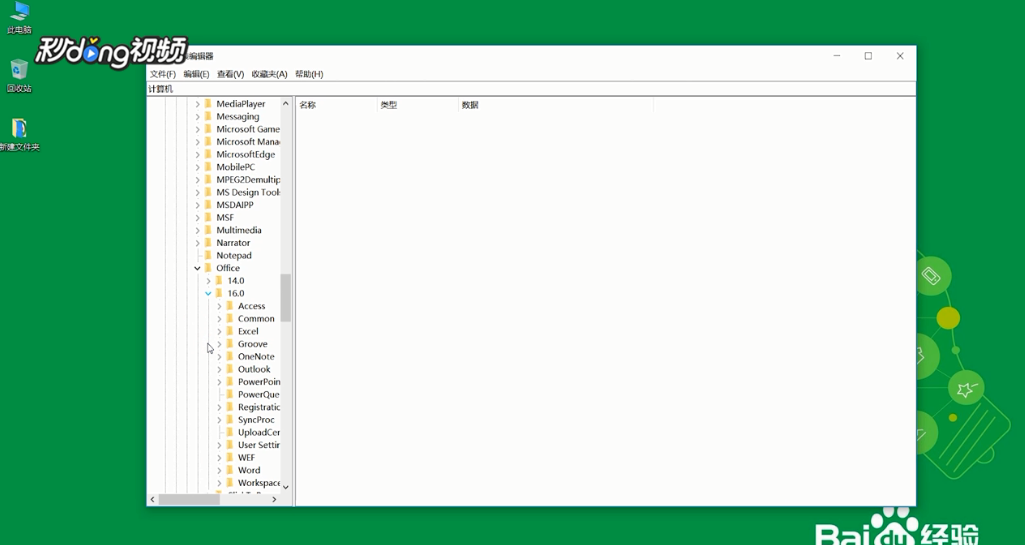
6、将Word注册表删除即可
阅读量:172
阅读量:178
阅读量:87
阅读量:30
阅读量:36
1、运行“regidit”
2、打开注册表编辑器
3、选择“HKEY_CURRENT_USER”,选择“Software”
4、选择“Mikcrosoft”
5、选择“office”,选择“16.0”
6、将Word注册表删除即可