Illustrator怎么更改画板的尺寸单位?
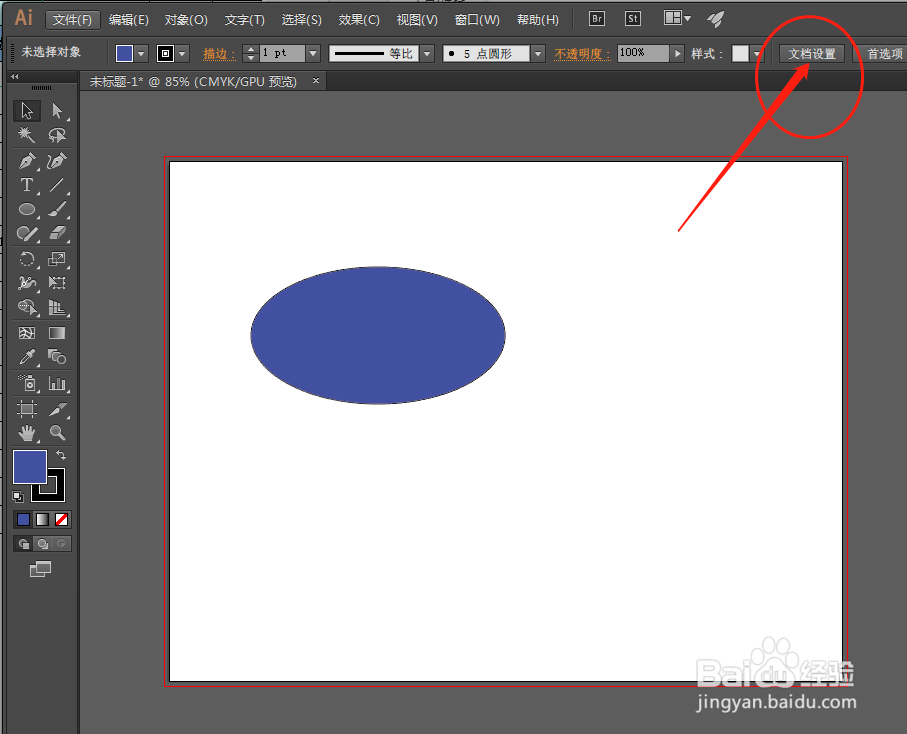
1、打开 Illustrator,点击工具栏上的文档设置。
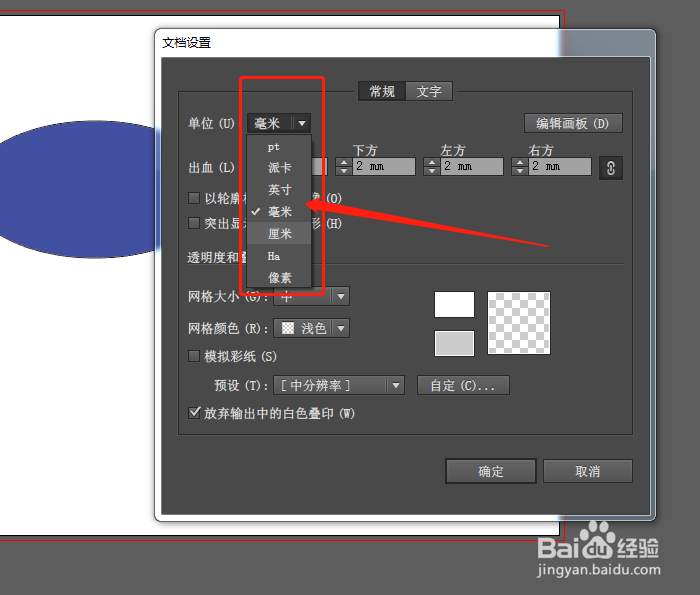
2、在单位列中选择需要的尺寸单位,点击确定即可更改。
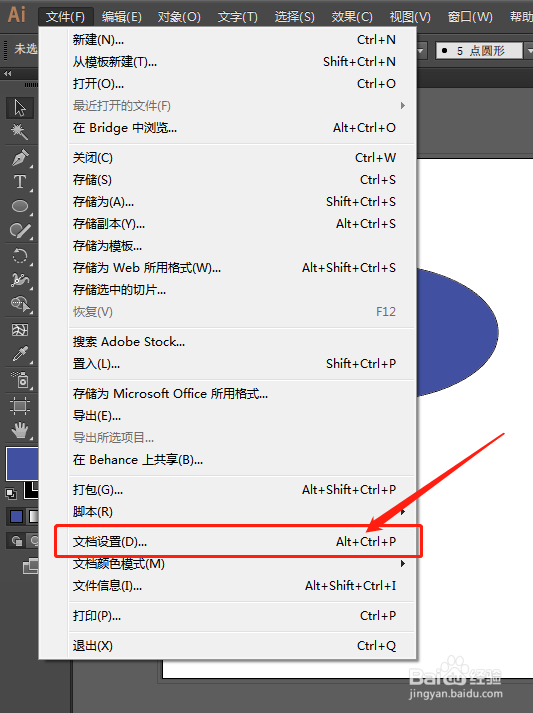
3、第二种方法,点击文件-文档设置,或按ALT+CTRL+P快捷键。
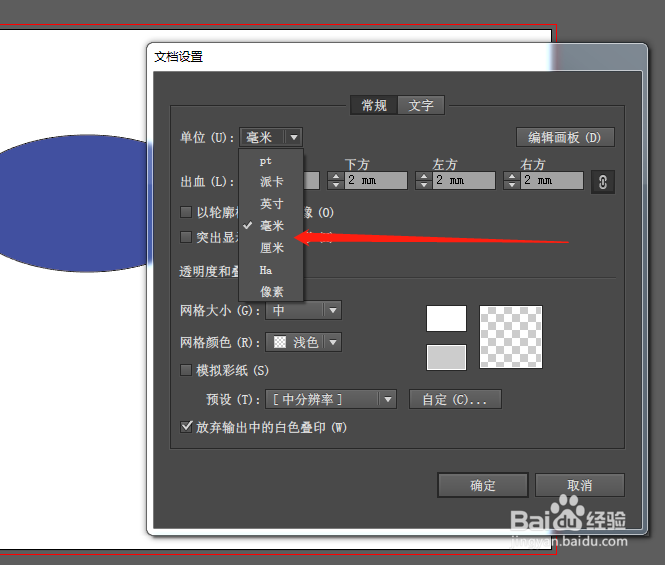
4、打开设置窗口,选择需要的尺寸单位即可。
阅读量:64
阅读量:184
阅读量:146
阅读量:46
阅读量:96
1、打开 Illustrator,点击工具栏上的文档设置。
2、在单位列中选择需要的尺寸单位,点击确定即可更改。
3、第二种方法,点击文件-文档设置,或按ALT+CTRL+P快捷键。
4、打开设置窗口,选择需要的尺寸单位即可。