指南经验网
首页
美食营养
生活百科
知识问答
生活知识
返回
指南经验网
首页
美食营养
游戏数码
手工爱好
生活知识
生活百科
健康养生
运动户外
职场理财
情感交际
母婴教育
时尚美容
知识问答
更多知识
搜索
MasterPDF怎么设置文档另存位置为原所在文件夹
2026-04-23 11:07:56
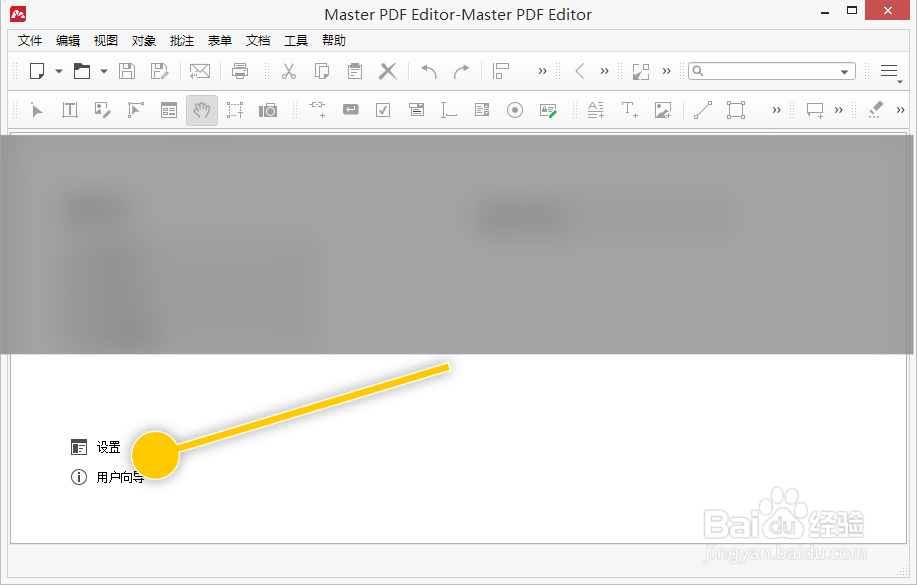
1、在“MasterPDF”主界面中,点击“设置”文字选项。
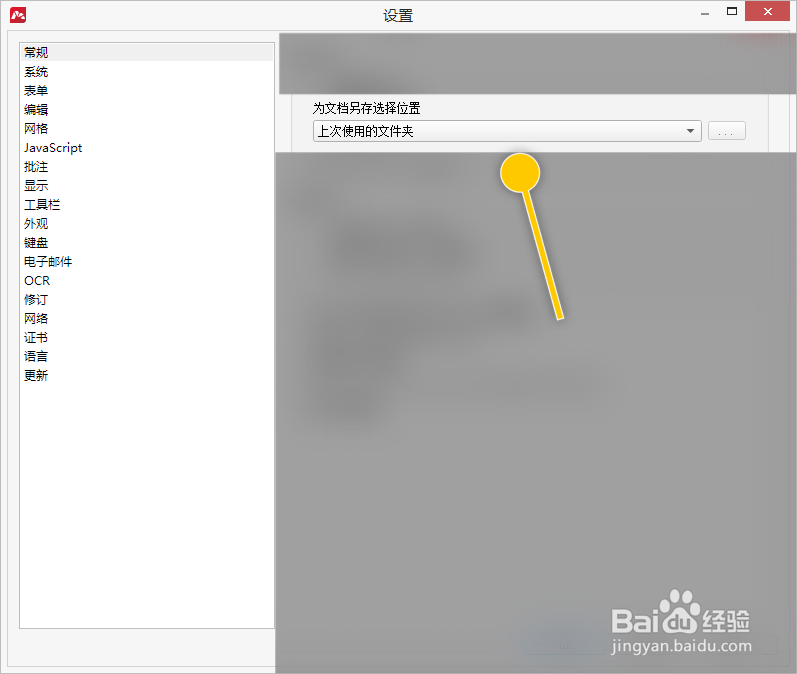
1、在“设置”界面框中,点击“为文档另存选择位置”列表项。
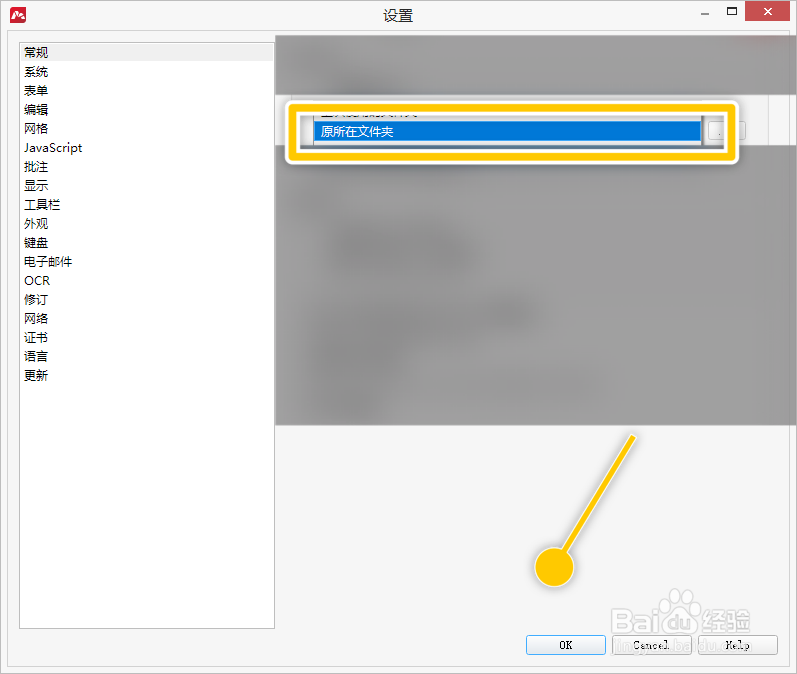
2、在列表项中选择“原所在文件夹”选项,点击“OK”按钮。
相关推荐
Axure RP8怎样使用查找功能?
阅读量:103
如何简易搭建自己的网站
阅读量:156
如何在maya中设置对称选择
阅读量:196
C4D实例在哪个地方可以找到
阅读量:98
3dsMax如何设置粒子的数量#校园分享#
阅读量:71
猜你喜欢
觊觎怎么读
拙怎么读
干锅菜花的家常做法
为什么会长疣
任务栏怎么还原到下面
面的做法大全
学习计划怎么写
红烧肉怎么做好吃
路由器怎么改密码
砾怎么读
猜你喜欢
苹果铃声怎么设置
离职原因怎么写比较好
轮胎生产日期怎么看
怎么知道卵子排出来了
花呗收款怎么开通
电脑风扇声音大怎么办
药水哥为什么被永封
头痛怎么办快速缓解小方法
赘怎么读
囊怎么读