指南经验网
首页
美食营养
生活百科
知识问答
生活知识
返回
指南经验网
首页
美食营养
游戏数码
手工爱好
生活知识
生活百科
健康养生
运动户外
职场理财
情感交际
母婴教育
时尚美容
知识问答
更多知识
搜索
微模卡APP怎么设置主页背景图
2026-04-23 01:45:16
1、打开微模卡APP,点击右下角我的。见下图
2、点击右上角的设置标识。见下图
3、点击编辑资料。见下图
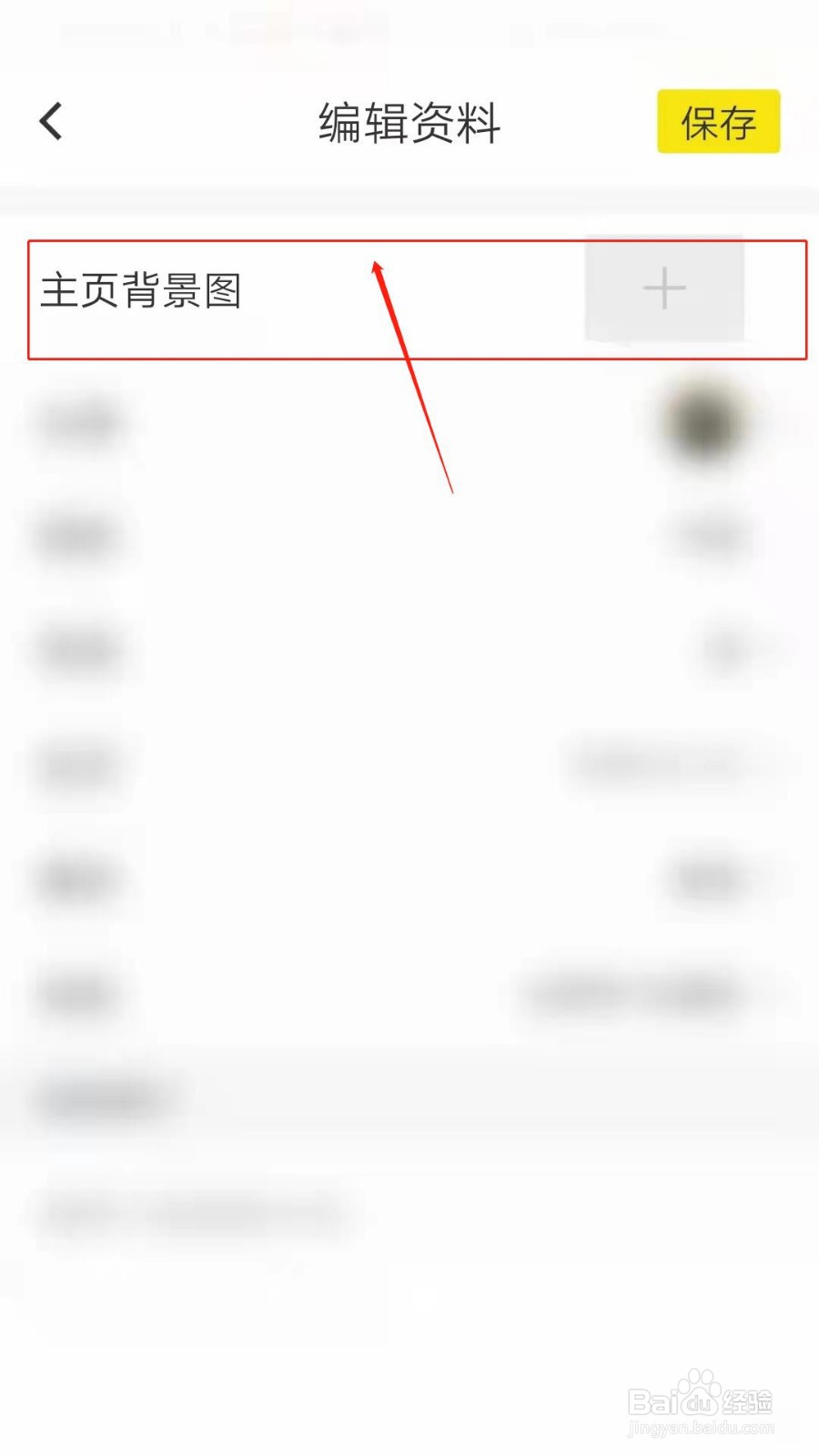
4、点击主页背景图。见下图
5、可以拍摄,也可以在相册中选择。见下图
相关推荐
怒火重案里是什么车
阅读量:21
每次倒番茄酱总是很困难,今天学会一个简单方法
阅读量:37
养羊修蹄方法
阅读量:57
38个字的诗
阅读量:140
怎样开启西瓜视频软件互动消息如关注、新粉丝等
阅读量:52
猜你喜欢
旅游新闻网
日本旅游价格
楠溪江在哪里
显卡在哪里
路由器设置密码
宝宝经常吐奶怎么办
ps如何快速抠图
山东聊城旅游
皮包脏了怎么清洗
吃大蒜口臭怎么办
猜你喜欢
花王蒸汽眼罩怎么用
淘宝排名怎么靠前
朋友圈背景
vpn路由器
一次扣12分怎么处理
玉树旅游
心在哪里安放
泰州旅游景点大全
联通如何查话费
扎啤怎么做