在sketchpad中绘制f(x)=sin(3x-5)的函数图像
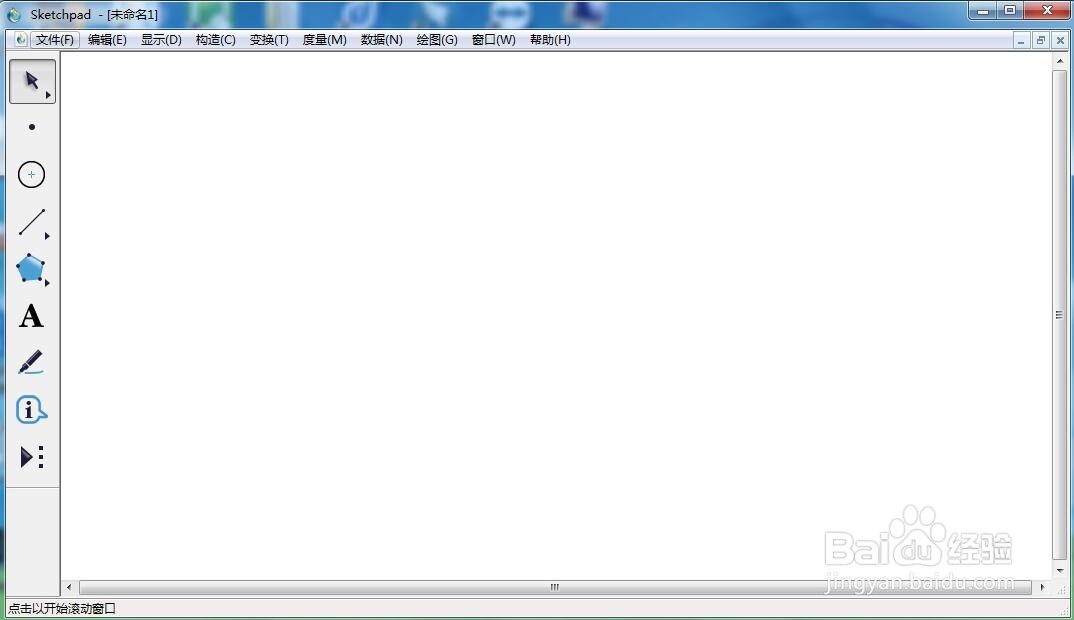
1、打开sketchpad,进入其主界面;
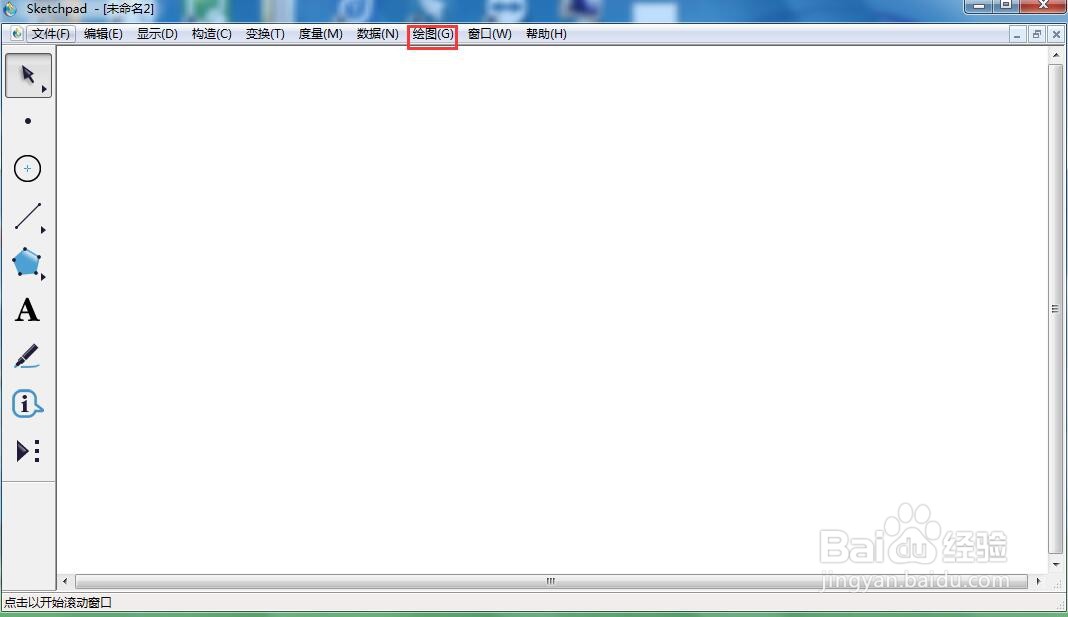
2、点击绘图菜单;
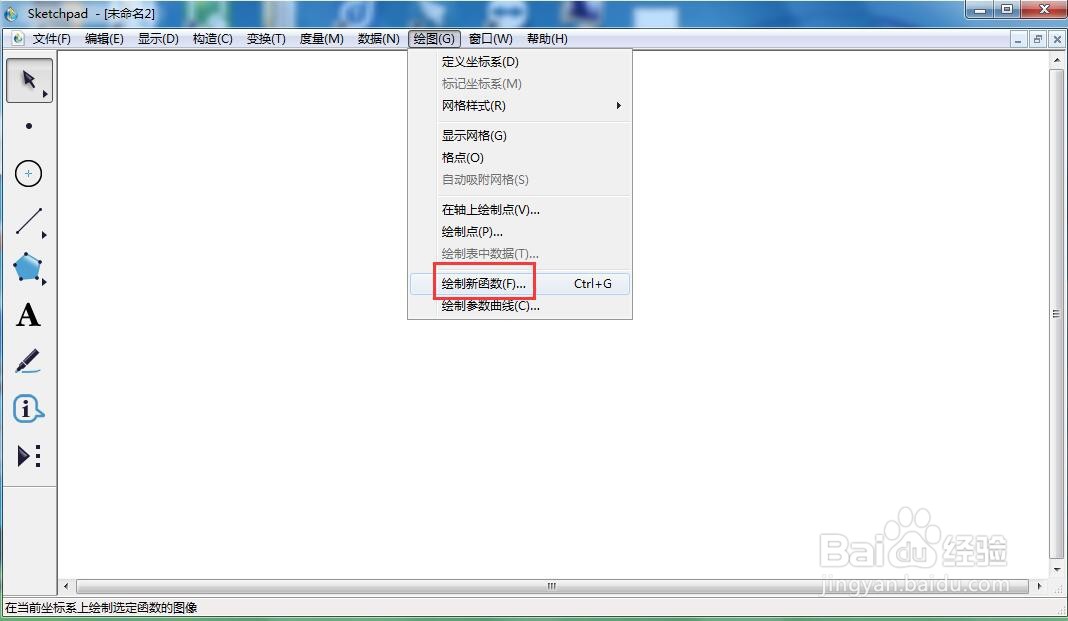
3、选择绘制新函数;
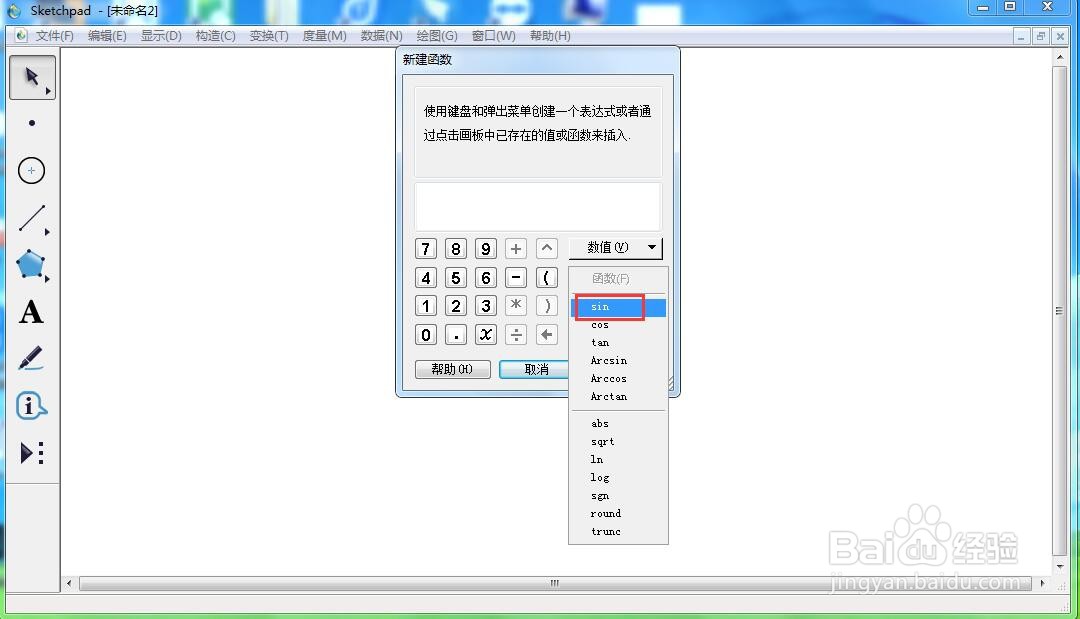
4、点击函数,选择正弦函数sin;
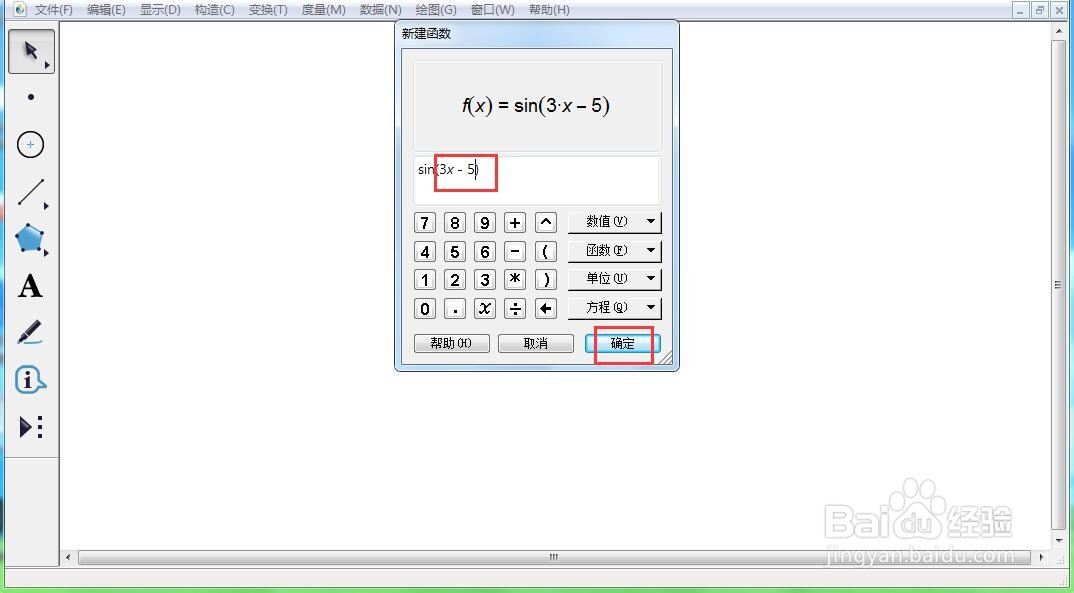
5、输入3x-5,按确定;
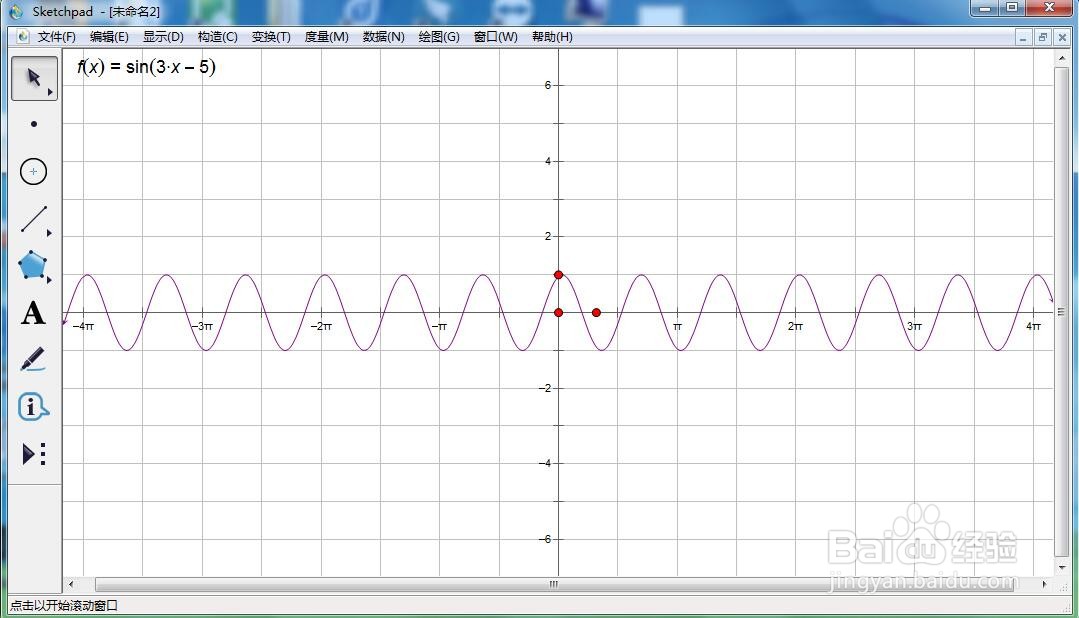
6、我们就创建好了f(x)=sin(3x-5)的函数图像。
阅读量:59
阅读量:25
阅读量:75
阅读量:142
阅读量:118
1、打开sketchpad,进入其主界面;
2、点击绘图菜单;
3、选择绘制新函数;
4、点击函数,选择正弦函数sin;
5、输入3x-5,按确定;
6、我们就创建好了f(x)=sin(3x-5)的函数图像。