同时打开两个excel表不重叠
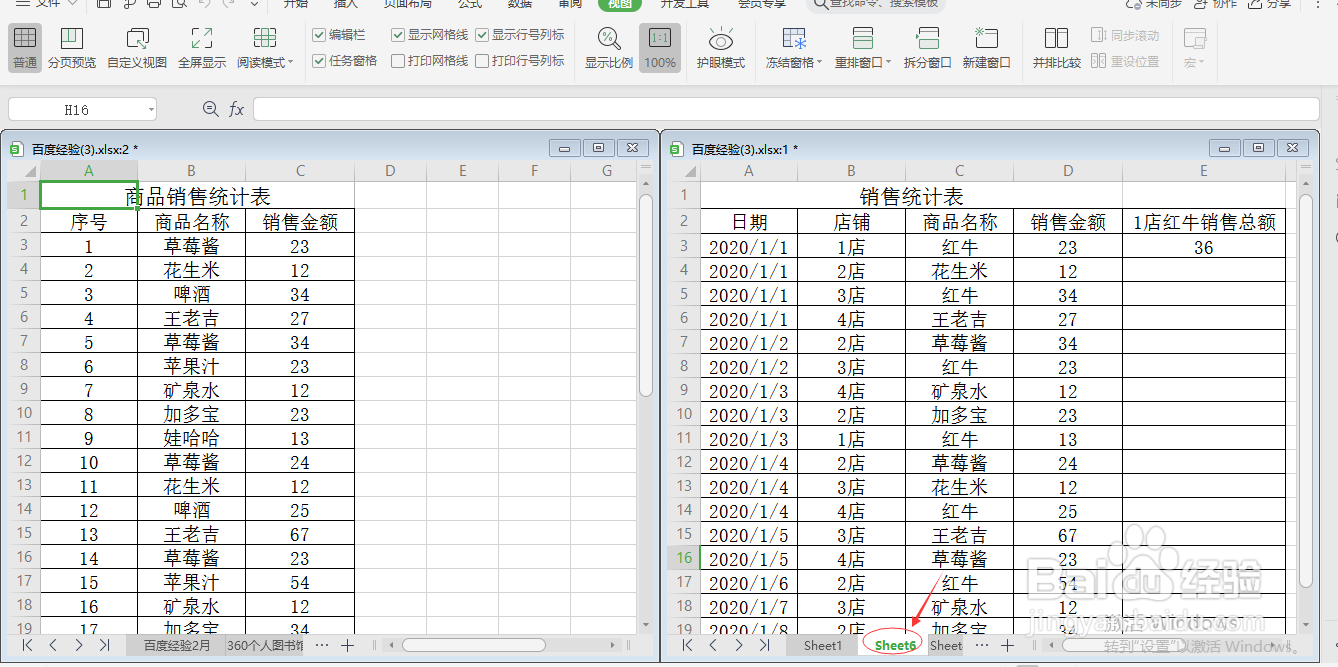
1、打开一个WPS excel表格。

2、单击工具栏上的视图。

3、单击选择新建窗口

4、单击选择重排窗口,在下拉列表中选择垂直平铺。

5、在表格名称栏上选择所需表格,即可同时打开两个excel表不重叠。
阅读量:179
阅读量:36
阅读量:43
阅读量:184
阅读量:158
1、打开一个WPS excel表格。
2、单击工具栏上的视图。
3、单击选择新建窗口
4、单击选择重排窗口,在下拉列表中选择垂直平铺。
5、在表格名称栏上选择所需表格,即可同时打开两个excel表不重叠。