苹果手机如何设置VoiceOver朗读屏幕
1、点击 设置
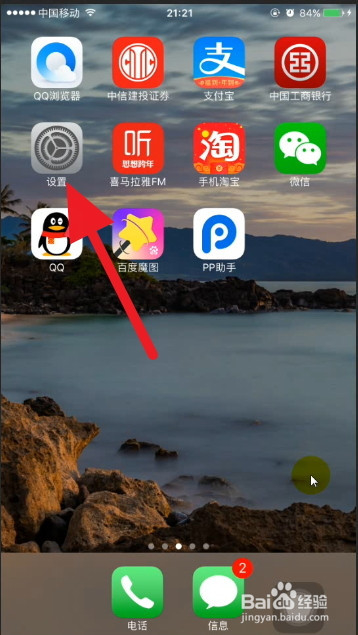
2、点击 通用

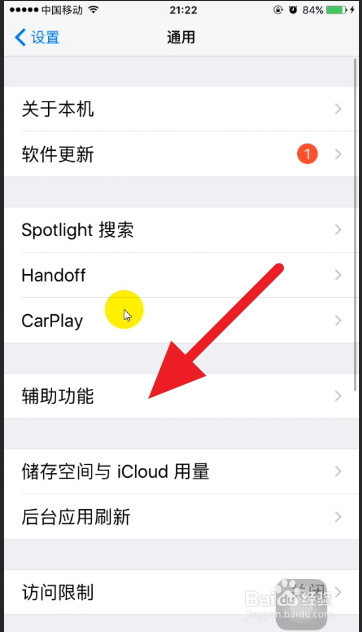
3、点击辅助功能
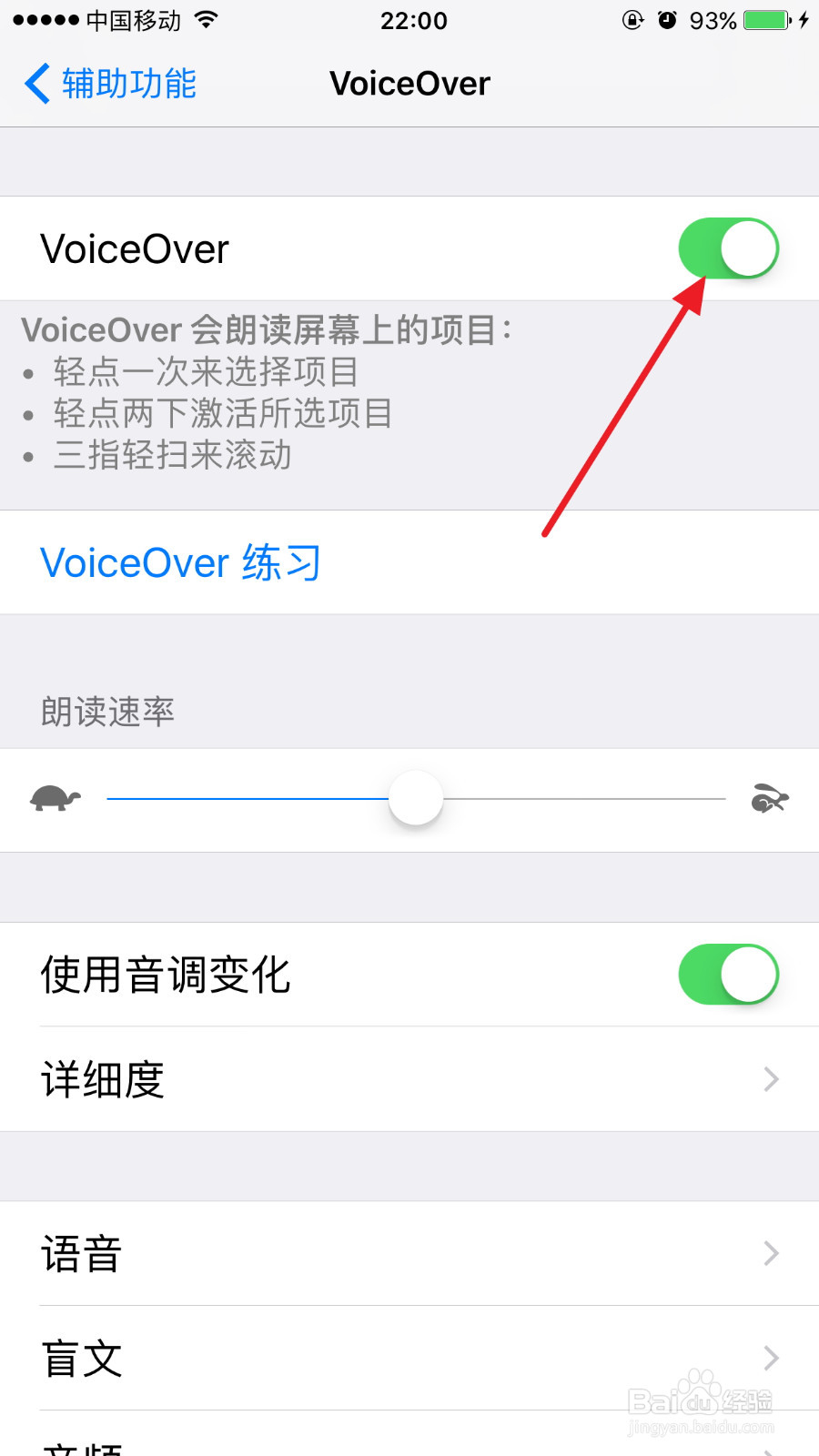
4、点击 VioceOver 后面的关闭

5、使得该按钮变绿色,随着你会听到一声 VioceOver已开启。
6、用浏览器的一篇文章试验一下,有效果了。
点到哪里读哪里。
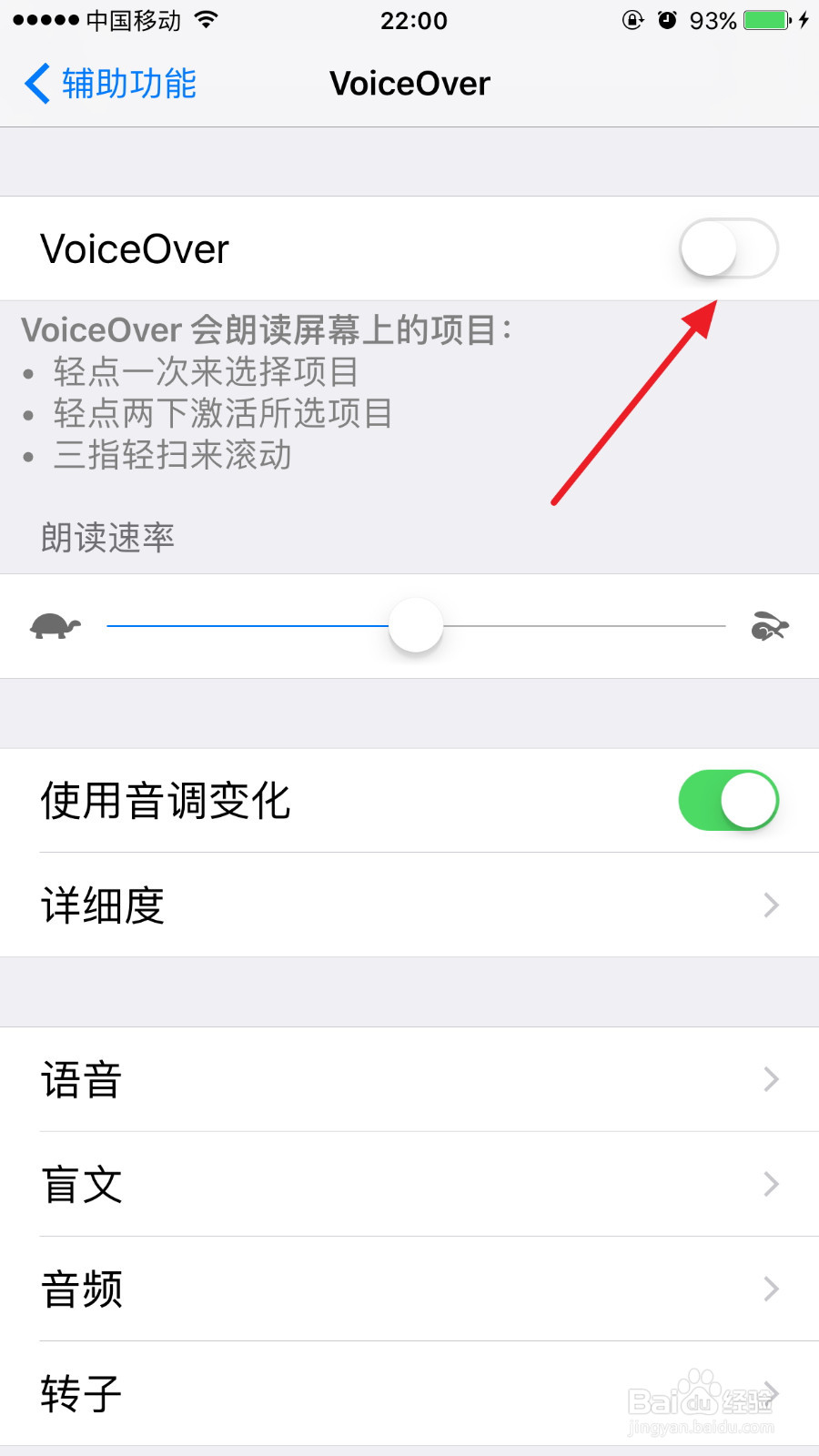
1、在下面的界面,点击一次该按钮(选中),然后再点击两次该按钮(激活)。
阅读量:178
阅读量:22
阅读量:61
阅读量:178
阅读量:158
1、点击 设置
2、点击 通用
3、点击辅助功能
4、点击 VioceOver 后面的关闭
5、使得该按钮变绿色,随着你会听到一声 VioceOver已开启。
6、用浏览器的一篇文章试验一下,有效果了。
点到哪里读哪里。
1、在下面的界面,点击一次该按钮(选中),然后再点击两次该按钮(激活)。