指南经验网
首页
美食营养
生活百科
知识问答
生活知识
返回
指南经验网
首页
美食营养
游戏数码
手工爱好
生活知识
生活百科
健康养生
运动户外
职场理财
情感交际
母婴教育
时尚美容
知识问答
更多知识
搜索
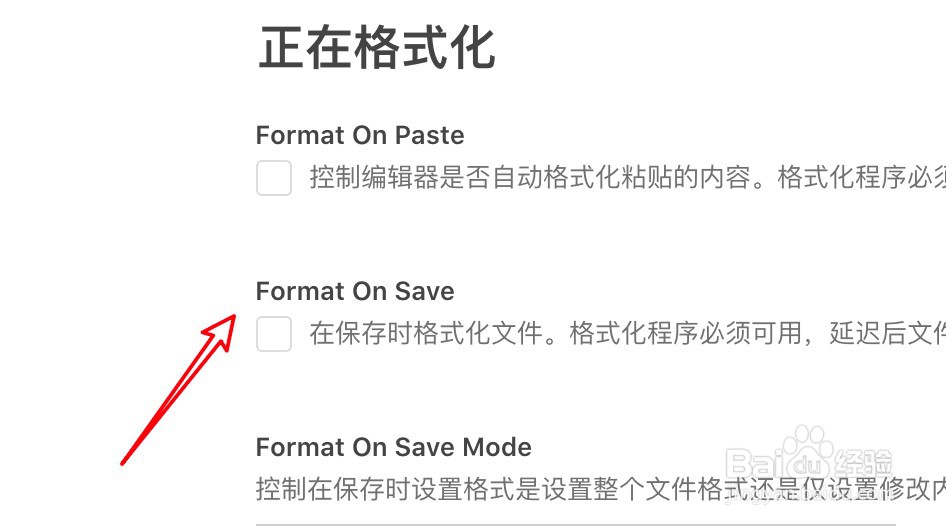
mac vscode开发工具怎么设置保存时不格式化内容
2026-04-21 15:33:53
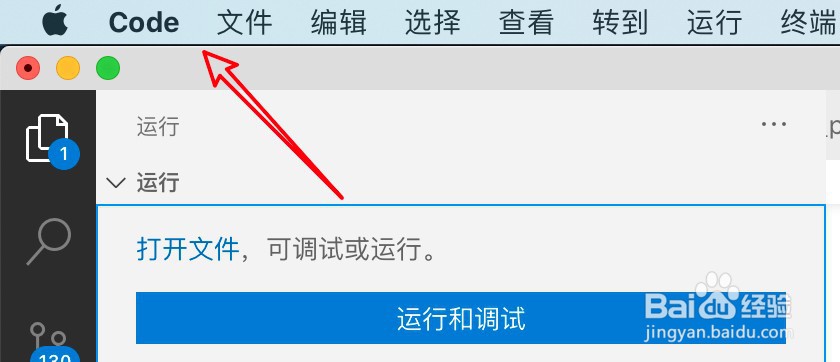
1、打开工具,点击code菜单。
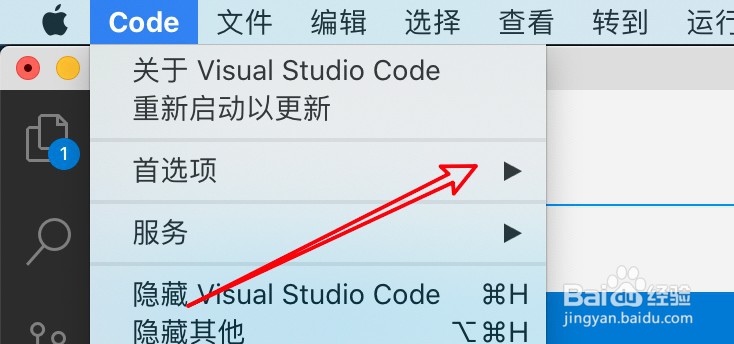
2、点击首选项。
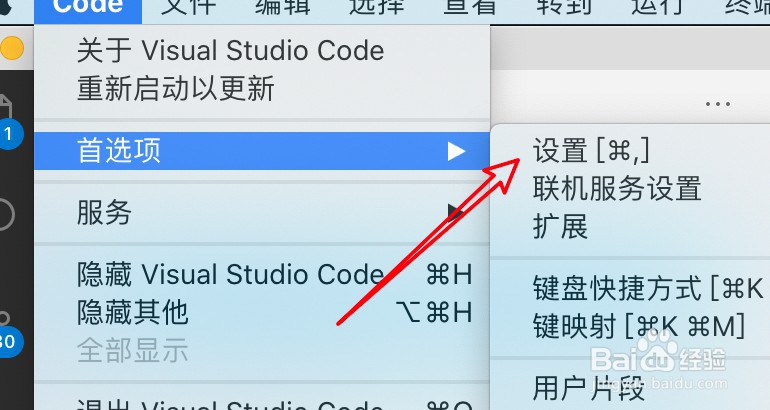
3、点击设置。
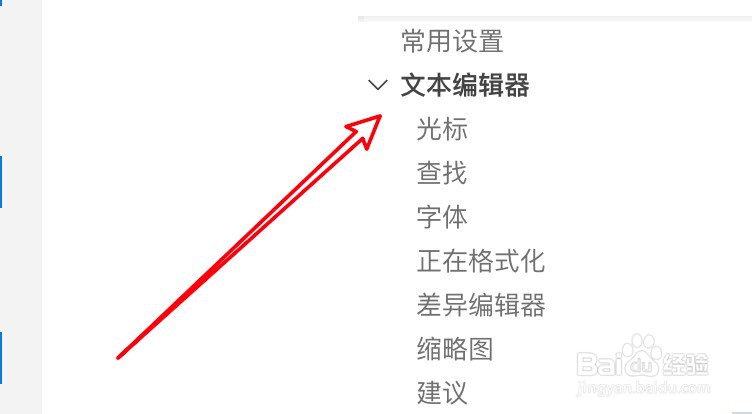
4、点击文本编辑器。
5、取消选中保存时格式化的选项。
相关推荐
Guitar Pro小问题系列之电脑蓝屏
阅读量:112
钉钉怎么看到别人开摄像头
阅读量:105
如何在网页上创建Apple ID
阅读量:178
中信银行微信快捷登录怎么设置
阅读量:25
要让国盛通APP优先使用勾选站点该怎么弄
阅读量:93
猜你喜欢
扬州博物馆
感冒用药
怎么修改开机密码
高中女生发型
大众途安怎么样
sk2怎么样
感冒清
四股麻花辫怎么编
怎么解除电脑开机密码
银花感冒颗粒
猜你喜欢
崎岖的近义词
电脑怎么共享
期盼的近义词
润滑剂怎么用
人是怎么进化来的
怎么把鼻子变小
鄙夷的近义词
小学生消防安全常识
精致的近义词是什么
怎么看别人的qq空间