Windows11如何打开变量值数

2026-02-14 07:58:06

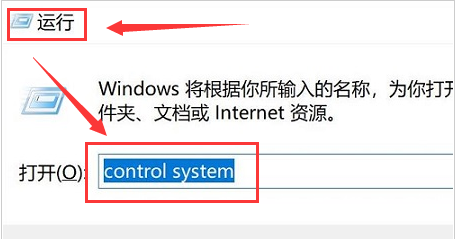
1、按下键盘的WIN+R键打开运行窗口,并输入control system的命令

Windows11如何打开变量值数

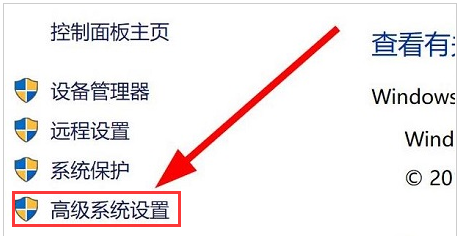
2、在打开的系统页面中找到高级系统设置按钮

Windows11如何打开变量值数

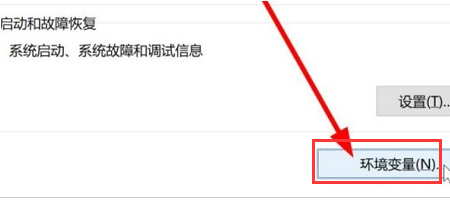
3、随后在打开的系统属性窗口中找到环境变量选项

Windows11如何打开变量值数

4、最后根据自己的需求对变量值进行编辑即可

Windows11如何打开变量值数

相关推荐
  • 阅读量:87
  • 阅读量:123
  • 阅读量:124
  • 阅读量:40
  • 阅读量:124
  • 猜你喜欢