教你轻松在word、excel表格中输入度数符号
1、打开excel,或其它编辑文档软件。
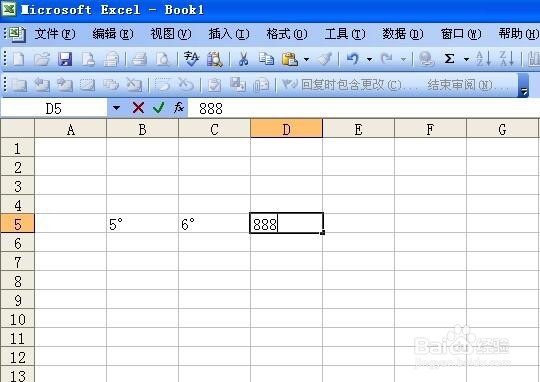
2、表格中输入数字,光标移动到数字后
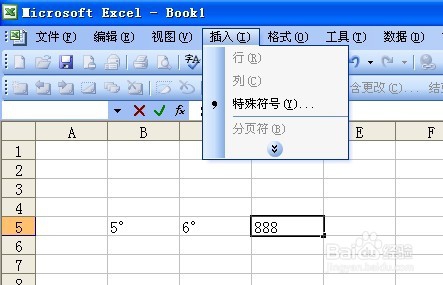
3、在菜单栏,点击“插入”——“特殊符号”
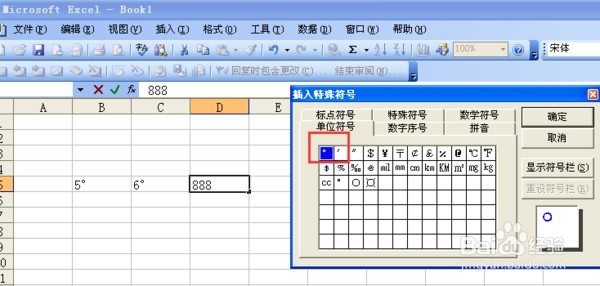
4、选中点击“单位符号”第一个小圈圈....,点确定
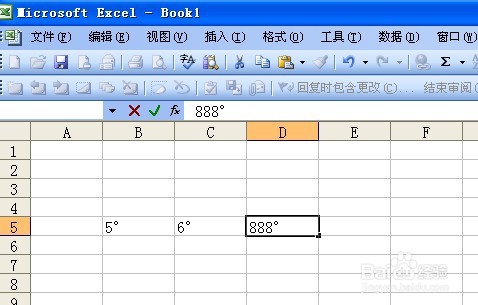
5、大功告成,如图:
阅读量:75
阅读量:151
阅读量:109
阅读量:78
阅读量:97
1、打开excel,或其它编辑文档软件。
2、表格中输入数字,光标移动到数字后
3、在菜单栏,点击“插入”——“特殊符号”
4、选中点击“单位符号”第一个小圈圈....,点确定
5、大功告成,如图: