oppo手机中怎样去设置在后台朗读功能
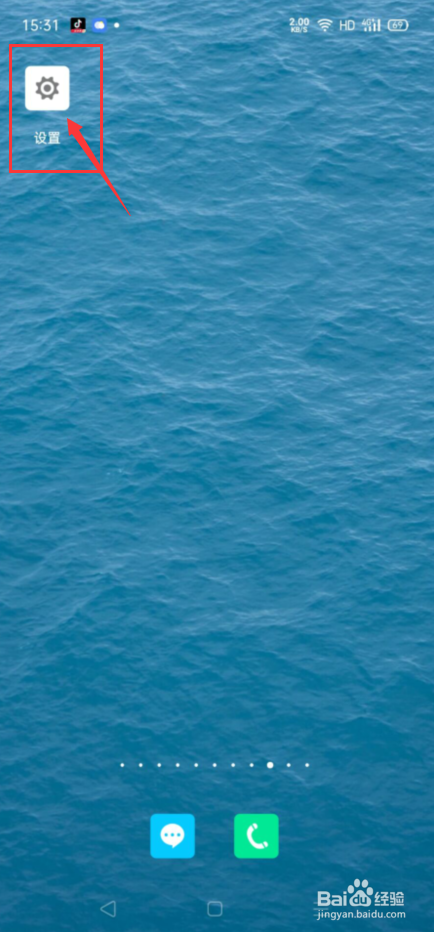
1、一开始,打开手机,点击打开设置,
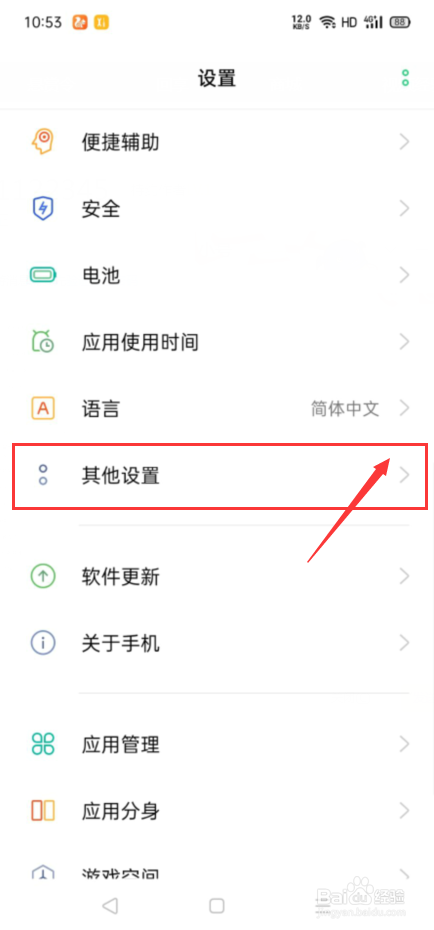
2、其次,点击打开其他设置,
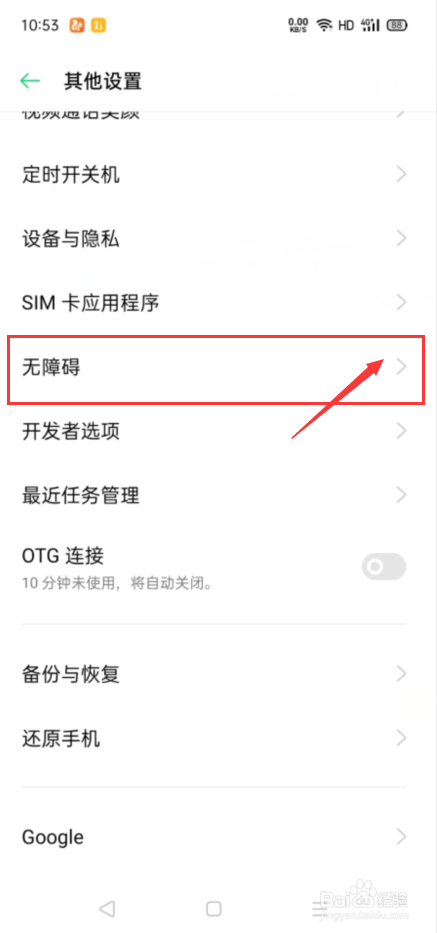
3、接着,点击打开无障碍,
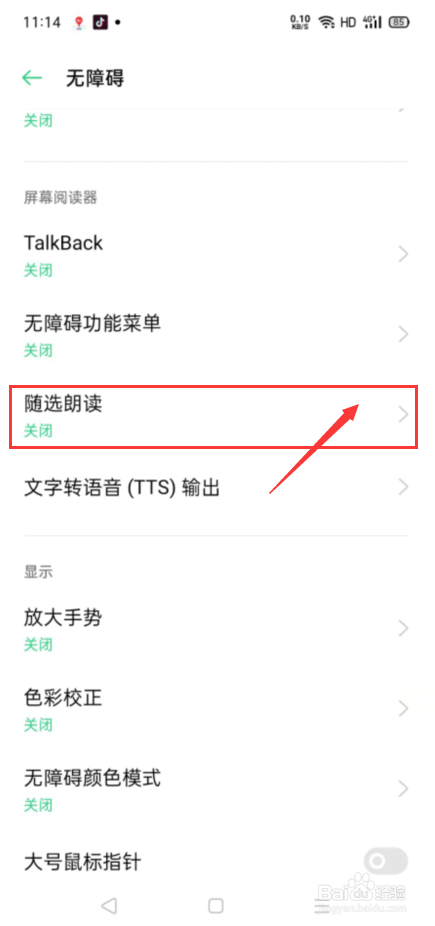
4、接下来,点击打开随选朗读,
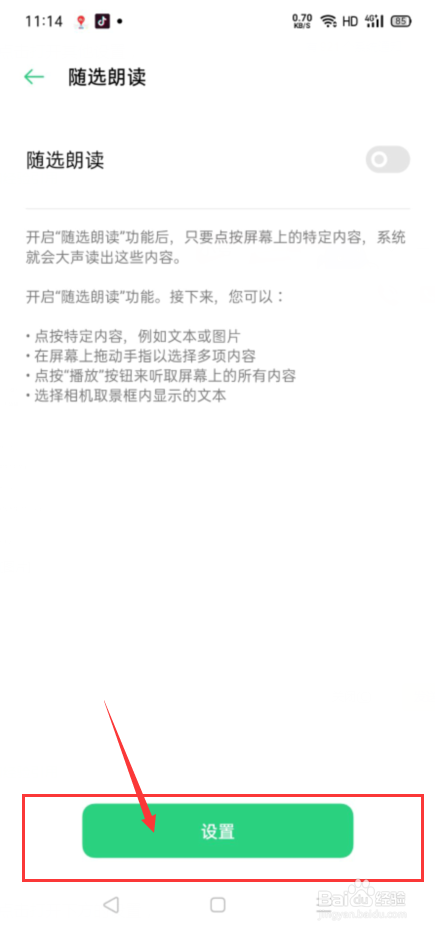
5、然后,点击打开下方的设置,
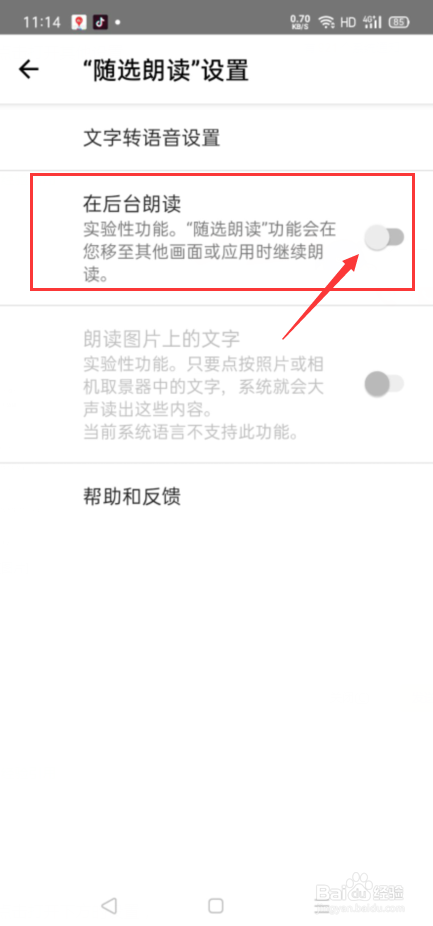
6、最后,我们将在后台朗读的开关给打开就可以了。
阅读量:153
阅读量:160
阅读量:161
阅读量:145
阅读量:140
1、一开始,打开手机,点击打开设置,
2、其次,点击打开其他设置,
3、接着,点击打开无障碍,
4、接下来,点击打开随选朗读,
5、然后,点击打开下方的设置,
6、最后,我们将在后台朗读的开关给打开就可以了。