如何使用mathematica对列表元素进行排序?
1、打开mathematica11,点击【新建笔记本】

2、此时进入笔记本界面

3、在命令行中,输入list = {e, f, t, d, b, c, z, p, u},然后按Enter+Shift

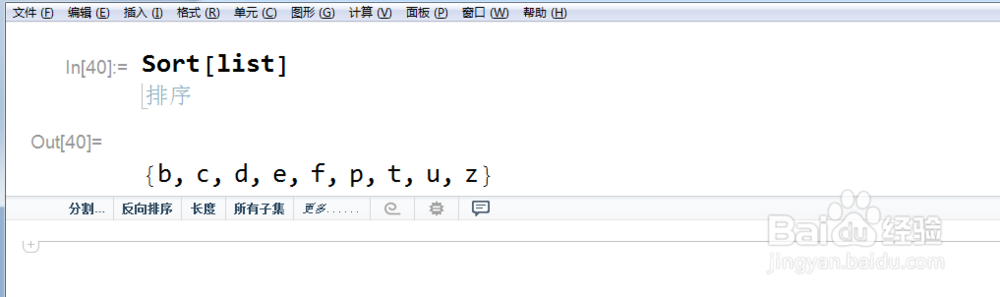
4、在命令行中,输入Sort[list],然后按Enter+Shift
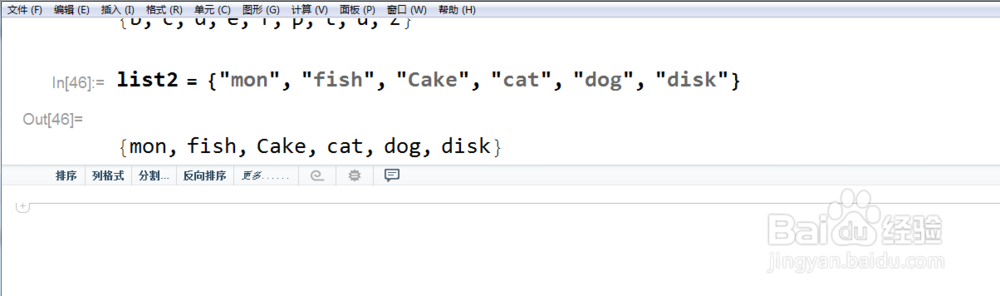
5、在命令行中,输入list2={"mon", "fish", "Cake", "cat","dog","disk"},然后按Enter+Shift
6、在命令行中,输入Sort[list2],默认是升序,然后按Enter+Shift

阅读量:32
阅读量:71
阅读量:127
阅读量:58
阅读量:54