wpsppt转换成word
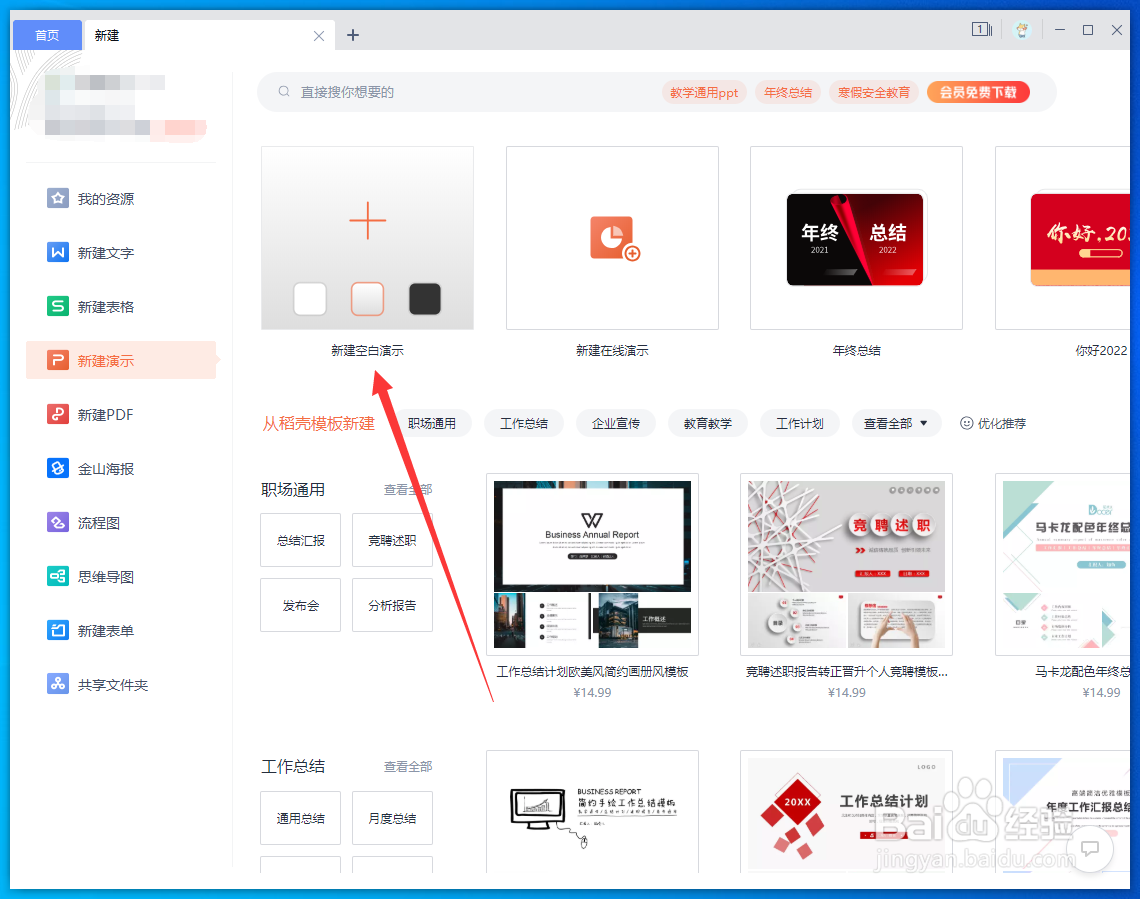
1、新建演示并输入内容
在WPS首页点击新建空白演示,在PPT中输入文字内容。

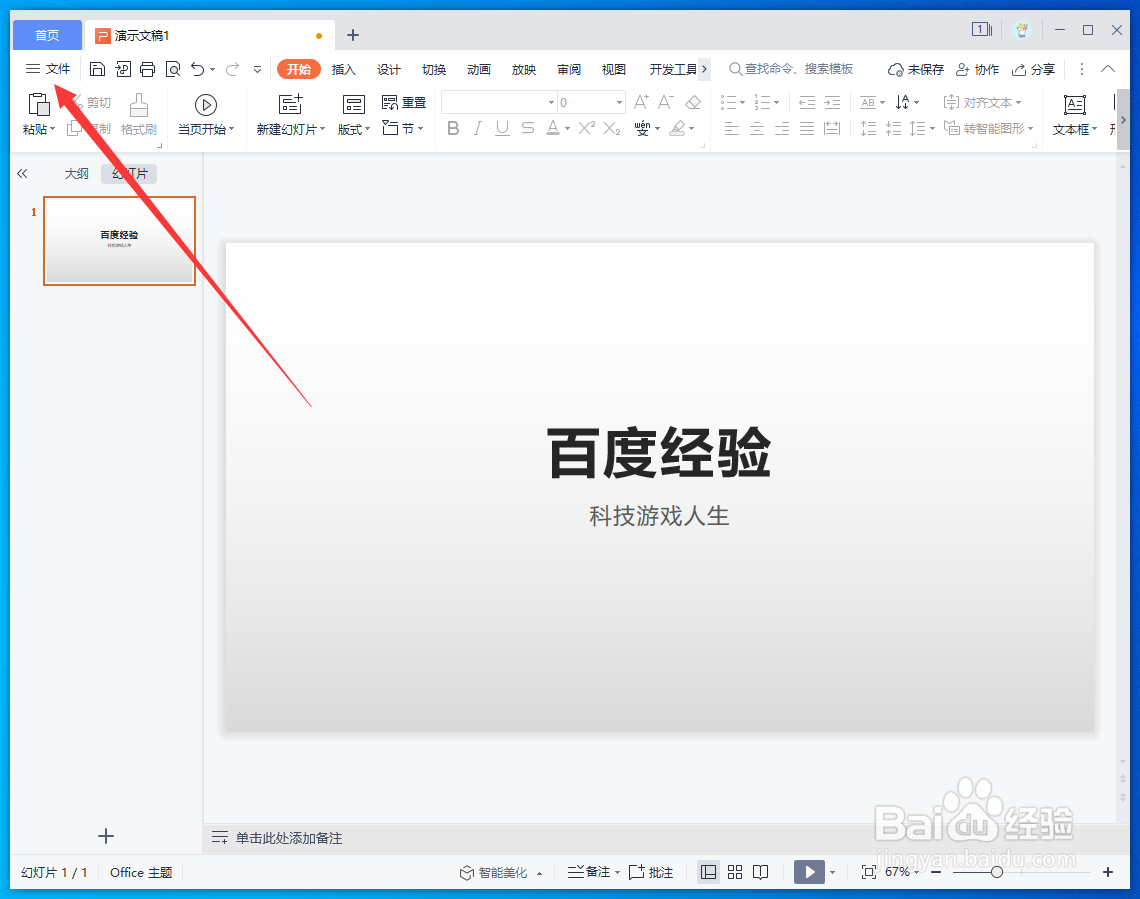
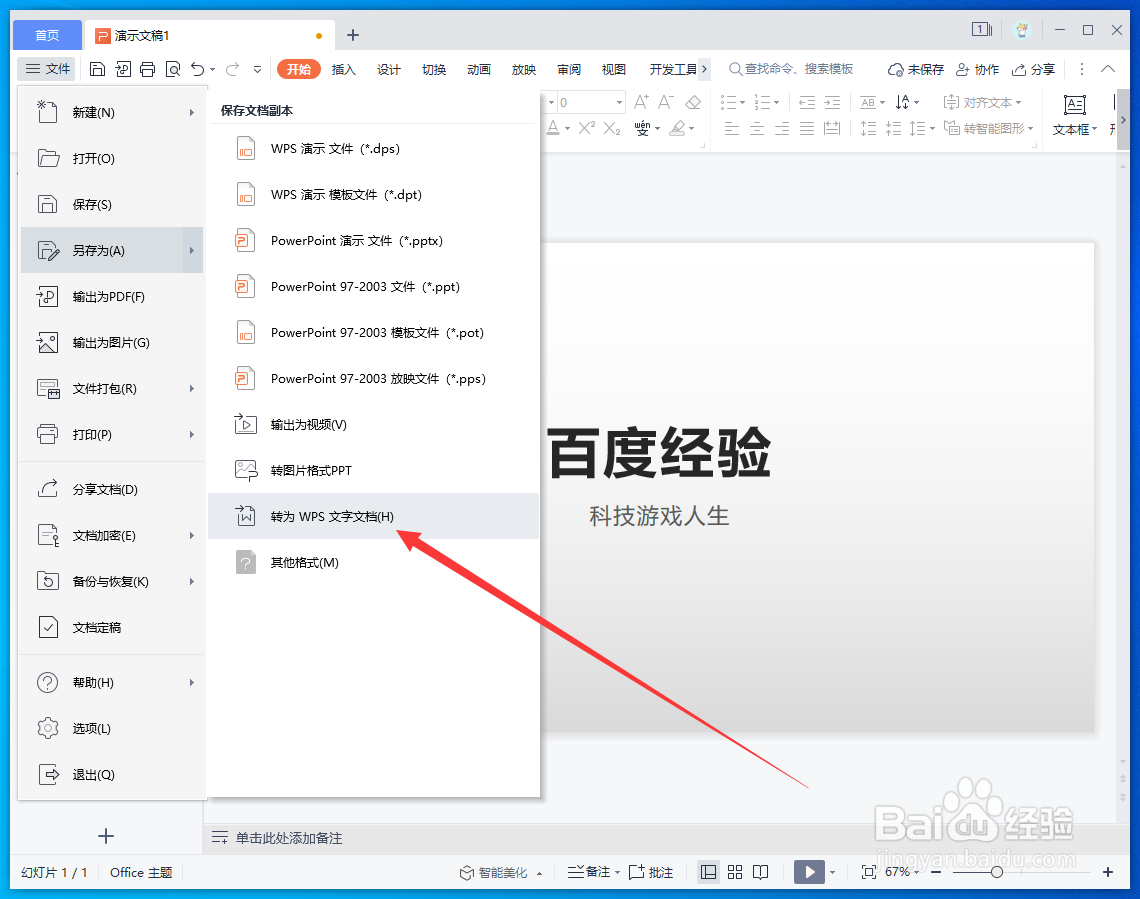
2、选择另存为文档
在PPT中点击左上角【文件】-【另存为】-【转为WPS文字文档】。
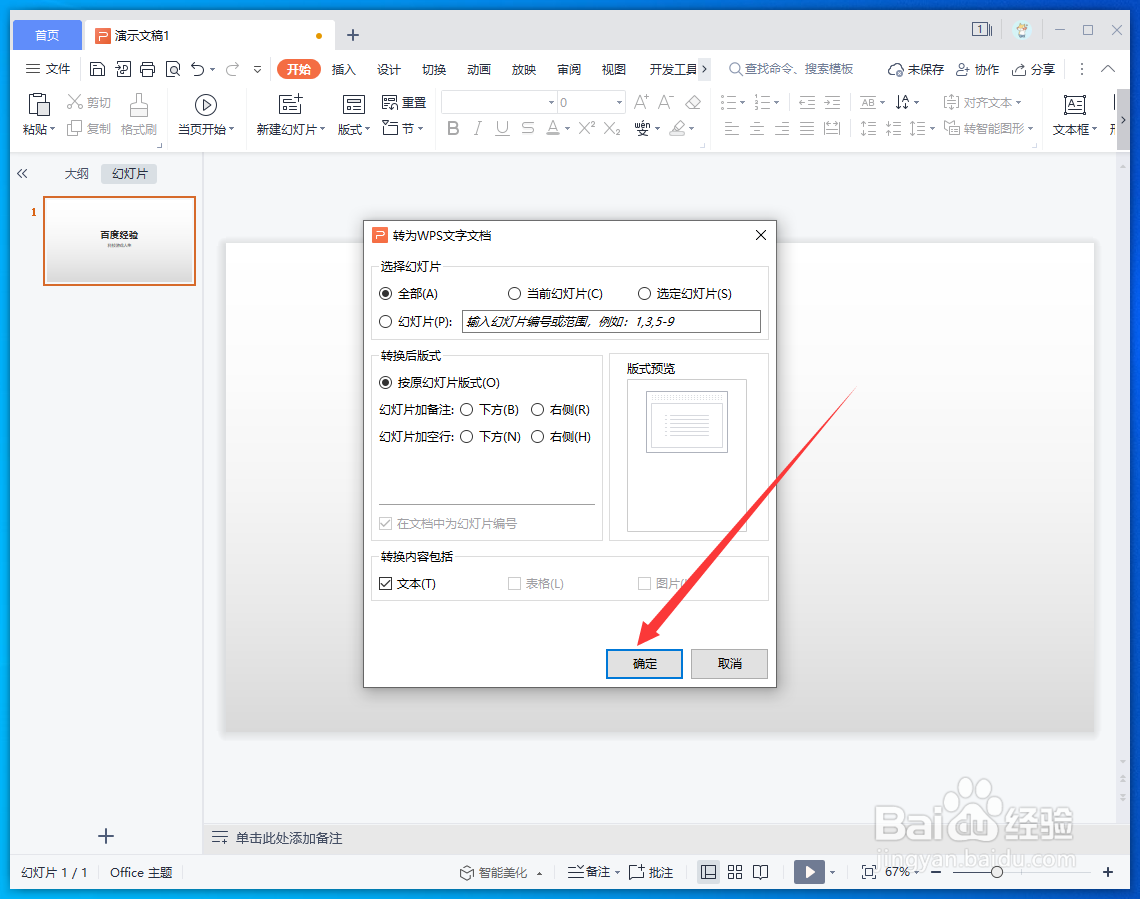
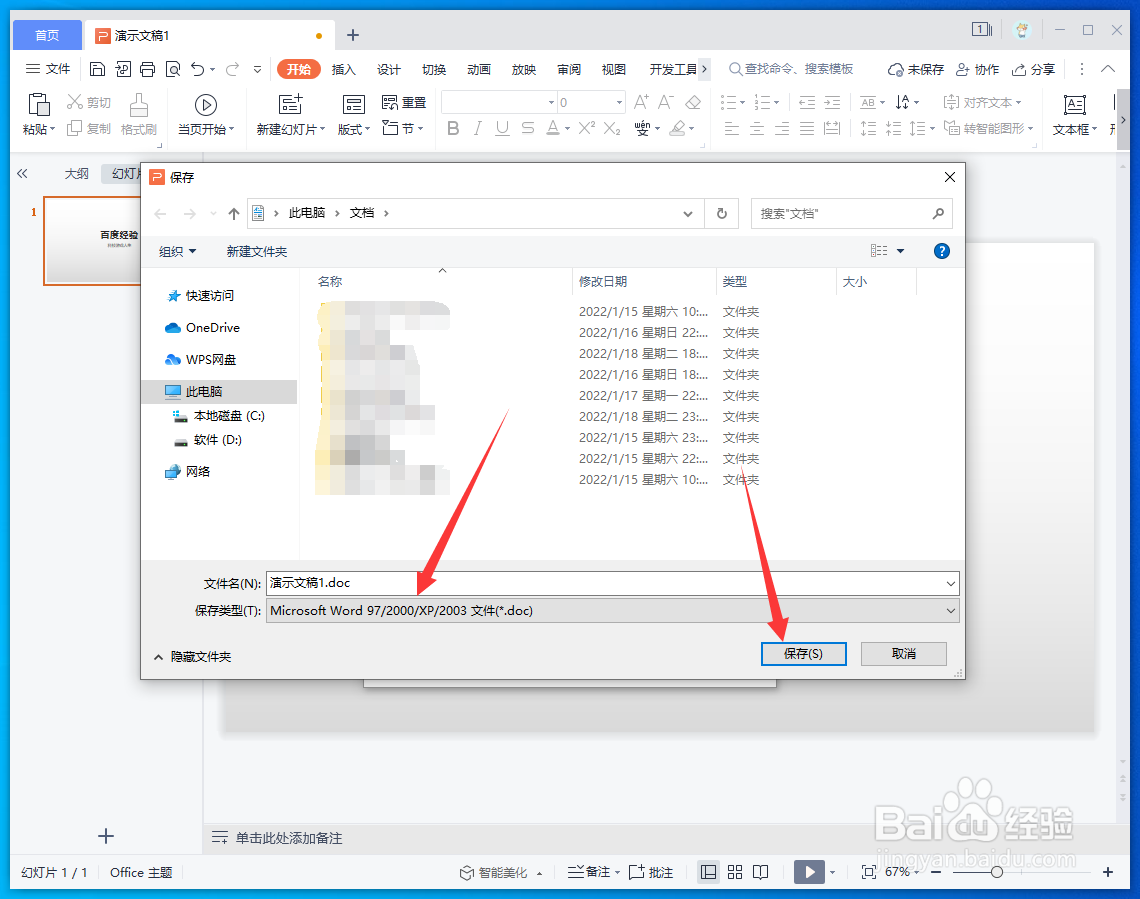
3、设置文档内容和格式
在弹出的窗口中点击【确定】,选择文件类型为Word,点击【保存】即可。
阅读量:161
阅读量:120
阅读量:176
阅读量:21
阅读量:153
1、新建演示并输入内容
在WPS首页点击新建空白演示,在PPT中输入文字内容。
2、选择另存为文档
在PPT中点击左上角【文件】-【另存为】-【转为WPS文字文档】。
3、设置文档内容和格式
在弹出的窗口中点击【确定】,选择文件类型为Word,点击【保存】即可。