ps如何使昏暗的图片变得明亮起来
1、打开photoshop软件

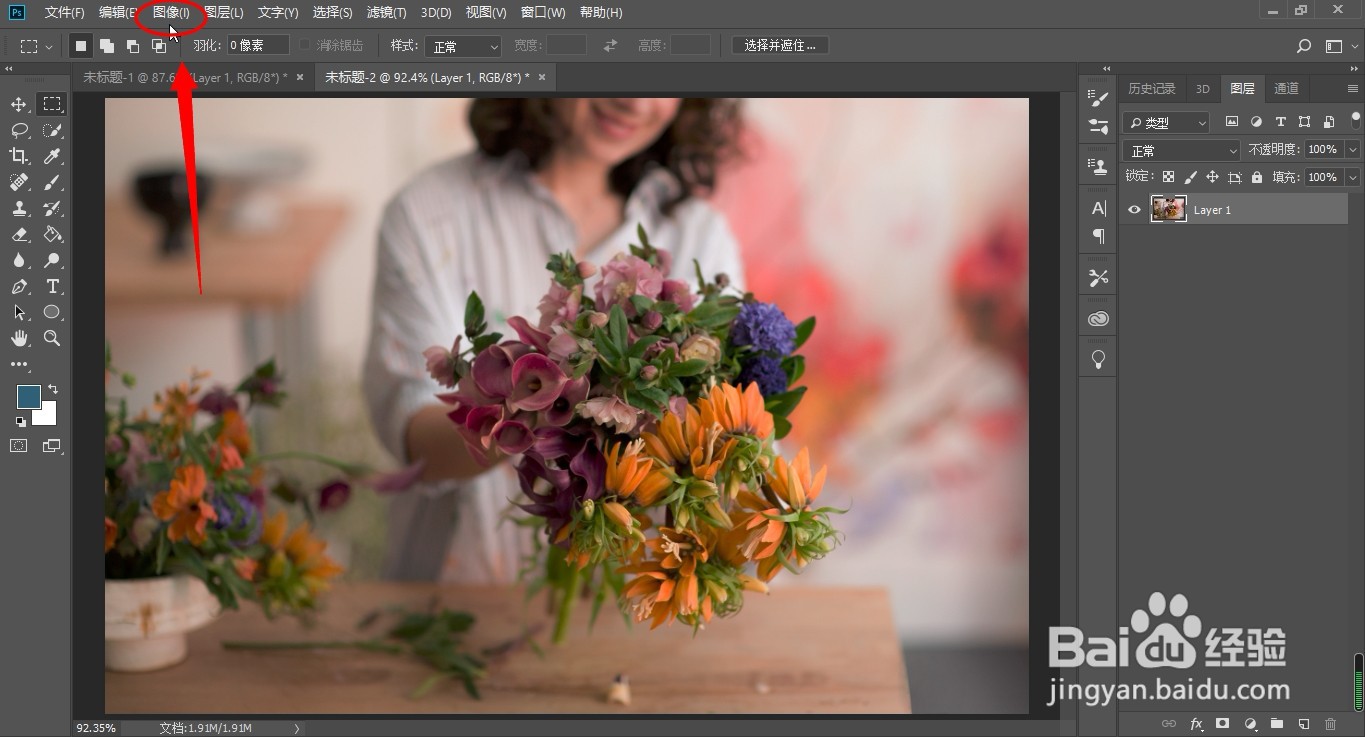
2、点击“图像”
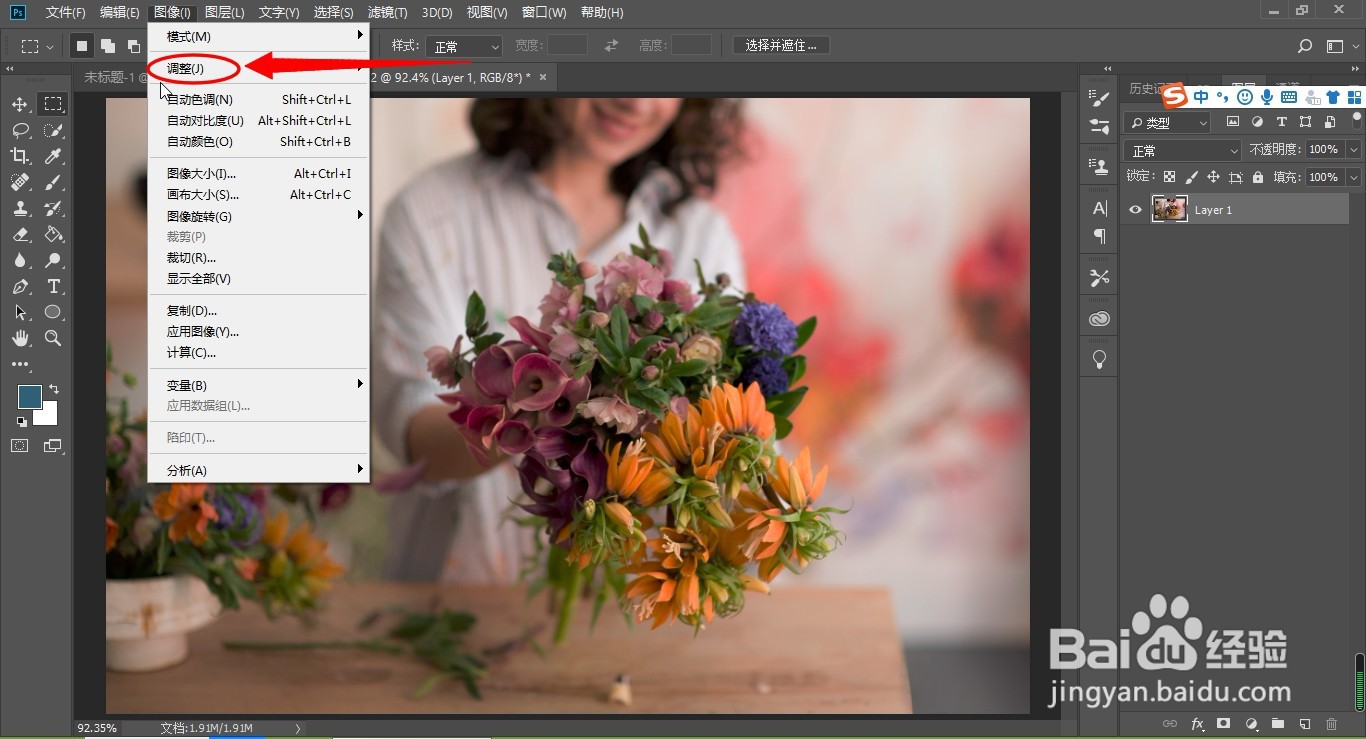
3、点击“调整”
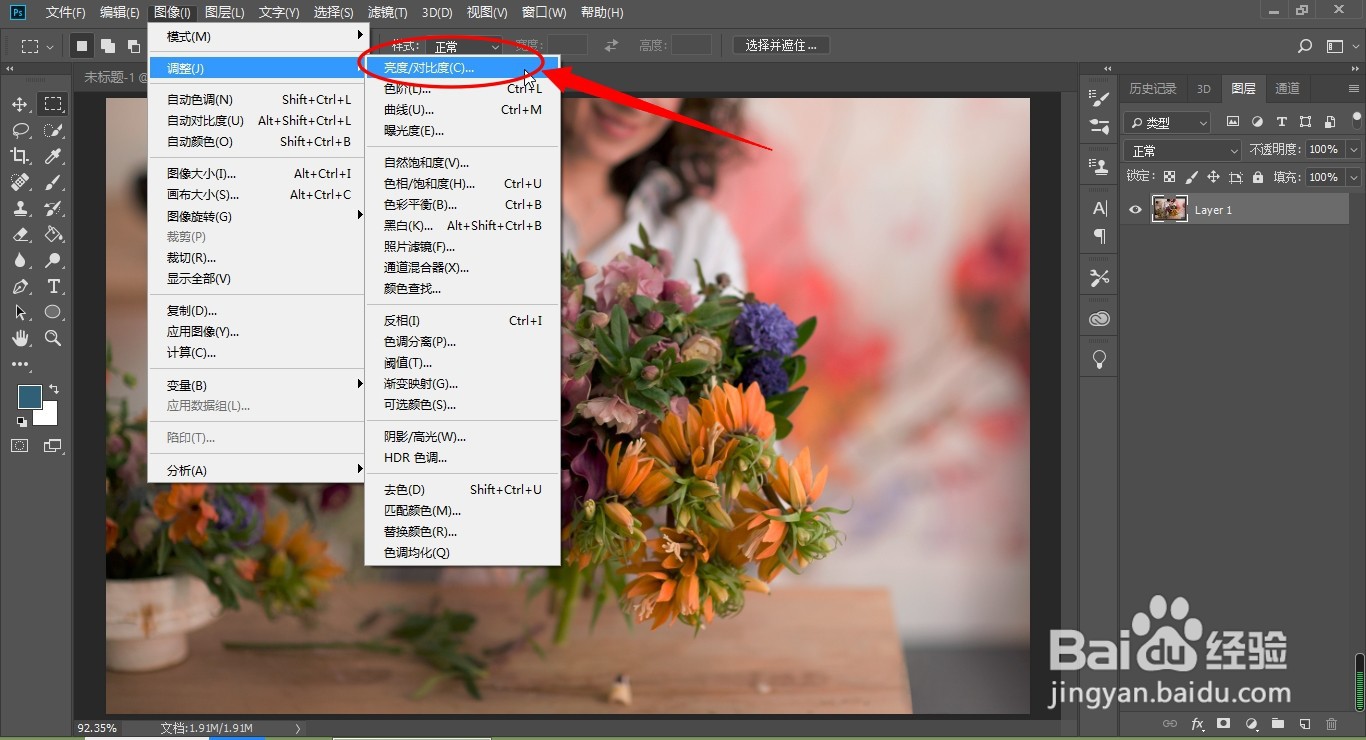
4、点击“亮度\对比度”
5、将亮度设置为“45”,对比度“20”,单击确定

6、总结:
1、打开photoshop软件
2、点击“图像”
3、点击“调整”
4、点击“亮度\对比度”
5、将亮度设置为“45”,对比度“20”,单击确定
阅读量:88
阅读量:40
阅读量:93
阅读量:94
阅读量:59
1、打开photoshop软件
2、点击“图像”
3、点击“调整”
4、点击“亮度\对比度”
5、将亮度设置为“45”,对比度“20”,单击确定
6、总结:
1、打开photoshop软件
2、点击“图像”
3、点击“调整”
4、点击“亮度\对比度”
5、将亮度设置为“45”,对比度“20”,单击确定