电脑微信怎么设置ctrl+enter发送消息
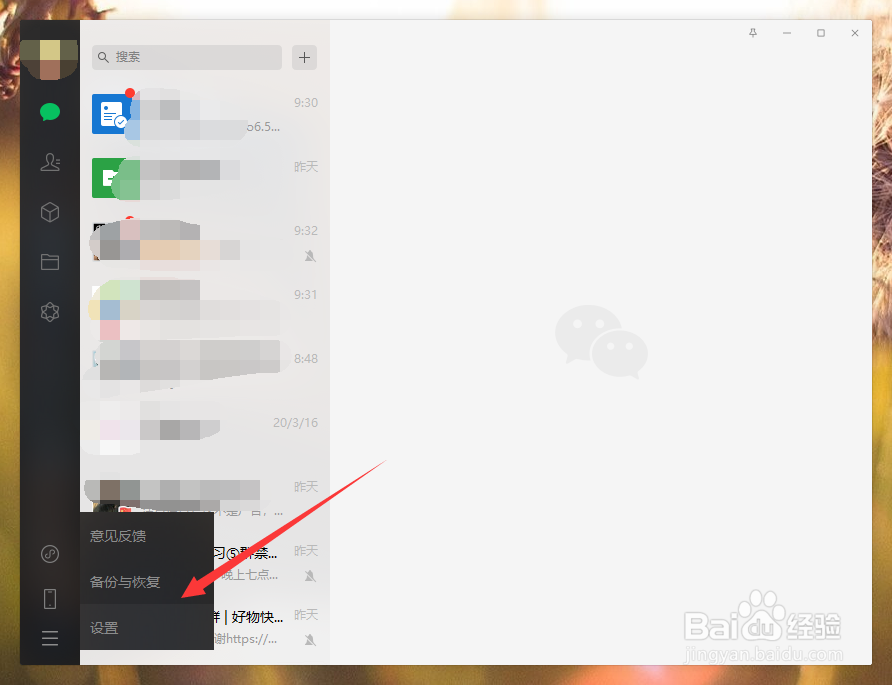
1、我们打开微信,扫码登录,然后点击左下角的三杠标记;

2、接着我们点击设置选项;
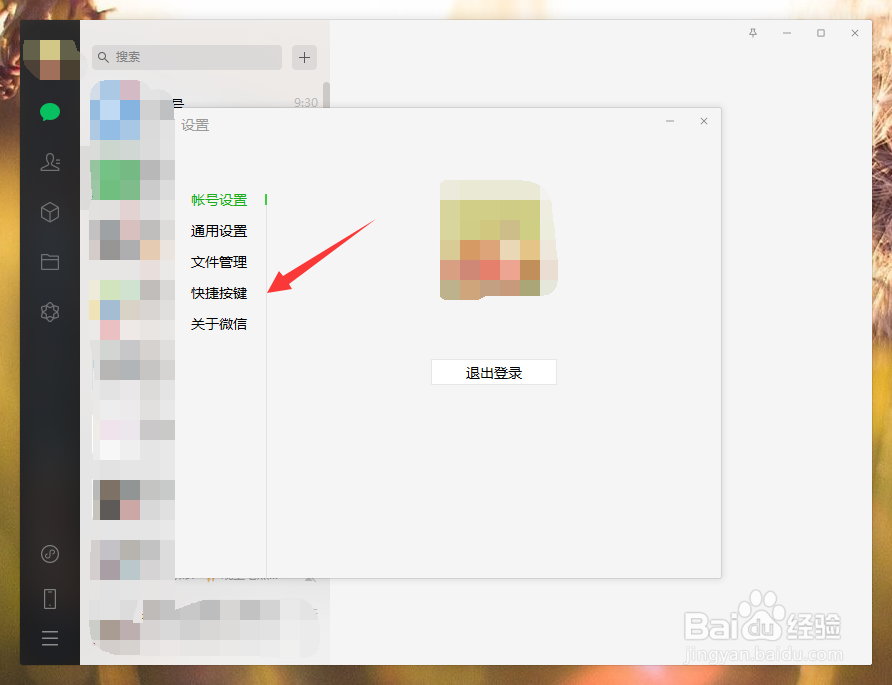
3、进入设置页面,我们点击快捷按键;
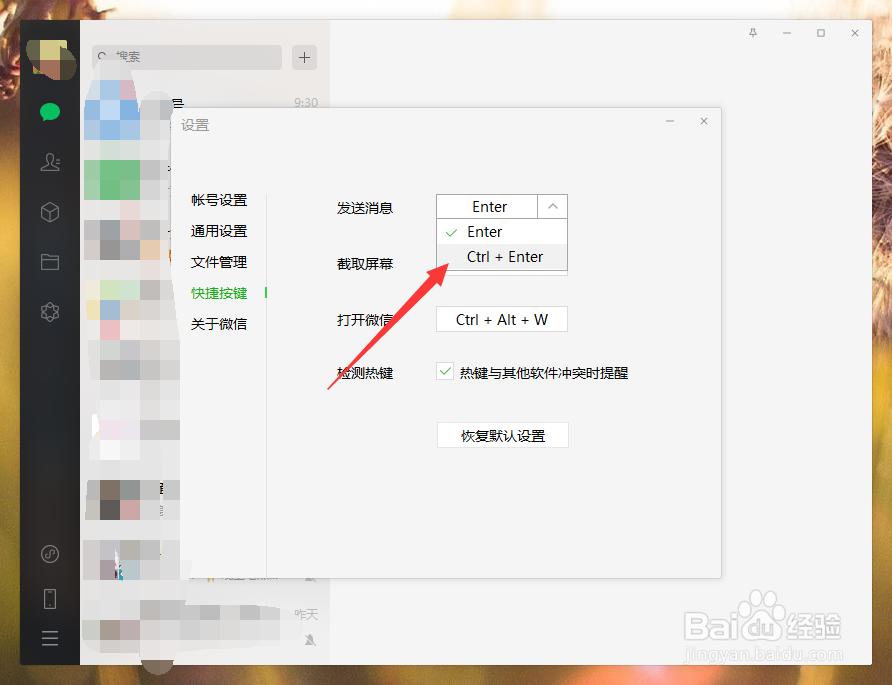
4、然后我们选择发送消息后面的下拉箭头;

5、接着我们选择ctrl+enter即可。
1、1.打开微信,点击三杠,然后点击设置;
2.点击快捷按键;
3.选择发送消息后面的下拉箭头;
4.选择ctrl+enter即可。
1、我们打开微信,扫码登录,然后点击左下角的三杠标记;
2、接着我们点击设置选项;
3、进入设置页面,我们点击快捷按键;
4、然后我们选择发送消息后面的下拉箭头;
5、接着我们选择ctrl+enter即可。
1、1.打开微信,点击三杠,然后点击设置;
2.点击快捷按键;
3.选择发送消息后面的下拉箭头;
4.选择ctrl+enter即可。