unity按钮控件颜色如何修改
1、首先我们打开【unity】看到hierarchy面板

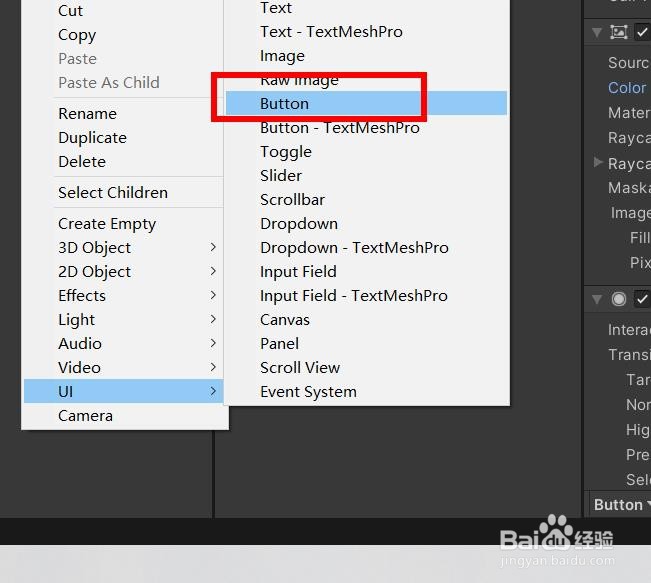
2、然后我们就可以插入按钮
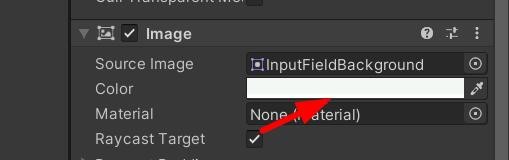
3、其次我们看到color默认是白色
4、这时候我们就看到看到按钮是这样的

5、我们设置color颜色为绿色
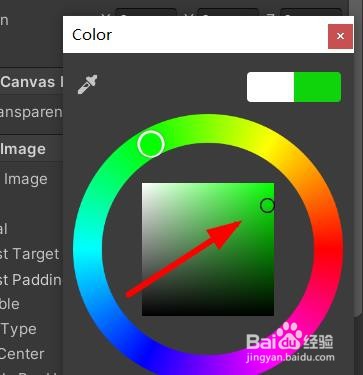
6、最后我们就成功设置颜色为绿色

阅读量:176
阅读量:81
阅读量:61
阅读量:112
阅读量:26
1、首先我们打开【unity】看到hierarchy面板
2、然后我们就可以插入按钮
3、其次我们看到color默认是白色
4、这时候我们就看到看到按钮是这样的
5、我们设置color颜色为绿色
6、最后我们就成功设置颜色为绿色