workbench怎么不设置出错时继续执行sql脚本
1、首先,打开一个workbench的界面中
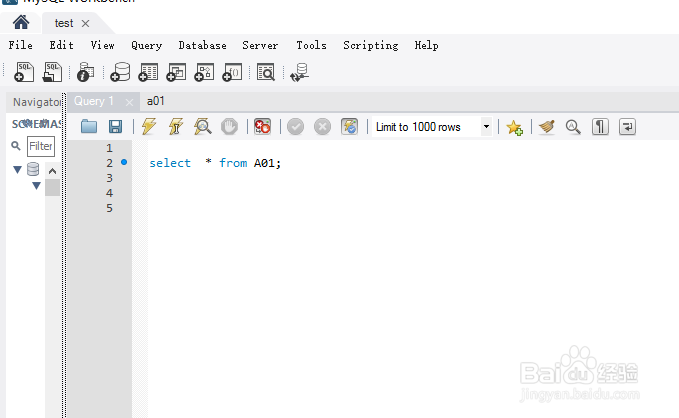
2、点击菜单中的 edit 菜单

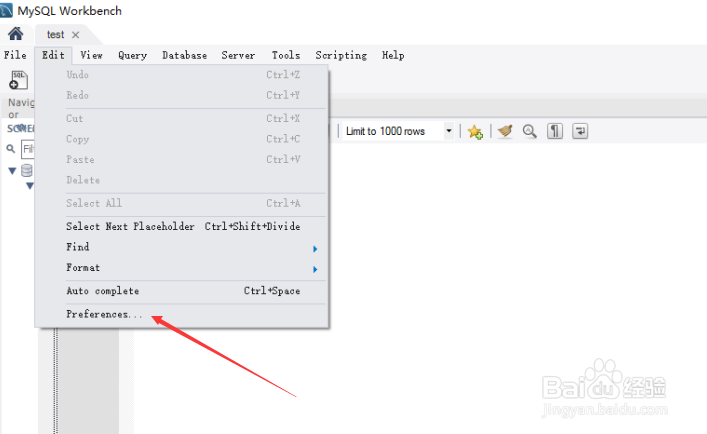
3、点击了edit菜单之后,弹出了下拉菜单选中为 preference 选项
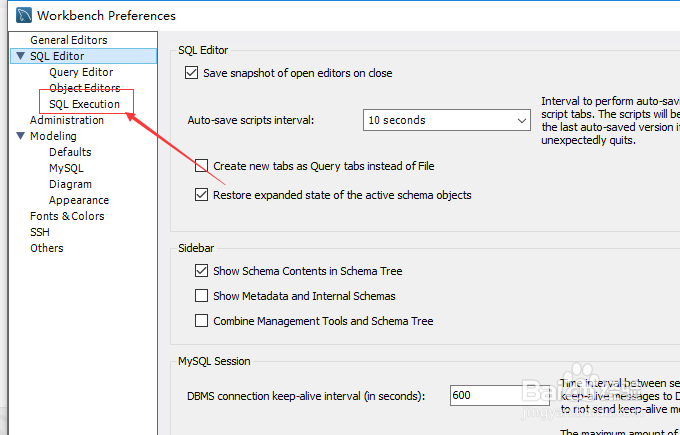
4、进入到了preference界面中,点击左侧中的 sql execution 选项
5、进入到了sql execution界面中,去掉 continue sql script execution on errors 选项勾选

6、去掉 continue sql script execution on errors 选项勾选之后,点击 ok

1、点击菜单中的 edit 菜单
选中为 preference 选项
点击左侧中的 sql execution 选项
去掉 continue sql script execution on errors 选项勾选
阅读量:28
阅读量:174
阅读量:86
阅读量:130
阅读量:41