steam怎么扫描本地游戏
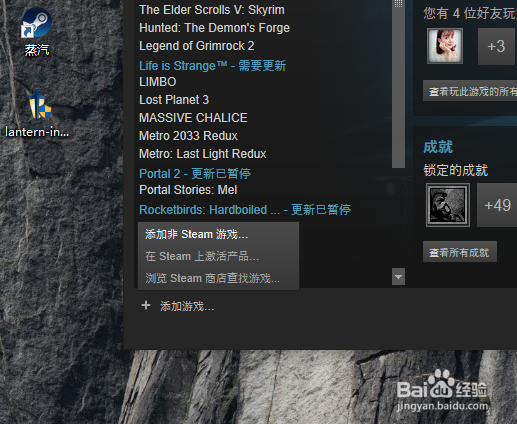
1、登录你的steam客户端,点击客户端左下角的“ + 添加游戏 ”
选择 “添加非steam游戏 ”
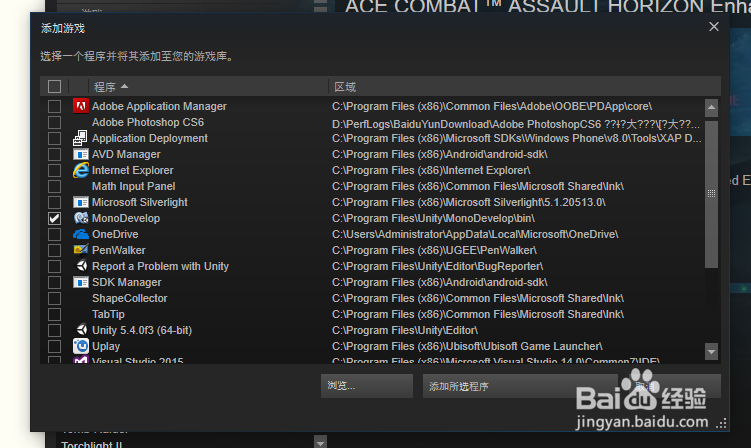
2、steam会开始扫描你电脑里软件,在软件列表里选择你要添加的游戏。
在游戏前面的方框打勾,然后点击 “添加所选程序 ”
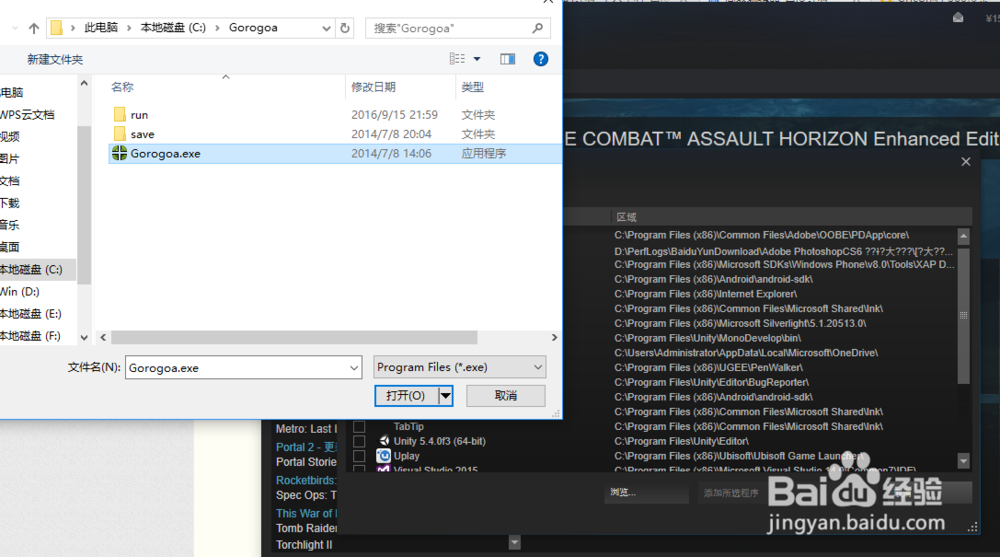
3、如果列表里没有你要的游戏。点击“浏览 ”
找到本地游戏的位置,选中然后点击“打开 ”
4、选中的游戏会出现在列表中,点击 “添加所选程序 ”

5、然后就能在库里看到该游戏

阅读量:153
阅读量:80
阅读量:81
阅读量:87
阅读量:130