envi5.3安装教程
1、首先下载并解压envi安装包,如下图所示。

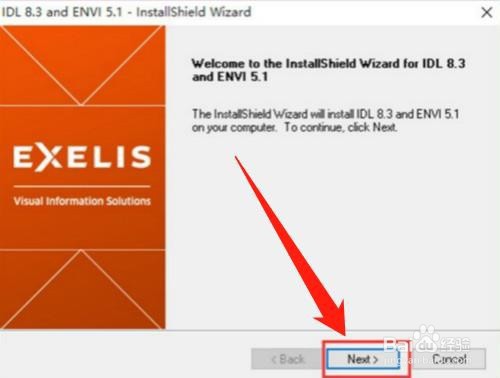
2、然后双击【IDL83ENVI5.1win64.exe】,点击【next】按钮,如下图所示。
3、然后选择安装目录,点击【next】按钮,如下图所示。

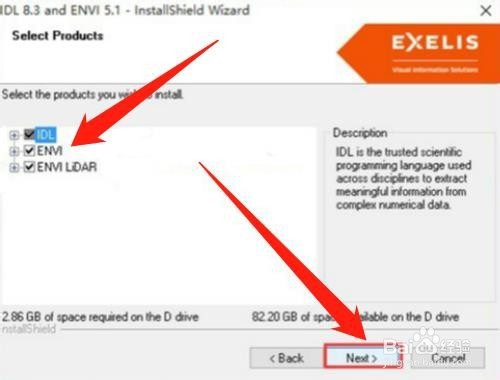
4、然后勾选需要安装的产品,点击【next】按钮,如下图所示。
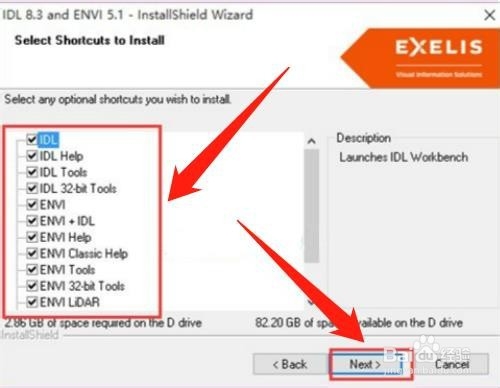
5、然后勾选想安装的快捷方式,点击【next】按钮,如下图所示。
6、然后选择【I accept the terms of the license agreement】,点击【next】按钮,如下图所示。

7、总结:
1、下载并解压envi安装包
2、双击【IDL83ENVI5.1win64.exe】,点击【next】按钮
3、选择安装目录,点击【next】按钮
4、勾选需要安装的产品,点击【next】按钮
5、勾选想安装的快捷方式,点击【next】按钮
6、选择【I accept the terms of the license agreement】,点击【next】按钮
阅读量:100
阅读量:57
阅读量:127
阅读量:120
阅读量:121